

Security teams today face an overwhelming volume of alerts. Cloud Security Posture Management (CSPM) tools like Wiz, Orca Security, and Palo Alto Cortex Cloud effectively identify misconfigurations and vulnerabilities, which is a significant improvement in visibility. However, this increased detection often leads to an alert fatigue crisis, making it hard to prioritize and fix what genuinely matters without breaking production. Many teams fix only a small fraction of alerts, leaving a vast remediation backlog that fuels risk. That's why automated remediation playbooks are no longer a luxury. They're a necessity for keeping cloud environments secure and operations stable.
Moving from mere detection to production-safe remediation requires a structured, automated approach. Playbooks formalize the steps to address common security findings. They also ensure consistency, speed, and reduce dependency on manual efforts. This article outlines how to build and implement effective automated remediation playbooks to reduce your Mean Time To Remediation (MTTR) and enhance your cloud security posture without introducing new risks.
Understanding the Cloud Remediation Challenge
The pace of cloud development means environments change constantly. New resources are provisioned, configurations evolve, and permissions change, creating a threat landscape. Traditional security operations struggle to keep up. An analysis of 14.86 million CNAPP findings from 2025 indicated that 53% of detections remained open. This isn't because security teams are complacent. It's because the volume and complexity often outstrip human capacity.
Consider a simple, but common, scenario: an S3 bucket is accidentally exposed to the public internet. A CSPM immediately flags this. The traditional process involves a security analyst creating a ticket, assigning it to a DevOps engineer, who then investigates, manually changes the bucket policy, and verifies the fix. This process can take hours, even days, leaving a critical vulnerability exposed for too long. During this time, the organization remains at risk of data exfiltration or compromise.
The core problem isn't the lack of detection. It's the gap between detection and effective, production-safe action. This gap gets wider as cloud environments scale and regulatory pressures increase. Automated remediation directly addresses this by providing machine-speed responses to known issues, freeing human experts for more complex, novel threats. The objective here isn't to replace human judgment, but to augment it, ensuring that routine, high-volume issues are resolved without manual intervention.
Why Manual Remediation Fails at Cloud Scale
Manual remediation workflows are plagued by several inefficiencies. First, they're slow. The time from alert to fix, often called MTTR, directly impacts a company's risk exposure. For critical issues like exposed data stores or over-privileged IAM roles, every minute counts. Second, manual processes are inconsistent. Different engineers might approach the same problem in slightly different ways, potentially leading to varied fix quality or even reintroducing vulnerabilities. Third, they're resource-intensive. Security and engineering teams waste valuable time on repetitive tasks that machines can handle more reliably.
A manual approach also struggles with blast radius control. When an engineer manually applies a fix, there's always a risk of unintended side effects, especially in complex, interconnected cloud systems. Understanding the blast radius of a remediation action becomes critical. Without a well-defined and tested playbook, an ad-hoc fix might resolve one issue but inadvertently create another, potentially breaking a production application.
Finally, manual remediation creates friction. Security teams identify problems, but engineering teams own the code and infrastructure, often leading to a back-and-forth that delays fixes and strains inter-team relationships. Automated playbooks, especially when built on a platform like Tamnoon that integrates with existing CI/CD pipelines, can bridge this gap. They provide a clear, agreed-upon path to resolution, reducing the need for constant communication and enabling quicker, more confident action.
Designing Effective Remediation Playbooks
Building an effective automated remediation playbook isn't just about scripting a few actions. It requires careful planning, deep understanding of cloud infrastructure, and a robust testing methodology. A well-designed playbook includes specific, actionable steps, incorporates validation, and includes rollback mechanisms to ensure production safety.
Defining Scope and Triggers
Start by identifying the most common and impactful security findings that you want to automate. Don't try to automate everything at once. Focus on high-frequency, low-complexity issues first, then move to more complex ones. Good candidates include:
- S3 Bucket Misconfigurations: Publicly exposed buckets, lack of encryption, unauthorized access.
- IAM Over-privilege: Roles or users with excessive permissions, especially those granting administrative access further than necessary.
- Security Group/Network ACL Issues: Open ports to the internet (e.g., SSH, RDP) from untrusted sources.
- Unencrypted Databases: RDS instances or other data stores lacking encryption at rest.
Each playbook needs a clear trigger. This is typically an alert from a CNAPP or CSPM like Wiz, Orca Security, Upwind, or Palo Alto Cortex Cloud. The trigger should specify the exact condition that initiates the playbook. For example, a trigger might be S3_PUBLIC_ACCESS_BLOCKED_VIOLATION from AWS Security Hub or a similar alert from your chosen CNAPP.
Structuring a Playbook: Key Components
A robust playbook typically includes:
- Pre-Requisites and Context Gathering: Before any action, the playbook should gather all necessary context. This might involve querying the cloud API for resource tags, associated policies, or dependency information. This helps prevent unintended consequences.
- Actionable Remediation Steps: These are the actual commands or API calls that resolve the issue. Use cloud-native tools (AWS CLI, Azure CLI, gcloud), Infrastructure as Code (IaC) templates (Terraform, CloudFormation, Bicep), or direct API calls.
- Validation Steps: After applying a fix, the playbook should verify its success. Did the S3 bucket become private? Is the IAM role's policy modified correctly? This prevents false positives and ensures the remediation was effective.
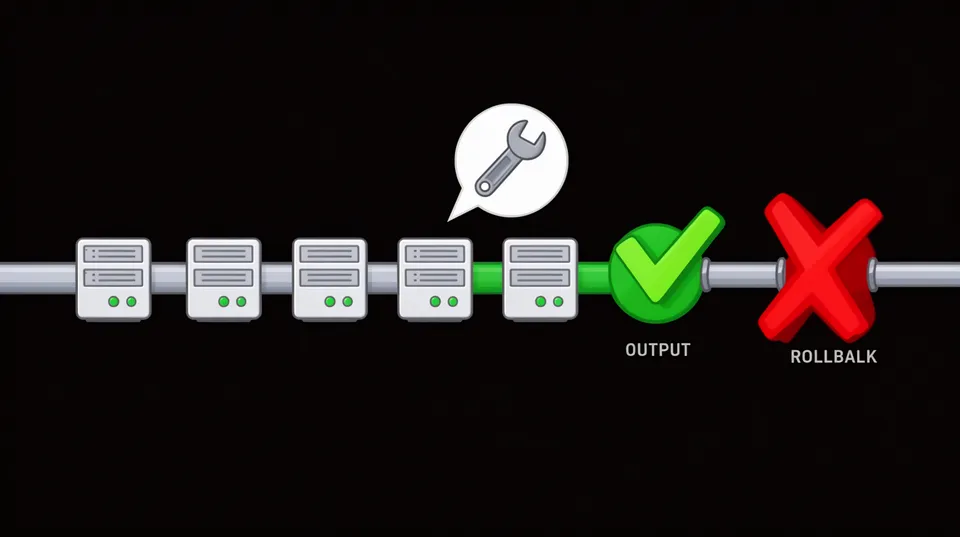
- Rollback Mechanism: What if the remediation breaks something? Every playbook needs a defined rollback. This could involve restoring a previous configuration, reverting to an older IaC state, or having a manual procedure for human intervention. This is a critical component of production-safe remediation.
- Notification and Reporting: Inform relevant teams (security, DevOps) about the remediation status, success, or failure. Integrate with systems like PagerDuty, Slack, Teams, or JIRA.
# Example: AWS S3 Public Access Remediation Playbook (Conceptual Terraform) # Trigger: CSPM alert for public S3 bucket (e.g., bucket_policy_allows_public_access) # Context Gathering:
# Query S3 bucket name, current policies, and associated applications via tags.
# AWS CLI: aws s3api get-bucket-policy --bucket <bucket-name>
# AWS CLI: aws s3api get-public-access-block --bucket <bucket-name> # Remediation Actions (Terraform example for aws_s3_bucket_public_access_block resource): resource "aws_s3_bucket_public_access_block" "example" { bucket = var.bucket_name block_public_acls = true block_public_policy = true ignore_public_acls = true restrict_public_buckets = true
} # And/or remove specific public statements from an existing bucket policy:
resource "aws_s3_bucket_policy" "example" { bucket = var.bucket_name policy = data.aws_iam_policy_document.restrict_s3_access.json
} data "aws_iam_policy_document" "restrict_s3_access" { statement { principals { type = "AWS" identifiers = ["arn:aws:iam::<account-id>:root"] } actions = [ "s3:GetObject", "s3:ListBucket" ] resources = [ "arn:aws:s3:::${var.bucket_name}", "arn:aws:s3:::${var.bucket_name}/*" ] }
} # Validation Steps:
# AWS CLI: aws s3api get-public-access-block --bucket <bucket-name>
# Expected result: all public access blocks should be 'true'.
# AWS CLI: aws s3 ls s3://<bucket-name> --no-sign-request (should fail if public access removed). # Rollback (if automated):
# Revert to previous Terraform state or apply a backup policy. # Notification:
# Send alert to Slack/JIRA detailing remediation (success/failure) and rollback options.
Implementing Automated Remediation with Modern Platforms
To scale automated remediation, you need a platform that orchestrates these playbooks. Traditional Security Orchestration, Automation, and Response (SOAR) solutions have long promised automation, but their real-world automation rate lands around 25%. This is because effective cloud remediation isn't just about orchestration. It's about intelligence, context, and production safety.
Modern platforms like Tamnoon are built specifically for cloud security remediation. They integrate with your CNAPs and other security tools to transform raw alerts into actionable, production-safe fixes. This involves more than just running scripts. It includes AI-powered analysis to understand the blast radius, human-in-the-loop expert validation for complex scenarios, and continuous feedback loops.
Integrating with Detection Tools
First, connect your detection tools. This includes CSPMs like Wiz, Orca Security, or Prisma Cloud, vulnerability scanners, and even cloud-native security services like AWS Security Hub or Azure Defender for Cloud. These tools generate the alerts that trigger your playbooks. Tamnoon integrates directly with these sources, pulling in context-rich alert data.
For example, if Wiz identifies an IAM role with excessive permissions, Tamnoon can receive this alert, analyze the role's actual usage (if integrated with an Identity Governance and Administration tool), and then initiate a playbook to trim those permissions down to the principle of least privilege. This proactive approach significantly reduces identity-related risks, which are often overlooked until a breach occurs. You can find more on fixing overprivileged IAM roles here.
AI-Powered Remediation
AI plays a critical role in advancing automated remediation beyond simple if-then logic. AI-powered remediation engines analyze alert data, correlate it with other contextual information (e.g., asset criticality, exploitability, network topology), and generate specific, highly targeted fix actions. This reduces false positives and ensures the proposed remediation is appropriate for the given context.
For instance, Valence AI Assistant analyzes SaaS security risks and helps define remediation plans. Similarly, Censinet AI aims for 30% faster remediation through automated playbooks. These AI capabilities inform which playbook to run, and what parameters to use, making the remediation process much smarter and more efficient. The AI doesn't just run a script. It helps select and tailor the script for the specific situation.
Human-in-the-Loop for Complex Remediation
While automation is powerful, not everything can be fully automated, especially in complex production environments where a small error can have significant consequences. This is where Tamnoon's Human-in-the-Loop approach becomes invaluable. For critical or high-impact remediations, an automated playbook can pause, request approval from a cloud security expert, and even present the proposed fix code (e.g., Terraform changes) for review before execution.
This hybrid model allows organizations to confidently automate routine tasks while retaining expert oversight for complex issues or highly sensitive resources. It ensures that security posture improves rapidly without risking production stability. The Human-in-the-Loop is a pragmatic acknowledgment that while machines excel at speed, human expertise remains crucial for nuanced, high-stakes decisions.
This approach combines the speed of automation with the safety net of human expertise, ensuring that critical systems aren't inadvertently disrupted. It's especially useful for issues that could have a large blast radius, such as IAM access key rotations for critical service accounts.
Building Production-Safe Playbooks
The goal of automated remediation is to fix issues without causing downtime or operational disruptions. This requires a strong emphasis on testing, validation, and rollback strategies. Production safety isn't an afterthought. It's a core design principle for every playbook.
Pre-Deployment Validation
Before any playbook touches a production environment, it must undergo rigorous testing. This is typically done in isolated staging or development environments that mimic production as closely as possible. Automated tests should verify that the remediation successfully fixes the identified issue and, equally important, that it doesn't introduce new problems or break existing functionality. This often involves:
- Unit Tests: Verify individual remediation steps.
- Integration Tests: Ensure the playbook interacts correctly with cloud APIs and other systems.
- End-to-End Tests: Simulate the entire remediation flow, from trigger to validation.
- Negative Tests: Test what happens if the remediation fails or encounters unexpected conditions.
Use existing CI/CD pipelines to manage and test playbook code. Treat remediation playbooks like any other critical application code. This means version control, peer review, and automated testing are essential components of your pipeline.
Post-Remediation Verification and Rollback
Verification after remediation is non-negotiable. The playbook needs to confirm that the issue was actually resolved. This could involve re-running the CSPM scan that triggered the alert, checking cloud resource configurations, or attempting to exploit the fixed vulnerability in a controlled manner.
# Example: Post-Remediation Verification in a Shell Script Playbook # Assuming S3 bucket 'my-sensitive-data' was made public and remediated. # Verification Step 1: Check Public Access Block status
current_pub_access_block=$(aws s3api get-public-access-block --bucket my-sensitive-data --query 'PublicAccessBlockConfiguration' --output json) if echo "$current_pub_access_block" | grep -q '"BlockPublicAcls": true' && \ echo "$current_pub_access_block" | grep -q '"BlockPublicPolicy": true' && \ echo "$current_pub_access_block" | grep -q '"IgnorePublicAcls": true' && \ echo "$current_pub_access_block" | grep -q '"RestrictPublicBuckets": true'; then echo "S3 Public Access Block settings are as expected. Remediation successful."
else echo "WARNING: S3 Public Access Block settings are NOT as expected. Remediation might have failed." # Trigger rollback or human intervention
fi # Verification Step 2: Attempt public access
if aws s3 ls s3://my-sensitive-data --no-sign-request 2>&1 | grep -q 'Access Denied'; then echo "Public access attempt failed. Bucket is not publicly accessible. Remediation confirmed."
else echo "ERROR: Public access still possible. Remediation failed to secure the bucket." # Trigger rollback or human intervention
fi
If verification fails, or if a monitored application reports an issue shortly after the remediation, the rollback mechanism must kick in. This could be an automated process to revert configuration changes, or it could trigger a human-in-the-loop alert with detailed instructions and one-click rollback options. The capability to safely revert is a cornerstone of production-safe playbooks.
Continuous Improvement Loop
Automated remediation isn't a set-it-and-forget-it solution. It requires continuous improvement. Review playbook performance regularly. Analyze failed remediations to understand why they failed. Update playbooks as cloud services evolve and as new security best practices emerge. This feedback loop ensures your automated defenses remain effective over time. Tamnoon's platform s this by providing detailed remediation reports and analytics, allowing teams to identify bottlenecks and optimize their playbooks. The Cloud Security Alliance's 'The State of Security Remediation' survey, conducted in December 2023, highlighted the emphasis on continuous operational analysis.
Operationalizing Automated Remediation
Successfully integrating automated remediation into your security operations requires more than just technical implementation. It demands organizational alignment and a change in mindset. Security and DevOps teams must collaborate closely to ensure playbooks are both effective and production-safe.
Team Collaboration and Ownership
Remediation is a shared responsibility. Security teams, tools like Wiz or Orca Security, are traditionally responsible for identifying vulnerabilities. DevOps or SRE teams own the infrastructure and code, and thus the actual fix. Automated remediation bridges this gap. By jointly developing and approving playbooks, both teams ensure the fixes are technically sound and meet operational requirements.
Explicitly define ownership for playbook creation, maintenance, and oversight. For instance, security teams might define the security requirements and validation steps, while DevOps teams ensure the remediation commands are idempotent and won't break existing pipelines. This collaboration is key to preventing the cloud security remediation gap that often plagues organizations.
Monitoring and Alerting on Remediation Outcomes
Treat the remediation system itself as a critical service. Monitor its health, performance, and the success rate of playbooks. Set up alerts for failed remediations, unexpected rollbacks, or any issues indicating a playbook isn't functioning as intended. This proactive monitoring ensures your automated defenses are always operational.
Integrate remediation outcomes into your overall security reporting. Track metrics like MTTR for various issue types, the percentage of remediations automated, and the effectiveness of rollbacks. These metrics demonstrate the value of automation and guide further investment and optimization efforts. 71% of business leaders reported a high rise in attack frequency in 2025-26, making efficient remediation tracking critical.
Scaling Automated Remediation
As your cloud footprint grows, your remediation strategy must scale with it. Start with a few well-tested playbooks, then gradually expand to cover more scenarios. The modular nature of playbooks allows for reuse and adaptation. For example, a playbook for an S3 bucket misconfiguration in AWS can be adapted for Azure Blob Storage or Google Cloud Storage with minor modifications.
Consider using a centralized platform like Tamnoon to manage your playbooks across multiple cloud providers. This ensures consistency and simplifies management. The platform's ecosystem integrations mean it can pull alerts from various CNAPs and execute remediations through the appropriate cloud SDKs or IaC tools. This becomes essential as organizations increasingly operate in multi-cloud environments, facing complex challenges like network segmentation across hybrid clouds, which require coordinated remediation efforts.
Automated remediation playbooks are an essential component of modern cloud security. They move organizations beyond simple detection to proactive, production-safe fixing. By focusing on well-defined triggers, robust actions, thorough validation, and reliable rollback mechanisms, security teams can significantly reduce MTTR, alleviate alert fatigue, and strengthen their overall security posture. Implementing these playbooks with platforms that emphasize AI-powered analysis and human-in-the-loop oversight creates a powerful defense that keeps pace with the dynamism of cloud environments. Reduce your MTTR by automating remediation with Tamnoon.

Tamnoon helps security teams remediate cloud risks faster with AI-augmented managed services — combining human expertise with automation so nothing falls through the cracks.
Learn more at tamnoon.ioFAQs
What is an automated remediation playbook in cloud security?
An automated remediation playbook in cloud security is a predefined, executable workflow that automatically addresses specific security misconfigurations or vulnerabilities identified in a cloud environment. It's a sequence of actions, often scripted using cloud APIs, CLIs, or Infrastructure as Code, designed to resolve an issue effectively and safely. For instance, if a CSPM detects that an S3 bucket policy allows public write access, an automated playbook might trigger to immediately modify the policy to restrict public access, then verify the change. These playbooks are crucial for reducing MTTR and handling the volume of alerts generated by modern cloud security tools.
How do automated remediation playbooks contribute to production safety?
Production safety is built into automated remediation playbooks through several critical components. First, playbooks include thorough validation steps to confirm the fix was applied correctly and didn't introduce new issues. Second, they incorporate rollback mechanisms, allowing for the automatic or human-initiated reversal of changes if an unexpected impact to production is detected. Third, platforms managing these playbooks often utilize a 'human-in-the-loop' approach, where complex or high-impact remediations require expert approval before execution. This ensures that while speed is gained through automation, critical decisions are still subject to human oversight, preventing accidental outages.
What types of cloud security issues can be addressed with automated remediation playbooks?
Automated remediation playbooks are effective for a wide range of common cloud security issues. These include, but aren't limited to, misconfigured storage buckets (e.g., publicly accessible S3 buckets), over-privileged IAM roles or policies that grant excessive access, open network ports in security groups or network ACLs, unencrypted data stores, and non-compliant resource tags. They can also address vulnerabilities in container images, though this often involves more complex actions like image replacement or patching. The key is to target high-frequency, well-understood issues, gradually expanding to more complex scenarios as your automation capabilities mature.
How does Tamnoon enhance automated remediation playbooks?
Tamnoon enhances automated remediation playbooks by acting as an intelligent orchestration layer between detection tools and actual fixes. It doesn't just run scripts; it leverages AI-Powered Remediation to analyze alerts, understand context, and intelligently select and tailor the most appropriate, production-safe playbook. Tamnoon's platform integrates with existing CNAPs like Wiz, Orca Security, or Palo Alto Cortex Cloud, enabling it to ingest rich alert data. Critically, it incorporates a 'Human-in-the-Loop' model, allowing security experts to review and approve complex remediations, ensuring zero downtime and preventing unintended consequences in production environments. This combination of AI, automation, and expert oversight moves organizations beyond alert fatigue to actual, controlled resolution.
What are the benefits of using automated remediation playbooks for cloud security?
Using automated remediation playbooks offers significant benefits for cloud security. The primary advantage is a drastic reduction in Mean Time To Remediation (MTTR), which directly lowers risk exposure. Automation frees up security and engineering teams from repetitive, manual tasks, allowing them to focus on strategic initiatives and more complex threats. It ensures consistency in how issues are addressed, reducing human error. Automated playbooks also improve compliance by enforcing security policies at machine speed and strengthen collaboration between SecOps and DevOps by providing clear, pre-approved remediation paths. Ultimately, they create a more resilient and continuously secure cloud environment without disrupting production.