
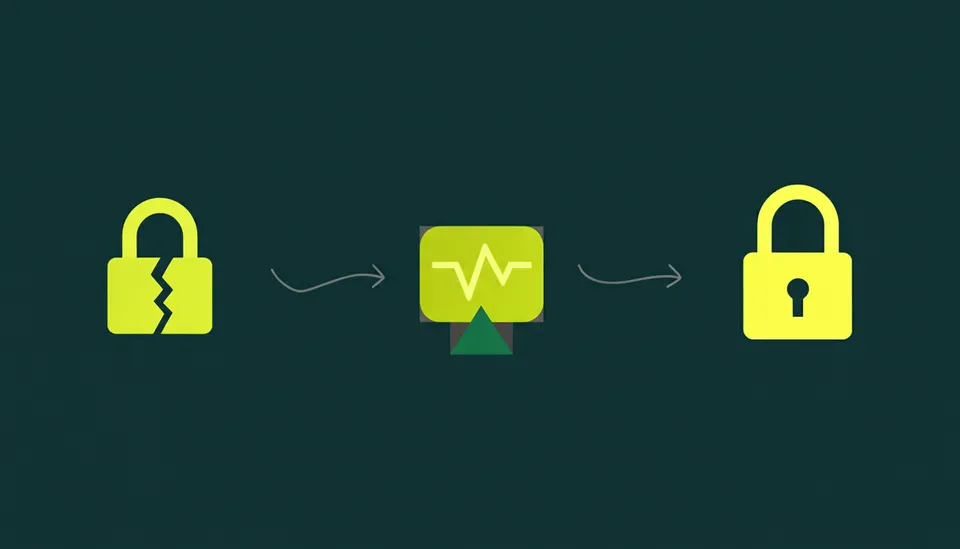

Your CSPM is lit up with critical IAM findings. Wiz, Prisma Cloud, or Orca Security is flagging hundreds of roles with wildcard permissions. You know it’s a problem. 58% of cybersecurity experts point to unauthorized access as a top cloud security challenge. Yet, the remediation backlog grows because every alert comes with an implicit risk: breaking production.
The core tension isn't about finding over-permissive policies; it's about fixing them without causing an outage. Developers, under pressure to ship features, often request broad permissions like s3:* or ec2:* with a promise to tighten them later. That "later" rarely comes. The result is a sprawling mess of latent risk, where a single compromised credential can lead to a devastating breach. Roughly 45% of all data breaches happen in the cloud, often beginning with the exploitation of exactly these kinds of permissions.
This isn't a theoretical exercise. It's an operational blueprint for surgically removing excess permissions without collateral damage. It moves beyond simple detection to a structured process of analysis, right-sizing, safe deployment, and prevention, focusing on what to do when the alert ticket lands on your desk.
Establish Ground Truth with Usage Data Not Just Static Scans
The first step is to move past the raw output of posture management tools. A CSPM alert tells you a policy is syntactically permissive. It doesn't tell you if those permissive actions are actually used. Without that context, any remediation is just a guess, and guessing in production is a recipe for a P1 incident.
Combine Static Analysis with Runtime Behavior
You need two distinct data sources to build a complete picture:
- Static Policy Analysis: This is what your CSPM does well. It scans IAM policies defined in JSON and identifies problematic statements like
"Action": "*"or"Resource": "*". Native tools like AWS IAM Access Analyzer also excel here, helping you find which resources are accessible from outside your organization or account. - Actual Usage Data: This is the ground truth. AWS CloudTrail, Google Cloud Audit Logs, and Azure Monitor logs contain a record of every API call made by every identity. This data tells you precisely what actions a role or user has performed over a specific period (e.g., the last 90 or 180 days).
The remediation sweet spot is the gap between these two datasets. A role might have dynamodb:* permissions, but if CloudTrail shows it has only ever performed GetItem and Query actions, everything else is excess risk. That's your target.
Execute Foundational Discovery Commands
Before touching anything, get your hands on the data. Let's say you're investigating an AWS role flagged for having s3:* permissions. Your discovery process should involve querying activity logs.
Using AWS Athena to query CloudTrail logs is highly effective. First, set up a CloudTrail trail that logs data events for the S3 buckets in question and delivers logs to an S3 bucket. Then, create an Athena table over those logs. You can run a query like this to see exactly which S3 API calls a specific role has made in the last 90 days:
SELECT eventName, count(*) as invocation_count
FROM "your_cloudtrail_athena_table"
WHERE userIdentity.sessioncontext.sessionissuer.arn = 'arn:aws:iam::123456789012:role/your-overly-permissive-role' AND eventSource = 's3.amazonaws.com' AND eventTime >= to_iso8601(current_timestamp - interval '90' day)
GROUP BY eventName
ORDER BY invocation_count DESC;
The output of this query is your remediation guide. If the results show only GetObject and ListBucket, you've just proven that PutObject, DeleteObject, and dozens of other dangerous permissions are unused and can likely be removed safely.
Analyze Production Impact and Define the Blast Radius
With usage data in hand, you can analyze the potential impact of a change. This is the most critical and often-skipped step. Simply generating a new, tighter policy and deploying it's reckless. You must understand the business context and technical dependencies of the identity you're modifying.
Ask the Right Questions
For each over-permissive identity, work with the asset or application owner to answer these questions:
- What business process does this identity support? Is it part of a critical customer-facing application, an internal batch processing job, or a dev-only tool? The answer determines your risk tolerance. Breaking the CI/CD pipeline is bad; breaking the checkout service is catastrophic.
- Are there periodic or emergency-only functions? The 90-day CloudTrail analysis is a great start, but it might miss quarterly reporting jobs or break-glass procedures. The application owner is the only source for this information. A role might need
iam:CreateAccessKeypermission, but only use it once a year during a DR test. Removing it based on 90 days of data would break that test. - What are the upstream and downstream dependencies? Does this role grant access to a Lambda function that's triggered by an S3 event? Does it allow an EC2 instance to write to a Kinesis stream that another application consumes? Mapping these dependencies helps you understand the full blast radius of a potential misstep.
Crafting the Right-Sized Policy
Now you can translate your analysis into a new, right-sized IAM policy. This process is about precision. Follow these principles to move from a broad policy to a least-privilege one.
Let's use a real-world example. A developer created a role for an EC2 instance that processes uploaded images. They used a wildcard policy for speed.
The "Before" Policy (Over-Permissive):
{ "Version": "2012-10-17", "Statement": [ { "Effect": "Allow", "Action": "s3:*", "Resource": "*" } ]
}
Your CloudTrail analysis showed the instance only calls GetObject and PutObject. The application owner confirms it only needs to access objects within the uploads/ prefix of the my-app-image-bucket bucket. It also writes processed images to the processed/ prefix in the same bucket.
The "After" Policy (Least Privilege):
{ "Version": "2012-10-17", "Statement": [ { "Sid": "AllowReadFromUploads", "Effect": "Allow", "Action": "s3:GetObject", "Resource": "arn:aws:s3:::my-app-image-bucket/uploads/*" }, { "Sid": "AllowWriteToProcessed", "Effect": "Allow", "Action": "s3:PutObject", "Resource": "arn:aws:s3:::my-app-image-bucket/processed/*" }, { "Sid": "AllowListBucketForConsole", "Effect": "Allow", "Action": "s3:ListBucket", "Resource": "arn:aws:s3:::my-app-image-bucket", "Condition": { "StringLike": { "s3:prefix": ["uploads/*", "processed/*"] } } } ]
}
This revised policy is radically more secure. It explicitly defines allowed actions and resources. A compromise of this role now only allows an attacker to read and write files in specific prefixes, not delete the entire bucket or list all buckets in the account. This is the core of effective IAM remediation.
Deploy Safely with IaC and an Actionable Rollback Plan

Manual changes in the AWS, GCP, or Azure console are untraceable, error-prone, and don't scale. All IAM remediation must be executed through Infrastructure as Code (IaC) like Terraform or CloudFormation. This brings version control, peer review, and automation to your security practice, which is critical for managing risk.
Use an IaC-Driven Staged Rollout
Never deploy a restrictive IAM change to all production targets at once. A phased rollout minimizes the blast radius of a potential mistake.
- Generate the Change as Code: Create a new Terraform or CloudFormation file with the right-sized policy. don't modify the existing, over-permissive policy directly. Instead, create a new policy and plan to attach it while detaching the old one.
- Deploy to a Staging Environment: Apply the change to a non-production environment that mirrors your production setup. Run a full suite of integration and regression tests. This is your first and best chance to catch problems.
- Implement a Canary in Production: If possible, apply the new policy to a single instance or a small percentage of your fleet. Monitor closely for a predefined period (e.g., 24 hours). Look for spikes in
AccessDeniederrors in your logging platform. - Establish High-Fidelity Alerting: Create a specific CloudWatch alarm or Datadog monitor for
AccessDeniedevents originating from the IAM principal you are remediating. The alert should trigger on a low threshold (e.g., more than 5 denials in 5 minutes) and go directly to the on-call engineer and security team.
Plan for Rollback Before You Deploy
Your deployment plan is incomplete without a rollback plan. With IaC, this is straightforward. If your canary deployment fails or monitoring shows application errors, you must be able to revert instantly.
In Terraform, this can be as simple as a git revert of your commit, followed by another terraform apply. Alternatively, if you've structured your code properly, you can have a dedicated branch with the old configuration ready to be applied. A pre-written script can automate this:
#!/bin/bash
# Simple rollback script example # Assumes Terraform workspace is configured
echo "Rolling back IAM policy change for app-processor-role..." # Checkout the previous known-good commit
git checkout HEAD~1 -- terraform/iam/app_processor_policy.tf # Re-apply the configuration
terraform apply -auto-approve -target=aws_iam_policy.app_processor_policy echo "Rollback complete. The previous policy has been restored."
Having this prepared and tested gives you the confidence to make changes. The goal isn't just to reduce mean-time-to-remediate (MTTR), which the 2025 Remediation Operations Report identifies as a key metric for 49% of organizations, but to do so without introducing operational instability.
Prevent Recurrence with Automated Guardrails
Fixing today's over-permissive policies is only half the battle. Without systemic controls, the same problems will reappear. You must shift left and implement preventative guardrails to stop bad policies before they're ever deployed.
Integrate Policy-as-Code into CI/CD
Use tools like Open Policy Agent (OPA) or HashiCorp Sentinel to create automated checks in your CI/CD pipeline. These tools can statically analyze Terraform plans or CloudFormation templates before they're applied.
For example, you can write an OPA policy in Rego that fails any pull request containing an IAM policy with "Action": "*".
package terraform.iam deny[msg] { resource := input.resource_changes[_] resource.type == "aws_iam_policy" statement := resource.change.after.statement[_] statement.effect == "Allow" action := statement.actions[_] action == "*" msg := sprintf("IAM policy '%s' contains a wildcard action ('*'), which is not allowed.", [resource.name])
}
By making this a required check, you make it impossible for a developer to merge code that violates your security standards. This is far more effective than trying to find and fix the problem a week later. It addresses the issue at the source, which is critical when you consider that misconfigured infrastructure was the top incident type in Red Hat’s 2026 security report at 78%.
Build a Culture of Least Privilege
Ultimately, technology alone isn't enough. You need to equip developers to be your partners in security. Instead of just saying "no" to their requests, provide them with self-service tools and secure-by-default templates.
Create a library of pre-approved, least-privilege Terraform modules for common tasks like creating a Lambda role that reads from an SQS queue or an EC2 role that writes to an S3 bucket. When developers can easily do the right thing, they usually will. This is a key part of closing security ownership gaps and scaling your remediation efforts.
The journey from a red dashboard to a secure and stable cloud environment is paved with data, careful analysis, and automation. A remediation platform like Tamnoon can orchestrate this entire workflow, connecting findings from tools like Wiz to the code owners in GitHub, generating the right-sized IaC, and tracking the fix through to production. Get started on building your remediation machine.

Tamnoon helps security teams remediate cloud risks faster with AI-augmented managed services — combining human expertise with automation so nothing falls through the cracks.
Learn more at tamnoon.ioFAQs
How do I decide which over-permissive roles to fix first?
Prioritize remediation based on risk. Start with identities that have a direct path to public exposure, such as roles attached to publicly accessible EC2 instances or Lambda functions behind an API Gateway. Next, focus on identities with access to critical data stores (e.g., S3 buckets with PII, production databases). Use a combination of your CSPM's risk scoring, asset criticality tags from your CMDB, and data from tools like AWS Access Analyzer to rank your findings. Fixing a role with `admin` access on a non-critical dev account is less urgent than fixing a role with `s3:GetObject` on a compliance-related data lake.
What's the real-world impact of a single compromised service account?
The impact, or blast radius, can be immense. For instance, a compromised service account on an EC2 instance with overly broad permissions can be used by an attacker to scan for other vulnerable services within your VPC, access secrets from Secrets Manager, read data from RDS databases, and even create new IAM users with persistent access. This initial foothold quickly becomes a launchpad for lateral movement across your entire cloud environment. The attacker can exfiltrate sensitive data, deploy crypto-mining malware, or cause a widespread production outage by deleting resources.
My CloudTrail analysis shows a permission is unused. Is it always safe to remove?
Not necessarily. Usage data is a strong indicator but lacks business context. The permission might be for a critical, but infrequent, task like a year-end financial report or a disaster recovery failover process that wasn't triggered in your 90-day analysis window. Always cross-reference your technical findings with the application or business owner. Ask them explicitly about periodic, on-demand, or emergency functions before removing a permission that appears to be unused. A purely data-driven approach without human validation can still lead to outages.
How granular should a least-privilege IAM policy actually be?
Strive for precision but be pragmatic. The ideal policy grants only the necessary API actions on specific resource ARNs. However, managing hyper-specific policies for thousands of resources can create significant operational overhead. A balanced approach is to use wildcards where appropriate but scoped down, such as allowing `s3:GetObject` on `arn:aws:s3:::my-bucket/processed-data/*`. Also, use condition keys to add another layer of control, like restricting access to a specific source IP range or requiring MFA. The goal is meaningful risk reduction, not perfect, unmanageable granularity.
What's a safe way to roll out IAM changes using Terraform?
Use a phased approach. First, commit the new, more restrictive policy to source control and have it peer-reviewed. Deploy it to a staging environment and run comprehensive automated tests. For production, use a canary deployment strategy: apply the new policy to a small subset of targets (e.g., one server out of a cluster of twenty). Monitor application logs and cloud metrics for any `AccessDenied` errors. Have a pre-scripted rollback plan ready. If no issues arise after a set monitoring period (like 24 hours), you can proceed with a full rollout.