


While security teams focus on user-centric threats like MFA bombing, attackers are quietly pivoting to a softer, more lucrative target: Entra ID service principals. These non-human identities are the glue holding modern cloud applications together. they're also often over-privileged, under-monitored, and secured with static credentials, making them ideal backdoors.
The problem is systemic. A service principal created for a one-off task with broad permissions gets forgotten. Its credentials, stored in a CI/CD variable or a developer's config file, become a ticking time bomb. Compromising one of these identities doesn't just grant access; it grants the application's full authority, often leading to tenant-wide compromise. Recent vulnerabilities, like the flaw that allowed attackers to impersonate Global Admins across tenants, underscore the critical nature of this attack surface.
Hardening these identities isn't about buying another tool. It's about operational discipline, applying least privilege ruthlessly, and building detection and response capabilities specifically for non-human identities. The following sections provide concrete, actionable steps to find, fix, and fortify your service principals against hijacking.
Find Your Riskiest Service Principals Now
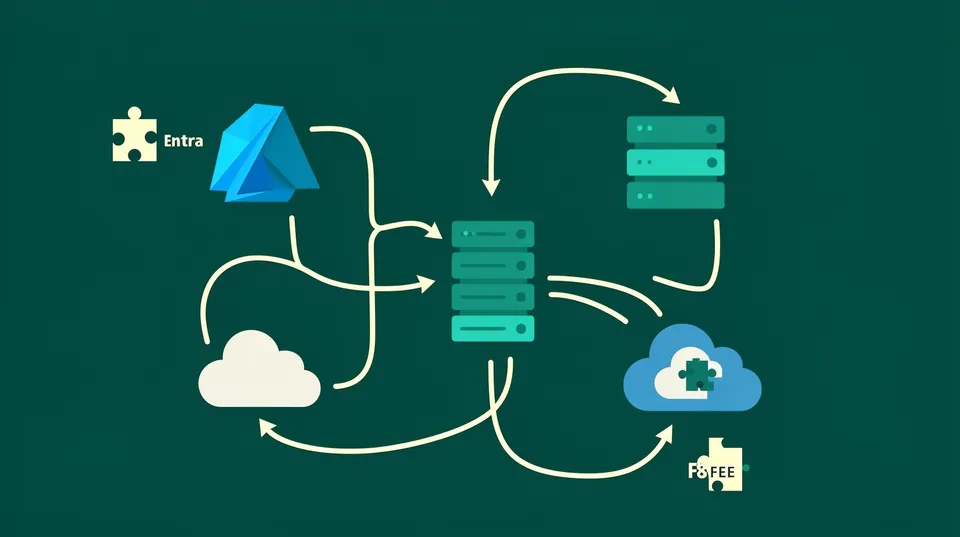
You can't secure what you can't see. Your first step is to build a comprehensive inventory of every service principal in your tenant and, more importantly, the permissions they hold. Many organizations are shocked to find dozens or even hundreds of principals with powerful, globally scoped permissions.
Inventory with PowerShell and Azure CLI
Start by enumerating all service principals and their role assignments. This is not a one-time task; it's a continuous discovery process. The goal is to identify principals with high-impact permissions like Application.ReadWrite.All, Directory.ReadWrite.All, or any custom roles that grant administrative access to critical resources.
Here’s a PowerShell script to list all service principals and their assigned Azure AD directory roles. This helps you spot principals with roles like Global Administrator or Application Administrator.
# Ensure you have the AzureAD module installed and connect
Connect-AzureAD # Get all directory roles
$roles = Get-AzureADDirectoryRole foreach ($role in $roles) { Write-Host "Checking Role: $($role.DisplayName)" -ForegroundColor Yellow $members = Get-AzureADDirectoryRoleMember -ObjectId $role.ObjectId foreach ($member in $members) { if ($member.ObjectType -eq 'ServicePrincipal') { Write-Host " [!] Service Principal Found: $($member.DisplayName)" Write-Host " ObjectID: $($member.ObjectId)" Write-Host " AppID: $($member.AppId)" } }
}
For Azure RBAC roles (which control access to Azure resources like VMs and storage), you can use Azure CLI. This command finds all role assignments for service principals at the subscription scope. Run it for each subscription.
# Login and set your subscription
az login
az account set --subscription "Your-Subscription-Name" # List all role assignments for service principals
az role assignment list --all --assignee-object-type ServicePrincipal --query '[].{principalName:principalName, role:roleDefinitionName, scope:scope}' -o tsv
Reviewing this output is your initial triage. Look for principals with Owner, Contributor, or custom roles that grant excessive data access or management capabilities. These are your immediate priorities for remediation.
Detect Anomalous Activity with KQL
Inventory is static. You also need to monitor for threats. Streaming Entra ID audit and sign-in logs to a Log Analytics workspace is non-negotiable. Once the data is flowing, you can use Kusto Query Language (KQL) to hunt for suspicious behavior.
This KQL query identifies when new credentials (secrets or certificates) are added to a service principal. A new credential addition is a classic step in a persistence playbook after an initial compromise.
AuditLogs
| where Category == "ApplicationManagement"
| where OperationName == "Update application - credentials and management"
| where Result == "success"
| extend AppDisplayName = tostring(TargetResources[0].displayName)
| extend AppId = tostring(TargetResources[0].id)
| extend InitiatedByUser = tostring(InitiatedBy.user.userPrincipalName)
| extend InitiatedByIp = tostring(InitiatedBy.ip.ipAddress)
| project TimeGenerated, AppDisplayName, AppId, InitiatedByUser, InitiatedByIp
| sort by TimeGenerated desc
You can enhance this query to alert on additions made by unusual users or from suspicious IP addresses. This mirrors the logic used by tools like Elastic Security, which has prebuilt rules for this exact scenario. These alerts should be treated as high-priority incidents requiring immediate investigation.
Remediate Over-Privileged Identities Without Breaking Production
Once you've identified a high-risk service principal, the impulse is to disable it immediately. Don't. A service principal tied to a critical CI/CD pipeline or a production application can cause an immediate outage if disabled. Remediation requires a scalpel, not a sledgehammer.
Analyze Blast Radius and Production Impact
Before revoking any permission, you must understand what the service principal is actually used for. Check the Entra ID sign-in logs for the service principal's Application ID. Filter by the last 30-90 days to see what resources it's authenticating to and how frequently.
Ask these questions:
- What application does it serve? Trace the Application ID back to the app registration.
- Who is the owner? The application properties in Entra ID should list an owner. This is your first point of contact.
- What is its sign-in pattern? Does it sign in every 5 minutes from a specific Azure service, or sporadically from unknown IPs? The former suggests a legitimate automated process; the latter is a major red flag.
This analysis helps you differentiate a core infrastructure component from abandoned legacy automation. For critical principals, your remediation plan must involve coordination with the application owner to schedule changes, test impact, and have a rollback plan. For confirmed malicious or unused principals, the path is simpler: disable and delete.
Implement Least Privilege with Custom Roles
The principle of least privilege is the most effective defense. Avoid built-in roles like Contributor or Owner. Instead, create custom RBAC roles that grant only the specific permissions required. For example, if a service principal only needs to restart a virtual machine, don't give it full Contributor rights. Create a custom role with just the Microsoft.Compute/virtualMachines/restart/action permission.
Here’s how to create and assign a custom role using Azure CLI:
# 1. Get your subscription ID
SUBSCRIPTION_ID=$(az account show --query id -o tsv) # 2. Create a JSON file for the role definition (e.g., vm-restarter-role.json)
# { # "Name": "VM Restarter",
# "IsCustom": true,
# "Description": "Can restart virtual machines.",
# "Actions": [
# "Microsoft.Compute/virtualMachines/restart/action"
# ],
# "NotActions": [],
# "AssignableScopes": [
# "/subscriptions/<YOUR_SUBSCRIPTION_ID>"
# ]
# } # NOTE: Replace <YOUR_SUBSCRIPTION_ID> in the JSON file with your actual ID. # 3. Create the custom role in Azure
az role definition create --role-definition @vm-restarter-role.json # 4. Assign the new role to your service principal
# First, get the SP's object ID
SP_OBJECT_ID=$(az ad sp display-name 'YourServicePrincipalName' --query id -o tsv) # Then, assign the role at the desired scope (e.g., a resource group)
az role assignment create --assignee-object-id $SP_OBJECT_ID --role "VM Restarter" --scope /subscriptions/$SUBSCRIPTION_ID/resourceGroups/YourResourceGroup --assignee-principal-type ServicePrincipal
This granular approach dramatically shrinks the blast radius. If this service principal is compromised, the attacker can only restart VMs, not exfiltrate data or deploy cryptocurrency miners. This is a core tenet of fixing over-permissive IAM and should be standard practice.
Prevent Hijacks with Modern Identity Controls
Remediation is reactive. A robust security posture focuses on prevention. This means architecting your environment to minimize the risk of service principal compromise from the start.
Eliminate Credentials with Managed Identities
The single most effective way to prevent credential-based hijacking is to eliminate the credentials altogether. For any application or service running on Azure, you should be using Managed Identities. A Managed Identity is an identity in Entra ID that's automatically managed by Azure. There are no client secrets or certificates for you to handle, store, or rotate.
When you enable a Managed Identity on a resource like a VM or an App Service, it gets its own identity that can be granted access to other Azure resources using RBAC. The authentication happens in the background.
For example, instead of storing a database connection string with a password in your App Service's configuration, you grant the App Service's Managed Identity access to the SQL database. The application code then uses the Azure SDK to get a token for the Managed Identity and authenticates to the database without ever touching a secret. This removes an entire class of vulnerabilities related to credential leakage.
Enforce Credential Hygiene and Rotation
For scenarios where Managed Identities aren't feasible (e.g., on-premises applications or third-party services), credential hygiene is critical. Enforce strict policies:
- Automated Rotation: Store all secrets in Azure Key Vault. Use Key Vault's automated rotation features or build your own automation to rotate secrets on a schedule (e.g., every 90 days).
- Short-lived Credentials: Configure all new service principal credentials with a maximum expiration of one year, and preferably shorter. Entra ID now allows you to set tenant-wide policies for this.
- No Secrets in Source Control: This should be obvious, but it remains a common problem. Use tools like
git-secretsor pre-commit hooks to scan for secrets before they ever enter your codebase.
Failure to manage credentials properly is not a theoretical risk. A flaw in an Entra ID role discovered in early 2026 allowed service principal takeover, demonstrating how quickly a configuration weakness can become a critical vulnerability.
Stay Ahead of Platform Changes
Microsoft is actively hardening the Entra ID platform. For instance, new security measures are being enforced in Microsoft Entra Connect to block account hijacking techniques like SyncJacking. This shows a clear trend toward locking down legacy identity synchronization pathways. Keeping up with these platform-level security enhancements is essential for maintaining a strong defense.
A proactive security posture requires continuous improvement and adaptation. Solid cloud incident response playbooks help, but preventing the incident in the first place is always better. By systematically reducing standing privileges, you make your environment a much harder target.
The combination of inventory, least privilege enforcement, Managed Identities, and vigilant monitoring transforms service principal security from a liability into a well-defended component of your cloud architecture. It's not a one-and-done project but a continuous cycle of improvement. Automate what you can, and for the rest, build a solid operational process that keeps your non-human identities secure. Tamnoon can help orchestrate these complex remediation workflows and ensure fixes are validated and production-safe.

Tamnoon helps security teams remediate cloud risks faster with AI-augmented managed services — combining human expertise with automation so nothing falls through the cracks.
Learn more at tamnoon.ioFAQs
How does a service principal hijack differ from a standard user account compromise?
A service principal hijack is often more damaging because these identities are built for automation and frequently possess broad, persistent permissions across multiple services. Unlike a user who is typically restricted by MFA and interactive session timeouts, a compromised service principal gives an attacker direct, programmatic access. This allows for rapid, large-scale data exfiltration, resource manipulation, or lateral movement that is harder to detect because the activity appears to originate from a legitimate application. The impact is systemic, not just tied to a single user's data.
Why are service principals a common blind spot for security teams?
Service principals fall into an operational blind spot for several reasons. First, they are non-interactive, so their activity doesn't fit neatly into user-behavior analytics. Second, ownership is often ambiguous; they might be created by a developer for a project that is later abandoned, leaving a privileged, unmonitored identity behind. Finally, their permissions tend to suffer from 'privilege creep,' where access is added for convenience but never revoked, making them increasingly valuable targets over time. They don't complain or file tickets, so they are easily forgotten until they are exploited.
What is the primary benefit of using Managed Identities over traditional service principals?
The primary benefit of Managed Identities is the complete elimination of credential management for developers and administrators. With a traditional service principal, you must create, store, rotate, and secure a client secret or certificate. This entire lifecycle is a potential source of failure. A Managed Identity is an Azure-managed credential. Azure handles rotation automatically and securely in the background, making it impossible for credentials to be accidentally leaked in source code, configuration files, or CI/CD logs. This directly removes the most common vector for service principal compromise.
Can I use Conditional Access to block a service principal hijack?
You generally can't apply Conditional Access (CA) policies directly to service principals in the same way you do for users. However, you can use CA as a powerful compensating control by applying policies to the applications or APIs that the service principals access. For example, if a service principal is used by an on-premises application exposed via Azure Application Proxy, you can enforce location-based or device-based CA policies on the proxy itself. This creates a security checkpoint that can block an attacker's access attempt, even if they have a valid credential for the service principal.
What are the first three steps an engineer should take when a service principal compromise is suspected?
First, contain the threat by immediately disabling the service principal in Entra ID. This stops all activity but may cause a production outage, so an alternative is to revoke its role assignments, which is less disruptive. Second, begin investigation by analyzing the service principal's sign-in and audit logs in Entra ID and Azure Monitor to determine the time of compromise and the scope of the attacker's actions. Third, forcibly expire all existing credentials by deleting the old client secret or certificate and issuing a new one, ensuring the attacker's persistence mechanism is broken.