


Credential security in the cloud isn't just about preventing initial access. It's about limiting what an attacker can do once they're in. This means a relentless focus on minimizing the blast radius of any compromised credential. Given that 84% of organizations experienced identity-related breaches in 2025, and credential theft incidents have surged 300% in the past year, we're beyond the point of just hoping credentials don't get stolen. We need to assume they will.
This isn't just theory; it's a critical operational imperative. The financial impact of compromised credentials is immense, contributing to the projected $10.5 trillion global annual cybercrime costs in 2026. When credentials are compromised, an attacker's lateral movement determines production impact. A small misconfiguration could mean a contained incident; a highly privileged, long-lived credential could mean an entire environment compromise.
We'll walk through actionable steps to tighten credential security, focusing on what you can implement today to drastically cut down the blast radius.
The Root of the Problem Excessive Permissions and Standing Access
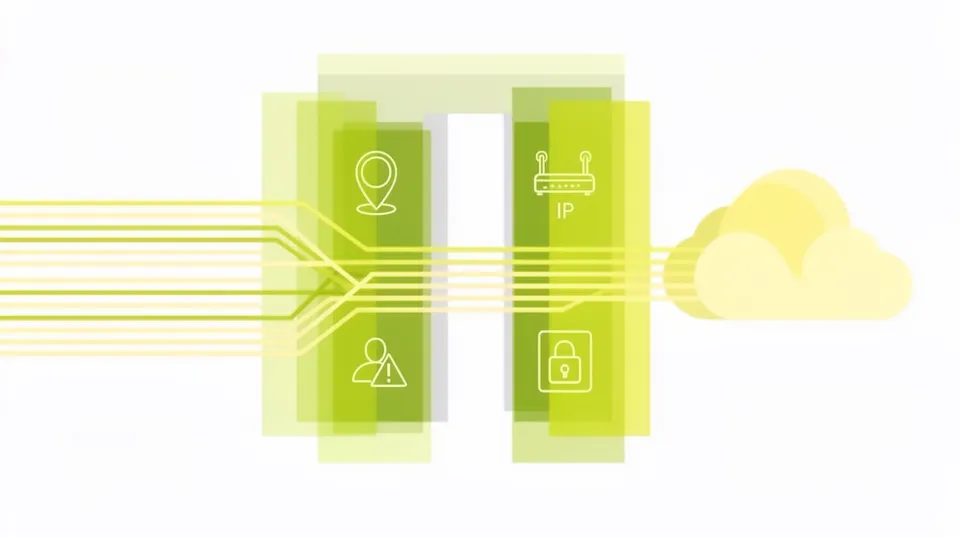
The biggest blast radius enabler for compromised credentials is over-permissive IAM roles and standing access. Developers need access, operations teams need access, automation needs access. The easiest path is often the least secure: broad permissions, permanent credentials. This approach is a ticking time bomb. A single leaked key can grant unfettered access across critical resources.
Consider the China-linked cloud credential heist running on typos and SMTP. These attacks don't rely on complex exploits; they capitalize on default or easily exploitable credential practices. If the stolen credential has broad access, the attacker is halfway to their objective immediately.
Your goal is to transition from a default-allow model to a least-privilege, just-in-time (JIT) model. It's not a one-time fix; it's a continuous process of auditing, refining, and automating.
Implementing Least Privilege for Human Users
This sounds obvious, but many organizations still struggle. The principle is simple: grant only the permissions necessary to perform a specific task, for a specific duration. This requires a granular understanding of user roles and their operational needs.
Actionable Steps for Human Users:
- Review and Refine Existing IAM Policies: Don't assume your current policies are correct. Audit them. Use tools provided by your cloud provider to analyze effective permissions.
- AWS Identity and Access Management (IAM) Access Analyzer: This tool identifies resources in your organization and accounts, such as S3 buckets or IAM roles, that are shared with an external entity. Crucially, it also helps you refine IAM policies to grant only necessary permissions.
aws accessanalyzer list-findings --analyzer-arn arn:aws:access-analyzer:REGION:ACCOUNT_ID:analyzer/MY_ANALYZER aws accessanalyzer get-finding --analyzer-arn arn:aws:access-analyzer:REGION:ACCOUNT_ID:analyzer/MY_ANALYZER --id FINDING_ID - Azure AD Identity Governance - Access Reviews: Schedule recurring access reviews for group memberships and application access. This ensures that users don't retain permissions longer than needed.
- Google Cloud IAM Policy Troubleshooter: If you're struggling to understand why a user has a specific permission, this tool helps debug IAM policies.
- Implement Just-in-Time (JIT) / Just-Enough-Access (JEA): This is where you move away from standing access. Users request elevated permissions for a limited time, and these requests are logged and approved. Manual JIT can be painful; automate it.
- AWS IAM Access Analyzer + AWS Systems Manager Session Manager: Combine JIT access with audited access to instances. Users request a temporary role with specific permissions via an SSO integration, granting them temporary console/API access, or you can use Session Manager for instance access.
- A dedicated JIT access solution (e.g., strongDM, Teleport) provides a centralized, auditable platform for temporary access to databases, servers, and cloud resources. These tools integrate with your IdP and orchestrate temporary credential provisioning.
- Mandate Multi-Factor Authentication (MFA) Everywhere: This is non-negotiable. Even with phishing-resistant MFA, it significantly raises the bar for attackers. For cloud consoles, APIs, and SSH keys, enforce MFA. Hardware security keys (FIDO2/WebAuthn) offer the strongest protection.
- AWS: Implement a service control policy (SCP) to require MFA for sensitive actions.
{ "Version": "2012-10-17", "Statement": [ { "Sid": "RequireMFAForSensitiveActions", "Effect": "Deny", "Action": [ "ec2:StopInstances", "s3:PutObject", "iam:UpdateAccessKey" ], "Resource": "*", "Condition": { "BoolIfExists": { "aws:MultiFactorAuthPresent": "false" } } } ] } - Azure AD Conditional Access Policies: Configure policies to require MFA for all users when accessing cloud applications or specific admin roles.
- Google Cloud Identity-Aware Proxy (IAP): Protect applications and VMs with contextual access, including MFA requirements.
# Example using Azure AD PowerShell
# Get existing access reviews
Get-MgIdentityGovernanceAccessReviewDefinition # Or to create a new one (simplified example structure)
$definition = @{ displayName = "Quarterly Admin Access Review" scope = @{ type = "allPrincipals" query = "/users" queryType = "MicrosoftGraph" } reviewers = @( @{id = "REVIEWER_USER_ID"; type = "user"} ) settings = @{ durationInDays = 3 autoApplyDecisionsEnabled = $true recommendationsEnabled = $true recurrence = @{ pattern = @{ type = "absoluteMonthly" interval = 3 dayOfMonth = 1 } range = @{ type = "noEnd" } } }
}
New-MgIdentityGovernanceAccessReviewDefinition -BodyParameter $definition
gcloud iam policies troubleshoot --member='user:USER_EMAIL' --permission='resourcemanager.projects.get' --resource='//cloudresourcemanager.googleapis.com/projects/PROJECT_ID'
Hardening Credentials for Service Accounts and Automation
This is frequently where blast radius is highest. Automation accounts often have excessive permissions to avoid needing to update them constantly. These are prime targets for attackers, and their compromise can be catastrophic.
Actionable Steps for Service Accounts:
- Use IAM Roles for EC2/Container/Serverless: Never embed long-lived access keys directly into instances or code running in your cloud environment. Use IAM roles (AWS), Managed Service Identities (Azure), or Service Accounts (GCP) attached to compute resources. These provide temporary credentials that the underlying service automatically manages and rotates.
- AWS Example (CloudFormation declaring an EC2 instance with an IAM role):
This ensures the EC2 instance can only performResources: MyEC2Instance: Type: AWS::EC2::Instance Properties: ImageId: ami-0abcdef1234567890 InstanceType: t2.micro IamInstanceProfile: !Ref MyInstanceProfile MyInstanceProfile: Type: AWS::IAM::InstanceProfile Properties: Roles: - !Ref S3AccessRole S3AccessRole: Type: AWS::IAM::Role Properties: AssumeRolePolicyDocument: Version: '2012-10-17' Statement: - Effect: Allow Principal: { Service: ec2.amazonaws.com } Action: sts:AssumeRole Policies: - PolicyName: S3ReadOnlyAccess PolicyDocument: Version: '2012-10-17' Statement: - Effect: Allow Action: s3:GetObject Resource: 'arn:aws:s3:::my-secure-bucket/*'s3:GetObjectonmy-secure-bucket, and there are no static credentials stored on the instance itself.
- AWS Example (CloudFormation declaring an EC2 instance with an IAM role):
- Centralized Secret Management and Rotation: For credentials that absolutely must be static (e.g., database connection strings, API keys for external services), use a dedicated secret manager. Critically, configure these services for automatic rotation.
- AWS Secrets Manager: Integrates with various databases (RDS, Redshift, DocumentDB) and other services to rotate credentials automatically.
# Example Python code to retrieve a secret from AWS Secrets Manager import boto3 import base64 import json client = boto3.client('secretsmanager', region_name='your-region') try: get_secret_value_response = client.get_secret_value(SecretId='your-secret-name') except Exception as e: # Handle exceptions raise e if 'SecretString' in get_secret_value_response: secret = get_secret_value_response['SecretString'] else: secret = base64.b64decode(get_secret_value_response['SecretBinary']) secret_dict = json.loads(secret) print(f"Username: {secret_dict['username']}") print(f"Password: {secret_dict['password']}") - Azure Key Vault: Store and manage cryptographic keys, secrets, and certificates. Set up alerts for secret expiration and integrate with Azure Functions for rotation.
- Google Secret Manager: Securely store API keys, passwords, certificates, and other sensitive data. Supports integration with Cloud Functions for secret rotation.
- For hybrid/multi-cloud, consider tools like HashiCorp Vault.
- Ephemeral Credentials for CI/CD Pipelines: Your build pipelines are a high-value target. Avoid long-lived credentials here. Use OpenID Connect (OIDC) or similar mechanisms to exchange short-lived tokens from your IdP with your cloud provider, granting temporary permissions to your CI/CD runner.
- GitHub Actions with OIDC for AWS:
This setup prevents storing AWS credentials in GitHub, instead relying on AWS to trust GitHub's OIDC issued tokens.# .github/workflows/deploy.yml on: [push] jobs: deploy: runs-on: ubuntu-latest permissions: id-token: write # This is important for OIDC contents: read steps: - uses: actions/checkout@v3 - name: Configure AWS credentials uses: aws-actions/configure-aws-credentials@v1 with: role-to-assume: arn:aws:iam::ACCOUNT_ID:role/GitHubActionsDeployRole role-session-name: gha-session aws-region: us-east-1 - name: Deploy to S3 run: aws s3 sync . s3://my-deployment-bucket
- GitHub Actions with OIDC for AWS:
- Regular Credential Audits: Continuously monitor for unused, old, or over-privileged credentials. Automate this. Delete what's not needed.
- Many Cloud Security Posture Management (CSPM) tools offer this capability. They can flag IAM users with old access keys or roles that haven't been used in months.
- Custom scripts using cloud provider APIs can also find stale credentials.
# AWS CLI example to find IAM users with old access keys # Note: This is an illustrative example, real-world scripts need more logic. aws iam list-users --query 'Users[*].UserName' --output text | while read user; \ do aws iam list-access-keys --user-name $user --query 'AccessKeyMetadata[?CreateDate >2023-01-01]' # Add logic to check for age and report/disable done
The Role of Conditional Access
Conditional Access Policies (CAPs) are powerful. They let you gate access based on context: device health, location, IP address, user risk, application sensitivity, and even behavioral patterns. A strong CAP strategy ensures that even if credentials are stolen, their utility is severely limited if the context is wrong.
Building Smarter Conditional Access Policies:
- Location-Based Restrictions: Restrict access to cloud consoles and sensitive APIs from expected geographic locations or trusted IP ranges (e.g., your corporate VPN egress IPs).
- Azure AD Conditional Access: Define named locations (trusted IPs) and block access from all other locations for administrative roles.
- AWS Identity Center (formerly SSO) with Condition Keys: You can configure session tags or use condition keys in IAM policies to restrict access based on the source IP.
{ "Version": "2012-10-17", "Statement": [ { "Effect": "Deny", "Action": "*", "Resource": "*", "Condition": { "NotIpAddress": { "aws:SourceIp": [ "203.0.113.0/24", "198.51.100.0/24" ] } } } ] } - Device Compliance/Health Checks: Require users to access resources from devices that meet your security standards (e.g., managed by MDM, up-to-date patches, disk encryption enabled).
- Microsoft Intune + Azure AD Conditional Access: Ensure only compliant devices can access corporate resources.
- Google Cloud BeyondCorp Enterprise: Integrates device context, user identity, and application risk to enforce granular access policies.
- User Risk-Based Policies: Integrate with Identity Protection solutions that detect risky sign-ins (e.g., impossible travel, anonymous IP, concurrent logins from different locations). Automatically block or force MFA for high-risk attempts.
- Azure AD Identity Protection: Configures risk policies that trigger actions like MFA enforcement or blocking access based on detected user and sign-in risks.
- Application/Resource Sensitivity: Differentiate access policies based on the sensitivity of the resource being accessed. A developer might need broad access to a dev environment but highly restricted access (JIT + MFA + specific IP) to production.
Proactive Anomaly Detection and Remediation
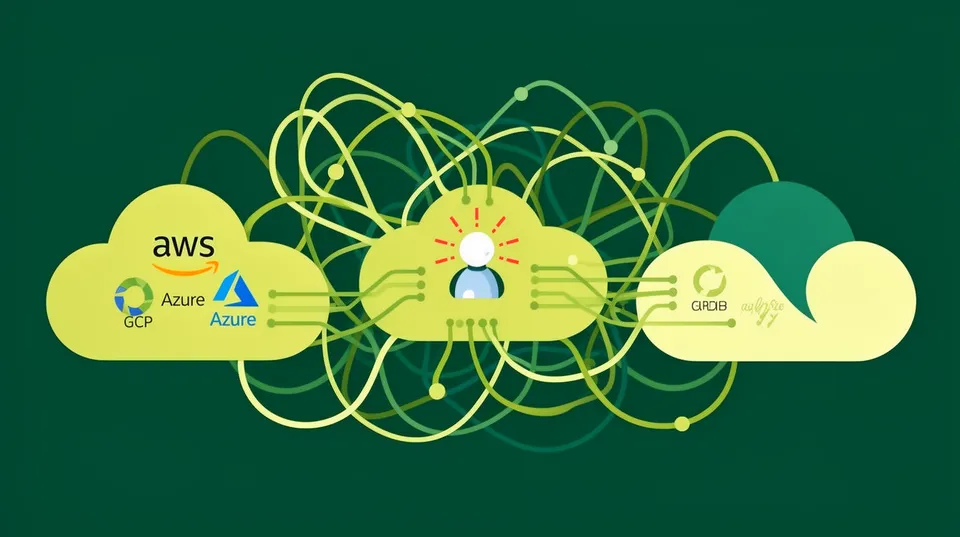
Even with robust preventative controls, breaches can happen. The key is to detect and respond quickly. This is where Continuous Threat Exposure Management (CTEM) and Security Operations come in. You can't rely solely on static checks; you need dynamic monitoring and automated remediation.
Consider the CVE-2024-3596 "Blast RADIUS" vulnerability. This protocol flaw allowed an attacker to abuse the MD5 hash to modify an Access-Reject response to an Access-Accept, granting network access. Monitoring for anomalous RADIUS behavior or rapid, unauthenticated network access attempts would have been critical. The mitigation involves ensuring the Message-Authenticator attribute is sent, highlighting the need for detailed configuration and continuous validation of security protocols. Remediation for this specific vulnerability includes configuring all RADIUS vendors to send the Message-Authenticator attribute.
Key Detection and Response Measures:
- Activity Logging and Monitoring: Enable comprehensive logging (CloudTrail, Azure Activity Logs, GCP Cloud Audit Logs) and send them to a centralized SIEM or log analytics platform. Monitor for:
- API calls from unusual IPs or locations.
- Frequent failed login attempts.
- Unusual enumeration of resources (e.g., an EC2 role listing S3 buckets it shouldn't normally interact with).
- Changes to IAM policies or security group rules.
- Creation of new users or access keys.
- Identity Threat Detection and Response (ITDR): Invest in solutions that specialize in detecting identity-based attacks. These tools can often spot subtle patterns indicative of credential compromise or lateral movement.
- Behavioral Analytics: Look for deviations from baseline user/role behavior. A service account that suddenly starts making administrative API calls should raise alarms.
- Compromised Credential Detection: Integration with threat intelligence feeds to identify exposed credentials.
- Automated Remediation Playbooks: When an anomaly is detected, don't just alert. Automate a response. For example, if a suspicious API call is made from an unusual location, automatically disable the associated access key or revoke the session.
- AWS Security Hub Custom Actions + Lambda: Trigger Lambda functions upon specific findings (e.g., an access key used from a blacklisted IP) to automatically disable the key.
- Azure Sentinel Playbooks (Logic Apps): Create playbooks to respond to alerts from Azure AD Identity Protection or other security services, such as blocking user sign-ins or disabling accounts.
For an in-depth look at automating responses, see our previous article on Operational Playbooks for Swift Cloud Security Remediation.
# Simplified AWS CloudWatch Event Rule target for a Lambda function
# This would be part of a larger CloudFormation template or similar.
{ "Type": "AWS::Events::Rule", "Properties": { "Description": "Trigger Lambda on suspicious IAM activity", "EventPattern": { "source": [ "aws.iam" ], "detail-type": [ "AWS API Call via CloudTrail" ], "detail": { "eventSource": "iam.amazonaws.com", "eventName": [ "CreateAccessKey", "UpdateAccessKey", "DeleteAccessKey" ], "sourceIPAddress": [ { "cidr": "0.0.0.0/0", "" : true } // Example: Exclude trusted IPs, target all others ] } }, "State": "ENABLED", "Targets": [ { "Arn": "arn:aws:lambda:REGION:ACCOUNT_ID:function:MySuspiciousActivityResponder", "Id": "MyResponderLambda" } ] }
}
Automating remediation for credential compromise is paramount. When Aqua Security disclosed an incident and initiated credential rotation, their swift, automated response was likely a key factor in limiting further damage. Manual processes just can't keep up with the speed of cloud attacks.
The Multi-Cloud and AI Identity Challenge
The complexity multiplies in multi-cloud environments, where each provider has its own identity system, and with the rise of AI agents. Managing least privilege across AWS, Azure, and GCP, each with different IAM constructs, is a significant undertaking. Tools like Cisco Multicloud Defense aim to provide unified policy enforcement, simplifying governance in these complex setups.
Moreover, the advent of AI agents introduces a new layer of identity complexity. The Cybersecurity Insiders report that 92% of organizations lack visibility into AI Identities is a stark warning. AI agents, just like human users or service accounts, require credentials to access resources. Their activity needs to be governed with the same, if not greater, scrutiny. When Copilot and Agentforce fell to form-based prompt injection tricks, it demonstrated how easily these tools can be manipulated to operate outside their intended scope, potentially using their underlying credentials for malicious actions.
To address this, extend your identity and access management principles to AI identities. This means:
- Dedicated Identities for AI Agents: Don't let AI agents piggyback on human or broad service account credentials. Provide them with their own, purpose-built IAM roles or service accounts.
- Granular Permissions for AI: Apply least privilege rigorously. If an AI agent only needs to read data from a specific S3 bucket, its permissions should be limited to that. Avoid giving AI agents administrative powers unless absolutely necessary and under strict controls.
- Runtime Authorization for AI: Beyond static permissions, consider runtime authorization engines that can dynamically approve or deny an AI agent's actions based on the specific context of the request, its intent, and data sensitivity. This is an advanced topic, but crucial for securing AI systems. For more on this, revisit Securing AI Agents: Mastering Runtime Authorization.
- Visibility and Logging for AI Actions: Ensure all actions performed by AI agents are logged, auditable, and subject to the same monitoring and anomaly detection as human or service account activity. Identify what resources they access, what changes they make, and from where they operate.
Continuous Improvement and The Human Factor
No amount of technical control will fully mitigate credential risk if your teams aren't onboard. Train your developers and operations staff on secure coding practices, secret management, and the principles of least privilege. Make security a part of the development lifecycle, not just a gate at the end.
Regularly test your defenses. Conduct red team exercises that specifically target credential compromise and lateral movement. This helps identify gaps in your detection and response capabilities.
For continuous improvement strategies in your security posture, learn about Continuous Threat Exposure Management.
Key Operational Considerations:
- Security Training: Regular, targeted training for all staff on credential hygiene, identifying phishing attempts (though we won't discuss them here), and the importance of secure access practices.
- Culture of Security: Foster a culture where security is a shared responsibility, not just the security team's burden. Make it easy for developers to do the right thing (e.g., provide secure tooling, templates, and libraries for secret access).
- Incident Response Drills: Practice your incident response plans for credential compromise. Know who does what, when, and how. The faster you can revoke credentials and isolate threats, the smaller the blast radius.
Minimizing the cloud blast radius from compromised credentials requires a multi-layered approach: strong identity governance, automation for ephemeral access and secret rotation, robust conditional access policies, and aggressive monitoring with automated remediation. It's a continuous battle, but by focusing on these areas, you can significantly reduce your exposure and the operational impact of a breach.

Tamnoon helps security teams remediate cloud risks faster with AI-augmented managed services — combining human expertise with automation so nothing falls through the cracks.
Learn more at tamnoon.ioFAQs
Why is minimizing cloud blast radius for credentials so critical?
Minimizing the cloud blast radius for credentials is vital because even with the best preventative measures, credentials can and do get compromised. If a compromised credential has extensive permissions, an attacker can cause widespread damage, exfiltrate large amounts of data, or disrupt critical services. A smaller blast radius means that if a credential is breached, the attacker's access is severely limited, confining potential damage to a much smaller segment of your infrastructure. This directly reduces the financial and reputational impact of a security incident, which is crucial given the <a href="https://seceon.com/zero-trust-ai-security-the-comprehensive-guide-to-next-generation-cybersecurity-in-2026/">$10.5 trillion global annual cybercrime costs projected for 2026</a>.
What are the primary technical controls to implement for least privilege?
The primary technical controls for implementing least privilege include granular IAM policies, Just-in-Time (JIT) access, and role-based access control. For human users, this means reviewing and refining existing IAM policies to grant only necessary permissions for specific tasks. For service accounts and automation, it means using IAM roles with temporary credentials attached to compute resources (e.g., EC2 instances, containers, serverless functions) instead of long-lived access keys. Centralized secret management solutions with automatic rotation further enforce this principle by ensuring credentials are short-lived and securely stored. Employing ephemeral credentials for CI/CD pipelines via OIDC is also a critical step.
How do Conditional Access Policies help reduce credential blast radius?
Conditional Access Policies (CAPs) act as a secondary layer of defense, ensuring that even if a credential is stolen, its utility is restricted based on contextual factors. CAPs can limit access based on criteria like device health, geographic location, IP address, user risk, and application sensitivity. For instance, a CAP might deny access to sensitive resources if a login attempt originates from an unusual country or an unmanaged device, or force additional MFA if the user's risk profile is elevated. This effectively creates a 'virtual perimeter' around your identities, making stolen credentials far less valuable to an attacker operating outside expected parameters.
What's the challenge with AI identities and how can we secure them?
AI identities present a new and significant challenge because <a href="https://www.globenewswire.com/news-release/2026/04/21/3278155/0/en/the-ungoverned-workforce-cybersecurity-insiders-finds-92-lack-visibility-into-ai-identities.html">92% of organizations lack visibility into them</a>. These are the credentials and permissions granted to AI models, agents, and applications. The challenge lies in ensuring these identities adhere to least privilege, especially given their potentially autonomous nature and the risk of prompt injection attacks. To secure them, you need to provide dedicated, granular identities for each AI agent, apply strict least privilege to their actions, implement runtime authorization to control what they can do dynamically, and ensure comprehensive logging and monitoring of all AI-driven activities. Treat AI identities with the same, or even greater, rigor as human or service accounts.
Why is automated remediation crucial when a credential compromise is detected?
Automated remediation is crucial because the speed of response directly impacts the size of the blast radius. Manual responses are too slow to counter automated attacks or rapid lateral movement post-compromise. If suspicious activity (e.g., an API call from an unusual IP) is detected, an automated playbook can immediately disable the associated access key, revoke the session, or isolate the affected resource. This swift action can contain a breach before it escalates, preventing data exfiltration or system damage. Without automation, the window for an attacker to exploit a compromised credential is significantly larger, leading to far greater impact.