

Alert fatigue isn't a theoretical problem; it’s a direct contributor to increased risk and operational drag. When a SecOps team is inundated with notifications, the critical alerts,the ones signaling an imminent threat,get lost. The result is a dangerously inflated Mean Time to Remediate (MTTR), giving adversaries an uncontested window to operate. This isn't just about missing one or two things; research shows 63% of security alerts go unaddressed entirely, leaving known vulnerabilities festering in production environments.
The human cost is just as significant. The constant pressure and noise contribute to burnout, with 84% of security professionals reporting feeling burned out. This leads to high attrition rates in Security Operations Centers (SOCs), where turnover can exceed 25% annually according to some analyses. Every analyst who leaves takes valuable institutional knowledge with them, further weakening the organization's defensive posture. The price of alert fatigue is paid in unpatched systems, prolonged exposure, and a demoralized, shrinking security team.
From Alert Volume to Remediation Backlog
Modern Cloud Native Application Protection Platforms (CNAPPs) and Cloud Security Posture Management (CSPM) tools like Wiz, Orca Security, and Prisma Cloud are incredibly effective at discovery. They can scan a multi-cloud environment and generate thousands of findings in minutes. The problem is that this raw output, detached from business context, creates a massive remediation backlog that's operationally impossible to clear.
A finding for an internet-facing database with a critical vulnerability is fundamentally different from a low-severity misconfiguration in a sandboxed developer account. Yet, in a flat list of 10,000 alerts, they can appear deceptively similar. This lack of prioritization forces teams into a state of paralysis, where they either focus on low-hanging fruit or become so overwhelmed that nothing gets fixed. The consequence is that critical issues wait months for remediation, while the security team is busy closing tickets for non-issues.
The Cascade Effect on Production Stability
When security teams are firefighting, they often lack the time to coordinate properly with DevOps and application owners. A rushed fix, implemented without understanding the application's dependencies, can cause significant production impact. For example, a security engineer might see an alert for an EC2 instance with an overly permissive security group and, in a hurry, modify the rule, inadvertently severing a critical connection between an application server and its database.
This fear of breaking production creates a culture of inaction. If the security team can't guarantee a fix is safe, they won't implement it. The alert then sits in the queue, waiting for a developer to pick it up, which may never happen. This gridlock is a direct outcome of alert overload, where the sheer volume of work prevents the careful, collaborative approach required for safe and effective remediation.
Build an Actionable Triage and Prioritization Engine
The first step to escaping alert fatigue is to stop treating all alerts equally. An effective remediation pipeline doesn't start with fixing; it starts with aggressive, automated filtering and contextual enrichment. The goal is to transform a noisy stream of raw findings into a prioritized list of actionable risks.
This process requires an engine that can automatically pull in business context, assess exploitability, and understand the potential blast radius of a finding. It's about answering the question: "Of these 10,000 alerts, which 10 will cause a catastrophic breach if I don't fix them today?" This is a departure from relying solely on a generic CVSS score or a vendor's default severity rating.
Enrich Alerts with Business and Operational Context
A raw alert from a CSPM lacks the most important information: business context. To make an alert actionable, it must be enriched with metadata that clarifies its real-world importance. A robust enrichment process should automatically append details such as:
- Environment Tags: Is the affected resource in
prod,staging,dev, or a sandbox? An alert in a production environment is always more critical. - Application Ownership: Which team or individual is responsible for this asset? This information is for routing the remediation task to the right people.
- Data Sensitivity: Does this resource process or store PII, financial data, or intellectual property? Tagging assets with
data-classification=confidentialimmediately elevates the priority of any associated alerts. - Public Exposure: Is the resource internet-facing? A publicly exposed vulnerability has a much higher likelihood of being exploited.
Without this context, an analyst wastes precious time manually investigating each alert to determine its relevance. Automated enrichment, often powered by a CMDB or cloud asset inventory, makes prioritization instantaneous and accurate. You can't fix what you can't contextualize, a challenge detailed in our look at closing cloud security ownership gaps.
Prioritize Based on True Risk not Just Severity
Once an alert is enriched, prioritization can move beyond simple severity levels. A true-risk model incorporates exploitability and impact. For vulnerabilities, this means checking if there's a known exploit in the wild by cross-referencing with sources like the CISA Known Exploited Vulnerabilities (KEV) catalog. A vulnerability with a high CVSS score but no known exploit is less urgent than a medium-severity vulnerability that's being actively weaponized by threat actors.
For misconfigurations, risk is determined by the potential blast radius. An overly permissive IAM role assigned to a non-critical, internal Lambda function is a low risk. The same role assigned to an internet-facing EC2 instance that processes sensitive data represents an existential threat. A smart prioritization engine calculates this risk score ally, pushing the most dangerous exposures to the top of the queue.
Implement Production-Safe Automated Remediation
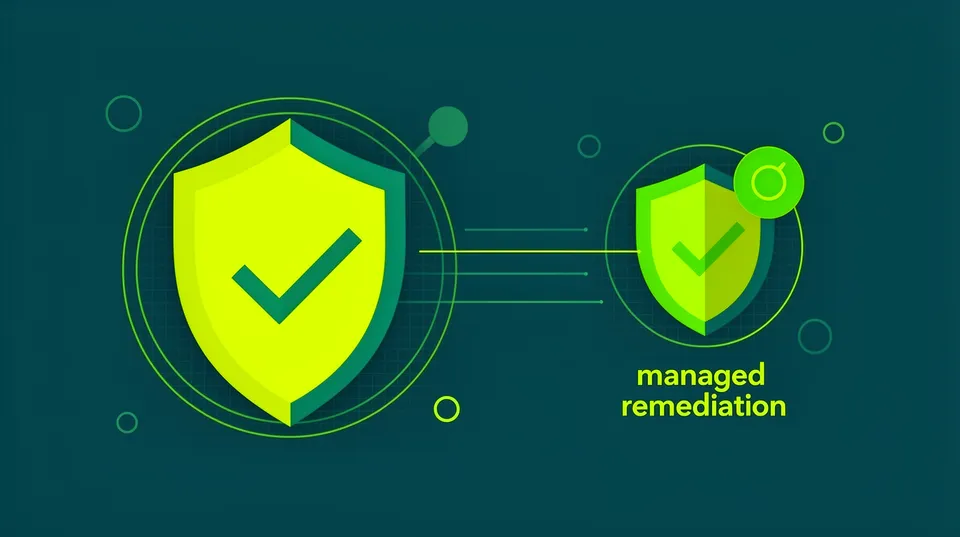
With a prioritized queue of alerts, the next step is to fix them at scale. Manual remediation is too slow and prone to human error. Automation is the only viable solution, but it must be implemented with strict guardrails to prevent accidental production outages. The fear that automated fixes will break applications is a major obstacle, but it can be overcome with a well-designed, production-safe approach.
This involves using pre-vetted, idempotent playbooks for common findings and incorporating a human-in-the-loop workflow for high-risk changes. The goal is to automate the 80% of routine, low-risk fixes, freeing up security engineers to focus on the 20% of complex issues that require expert analysis. This balance is critical to both reducing MTTR and maintaining operational stability.
A Practical Playbook: Disabling Public Access on an S3 Bucket
Let's walk through a common, high-risk scenario: a publicly accessible S3 bucket. A production-safe playbook doesn't just blindly block access; it follows a series of verification steps.
- Ingestion and Verification: The playbook is triggered by an alert from a tool like AWS Macie or Wiz. It first verifies the bucket's tags. If the bucket is tagged
public-access=intended, the playbook stops and flags it for manual review. - Analyze Public Access Block Settings: The playbook checks the account-level and bucket-level
PublicAccessBlockconfiguration. The goal is to enforce security at the most restrictive level required. - Propose and Apply Change: If public access is not intended, the playbook generates the necessary AWS CLI command to enable all four
PublicAccessBlocksettings. For example:aws s3api put-public-access-block \ --bucket your-bucket-name \ --public-access-block-configuration "BlockPublicAcls=true,IgnorePublicAcls=true,BlockPublicPolicy=true,RestrictPublicBuckets=true" - Human-in-the-Loop Approval: For a production bucket, instead of executing the command immediately, the playbook can post the proposed change to a Slack channel for the application owner's approval. The engineer can approve or deny the fix with a single click. This approach to managing playbook risk is essential, as breaking production is a constant concern highlighted in our analysis of why automated fixes can break production.
- Validation and Closure: After the change is applied, the playbook triggers a re-scan of the specific resource to validate that public access is revoked. Once confirmed, it updates the original ticket in Jira or ServiceNow, adds a comment detailing the action taken, and closes the alert.
Integrate Remediation into DevOps Workflows
To be truly effective, remediation can't operate in a silo. It must be integrated directly into the F workflows that developers and operations teams already use. When a misconfiguration is detected in an asset owned by the "Payments" team, the remediation platform should automatically create a Jira ticket and assign it to that team's backlog. The ticket should contain all the enriched context, the assessed risk level, and a suggested fix, whether it's a code snippet or a link to a remediation playbook.
This approach aligns with the DevSecOps principle of shifting security responsibility left. While pre-deployment checks with tools like Terrascan or Checkov are crucial, post-deployment detection and remediation are still necessary for drift and day-two changes. The OWASP DevSecOps Guidance project emphasizes this continuous lifecycle approach. By pushing actionable remediation tasks directly to asset owners, organizations foster a culture of security ownership and dramatically shrink their MTTR for misconfigurations.
Platforms like Tamnoon are built to orchestrate this entire process. They serve as the central nervous system for cloud remediation, connecting detection sources with enrichment data, prioritization logic, production-safe playbooks, and DevOps tooling. By automating the end-to-end lifecycle from alert to fix, they break the cycle of alert fatigue and enable security teams to manage risk proactively instead of drowning in noise.
Check out how Tamnoon's platform moves beyond detection to deliver production-safe, automated remediation.

Tamnoon helps security teams remediate cloud risks faster with AI-augmented managed services — combining human expertise with automation so nothing falls through the cracks.
Learn more at tamnoon.ioFAQs
How does alert fatigue manifest in a modern SecOps team's daily workflow?
Alert fatigue manifests as a quantifiable degradation of key operational metrics. Teams experience a skyrocketing Mean Time to Acknowledge (TTA) as analysts become desensitized and ignore new alerts. This leads to a bloated Mean Time to Remediate (MTTR), as critical issues sit in queues for days or weeks. In practice, you'll see analysts 'bulk-closing' hundreds of low-priority alerts without investigation just to clear their dashboards, increasing the risk that a genuine threat is missed. It also creates friction between SecOps and DevOps, as security teams are unable to provide the context needed for developers to fix the issues.
What's a tangible example of a misconfiguration that gets missed due to alert fatigue?
A classic example is an overly permissive IAM role with a trust relationship to an unknown or unintended principal. A CSPM might flag this as a medium-severity finding. Buried among thousands of other alerts—like unpatched packages in dev environments or unused security groups—an analyst might deprioritize it. An attacker who compromises a low-privilege resource could then assume this over-privileged role to escalate their access, move laterally, and exfiltrate data. The initial alert held the key to preventing the breach, but it was lost in the noise.
What is the first technical step a team should take to start reducing alert noise?
The first technical step is to enforce a rigorous and consistent asset tagging strategy. Without accurate tags for environment (`prod`, `dev`), application owner (`team-cart-api`), and data sensitivity (`pii-true`), automated prioritization is impossible. Implement a policy-as-code check in your CI/CD pipeline (e.g., using OPA or CloudFormation Guard) that fails any deployment of a critical resource that lacks these essential tags. This forces teams to provide the metadata needed for your security tools and remediation platform to make intelligent decisions, immediately filtering out noise from non-critical assets.
How do you build trust with DevOps teams when implementing automated remediation?
Build trust by starting small and demonstrating safety. Begin by automating read-only actions, like generating reports or sending notifications. Then, progress to low-risk fixes in development or testing environments only. Implement a 'human-in-the-loop' workflow for any change in production, where the automated system proposes a fix, and a DevOps team member must approve it in Slack or Jira. By giving them final control and proving the reliability of your playbooks on non-critical systems first, you can gradually earn the trust needed to automate more impactful remediations.
Beyond CSPMs, what other sources contribute to alert fatigue in cloud environments?
While CSPMs are a primary source, Cloud Workload Protection Platforms (CWPPs) generate significant noise with host-based alerts (e.g., file integrity monitoring, process anomalies). Secret scanning tools also contribute heavily, as <a href="https://www.hashicorp.com/en/blog/why-traditional-secret-scanning-tools-fail-to-address-today-s-secret-management-crisis">they often flag test credentials or placeholder values</a>. Furthermore, logs from cloud-native services like AWS GuardDuty, Azure Sentinel, and GCP Security Command Center add to the deluge. A true remediation platform must ingest and correlate findings from all these sources to provide a single, prioritized view of risk across the entire cloud stack.