

Deconstruct the Manual Fix for an Over-Permissive IAM Role
Let's walk through a common, high-risk scenario: a CNAPP flags an IAM role with"Effect": "Allow", "Action": "*", "Resource": "*" attached to a production EC2 instance. In a typical enterprise, the path from detection to remediation is a slow, manual marathon that introduces significant risk at every step.
The Alert Handoff and Ticket Queuing
First, the alert lands in a SecOps analyst's queue. They verify it's not a false positive, assess its criticality based on the asset tags (is itenv:prod?), and then create a ticket in Jira or ServiceNow. This ticket is assigned to the DevOps or cloud platform team that owns the resource. Already, hours or even days can pass, depending on the analyst's workload and the efficiency of the ticketing process. This is where the first major delay occurs. The DevOps engineer who receives the ticket is likely juggling sprint commitments, feature requests, and production support. A security ticket, especially one that requires modifying a production resource, is often seen as a disruption. The engineer may not have the full context of the security risk, viewing it as another task to be prioritized against their existing backlog. The Fear of Breaking Production
Once the engineer finally picks up the ticket, they face a new problem: fear of impact. The alert says the role is overly permissive, but what is it actually being used for? Changing the policy could break the application running on the EC2 instance. To find out, the engineer has to perform manual reconnaissance:- Check CloudTrail Logs: Dig through days or weeks of logs, filtering by the role's ARN to see what API calls it has actually made. This is tedious and prone to error.
- Consult Application Owners: Track down the development team responsible for the application to ask what permissions their code requires. This assumes the team even knows or has documentation.
- Review IaC Templates: Look through Terraform or CloudFormation templates to understand why the role was created with wildcard permissions in the first place.
Build a Production-Safe Remediation Playbook
Instead of this manual slog, an automated remediation platform changes the entire . It transforms the alert from a problem to be investigated into a trigger for a pre-defined, production-safe workflow. Let's rebuild the IAM role fix using an automated playbook, showing how platforms like Tamnoon can execute this in minutes, not weeks.
Step 1: Ingestion and Automated Contextualization
The process starts when the remediation platform ingests the alert directly from the CNAPP's API. Instead of just forwarding the alert, the platform immediately enriches it with more context. It queries the cloud provider's APIs to gather live data about the resource:- Resource Metadata: Pulls tags, dependencies, and configuration details using calls like
aws ec2 describe-instancesandaws iam get-role. - Usage Analysis: Automatically analyzes CloudTrail data via services like AWS CloudTrail Lake to determine the *actual* permissions the role has used over the last 90 days.
- Ownership Mapping: Integrates with CMDBs or uses tagging conventions to identify the business unit and code owners responsible for the resource.
s3:GetObject and dynamodb:Query in the last three months. Step 2: Generating a Least-Privilege Policy
With this context, the playbook doesn't just block the wildcard permission; it generates a new, least-privilege IAM policy. This is the core of intelligent remediation. It takes the known-good usage data and constructs a policy that allows only those specific actions. For example, it would transform this dangerous policy:{ "Version": "2012-10-17", "Statement": [ { "Effect": "Allow", "Action": "*", "Resource": "*" } ]
}{ "Version": "2012-10-17", "Statement": [ { "Effect": "Allow", "Action": [ "s3:GetObject" ], "Resource": "arn:aws:s3:::my-specific-app-bucket/*" }, { "Effect": "Allow", "Action": [ "dynamodb:Query" ], "Resource": "arn:aws:dynamodb:us-east-1:123456789012:table/my-app-table" } ]
}Step 3: Executing with a Human-in-the-Loop Safeguard
Full automation can be risky for critical production workloads. This is where a human-in-the-loop model provides a crucial safety net. The playbook can be configured with conditional logic:- For
env:devorenv:stagingresources: Apply the new policy automatically. - For
env:prodresources: Pause execution and send an approval request to the designated owner via Slack, Microsoft Teams, or email.
Step 4: Validation and Rollback
Once approved, the platform executes theaws iam put-role-policy command to apply the new, tightened policy. But it doesn't stop there. It then performs post-remediation validation: - API Confirmation: It calls
aws iam get-role-policyto confirm the new policy is in place. - CNAPP Re-scan: It triggers a targeted re-scan of the resource in the originating CNAPP (Wiz, Orca, etc.) to ensure the alert is cleared.
- Automated Rollback: The playbook can include a rollback procedure. If the application's health checks fail within five minutes of the change, the system can automatically revert to the previous policy and escalate for human investigation.
Integrate Automation Across Your Security Toolchain
Effective remediation doesn't happen in a silo. A dedicated platform must serve as the central nervous system connecting your detection tools, communication channels, and ticketing systems into a cohesive, closed-loop workflow. This integration is what finally breaks the cycle of alert fatigue.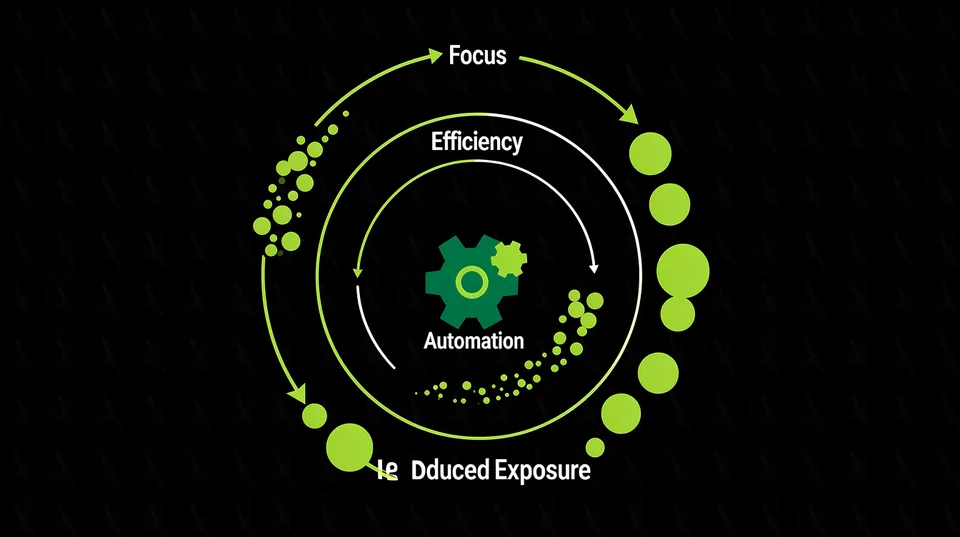
Closing the Loop with CNAPPs and CSPMs
A remediation platform's primary input is the stream of findings from your detection tools. Bi-directional API integration is key. The platform ingests alerts, and after a successful remediation, it must communicate back to the source to close the alert. This prevents the same resolved finding from appearing in the next day's scan report, a common source of frustration and noise for SOC teams. This closed-loop process ensures that the CSPM dashboard reflects the true, current state of your posture, not a backlog of already-fixed issues. It makes the detection tool more valuable by ensuring its output is clean, relevant, and actionable.Orchestration with ITSM and Collaboration Tools
Remediation actions are operational events that need to be tracked. Integrating with ITSM platforms like Jira and ServiceNow is non-negotiable. An automated playbook should:- Create Tickets Automatically: When a finding requires manual approval, the platform can generate a pre-populated Jira ticket with all contextual data.
- Update Tickets with Status: As the playbook progresses,from pending approval to execution to validation,it should post updates to the ticket automatically.
- Close Tickets on Completion: Once validation is successful, the ticket is resolved with a final comment detailing the remediation action, completing the audit trail without any human intervention.

Tamnoon helps security teams remediate cloud risks faster with AI-augmented managed services — combining human expertise with automation so nothing falls through the cracks.
Learn more at tamnoon.ioFAQs
What's the difference between automation and orchestration in cloud remediation?
Automation refers to the execution of a single, specific task without human intervention, like running a script to modify an S3 bucket policy. Orchestration is the process of coordinating multiple automated tasks and tools into a cohesive workflow. For instance, an orchestration platform would ingest an alert from a CSPM, trigger an automation to generate a fix, route it for human approval in Slack, execute another automation to apply the fix via an API call, and finally update a Jira ticket. Automation does the 'what'; orchestration manages the 'how' and 'when' across your entire toolchain.
How can we start implementing remediation automation without breaking production?
The safest approach is to start small and in non-critical environments. Begin by configuring automation playbooks in a 'read-only' or 'log-only' mode. The playbook will run through all steps, including generating the fix, but won't apply it. Instead, it logs the proposed change for review. Once your team gains confidence in the playbook's accuracy, enable it for automated execution in development and staging environments. Only after extensive validation and establishing clear human-in-the-loop approval gates should you roll it out to production workloads, starting with low-impact resources first.
Can automated remediation help enforce compliance standards like PCI-DSS or HIPAA?
Yes, absolutely. Automated remediation is a powerful tool for continuous compliance. You can create specific playbooks that directly map to compliance controls. For example, a PCI-DSS requirement to disable public access to cardholder data environments can be enforced by a playbook that automatically finds and fixes any publicly exposed S3 buckets with a 'pci-scope' tag. This turns periodic audits into a state of continuous enforcement, where any deviation from the compliance baseline is automatically corrected in near real-time, providing a robust and auditable trail of adherence.
My CSPM already has some remediation features. Why do I need a separate platform?
While many CSPMs offer basic remediation scripts, a dedicated remediation orchestration platform provides several critical advantages. These platforms offer deeper, cross-cloud capabilities, managing fixes across AWS, Azure, and GCP from a single control plane. They specialize in building production-safe playbooks with sophisticated pre-checks, blast radius analysis, and automated rollbacks—features often less developed in detection-focused tools. Most importantly, they excel at human-in-the-loop workflows, integrating with chat and ITSM tools to make approvals and escalations seamless, ensuring you can automate safely at enterprise scale.
How does automated remediation specifically impact Mean Time to Remediate (MTTR)?
Automated remediation has a direct and dramatic impact on shrinking MTTR. It collapses the timeline from days or weeks down to minutes. The manual process involves multiple handoffs: from alert detection to ticket creation, assignment, investigation, and finally, implementation. Each handoff introduces delays. Automation eliminates these handoffs entirely for known issues. The platform programmatically handles detection, analysis, fix generation, and execution. This reduces MTTR by removing the largest source of delay which is human queuing and context switching.