
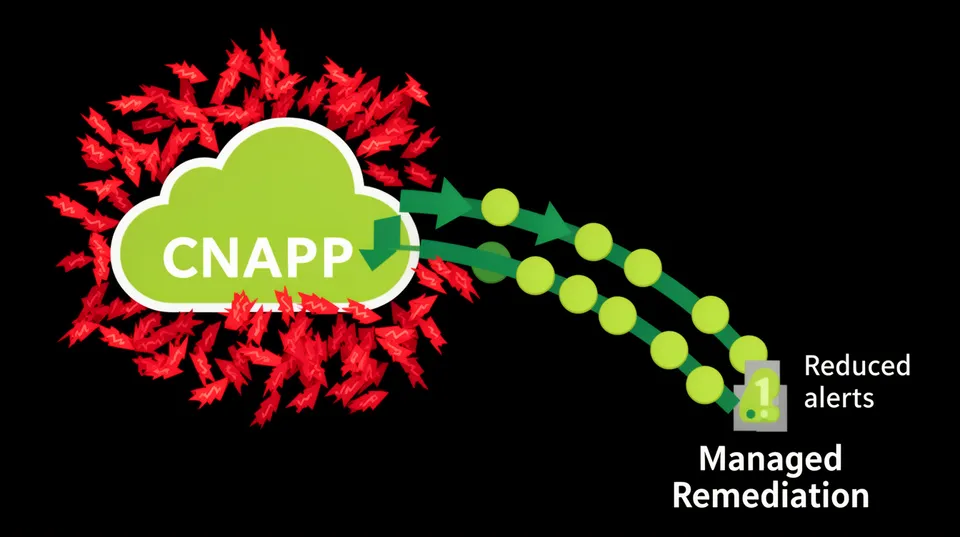

The thousands of alerts pouring out of your Cloud Native Application Protection Platform (CNAPP) are technically correct. Your Wiz, Orca, or Prisma Cloud instance is doing its job by finding every potential flaw. The problem is that its job ends at detection, while yours is just beginning.
This firehose of findings creates a state of paralysis, not security. When faced with 10,000 'critical' alerts, engineering teams don't remediate faster; they get better at ignoring the noise. In fact, some analyses show only 0.3% of CNAPP alerts are even relevant after contextual analysis. This isn't a failure of your detection tool, it's a failure of your remediation process, and it's directly responsible for a stagnant Mean Time to Remediate (MTTR).
Fixing this requires a fundamental shift from detection-centric security to remediation-centric operations. It means moving from generating PDF reports to orchestrating production-safe fixes. It’s about building a systematic process that translates raw alerts into verified, actionable engineering tasks that developers can trust and execute without breaking production.
Establish Remediation Ownership Before Writing a Single Playbook
Before you automate anything, you must solve the ownership problem. An alert for an over-privileged IAM role is useless if no one knows who owns the application using it. Alert fatigue is often a symptom of accountability gaps between security, DevOps, and application teams.
Start by enforcing a non-negotiable tagging policy for resource ownership. At a minimum, every provisioned resource should have tags identifying the team, the project, and a primary contact. This isn't just for cost allocation; it's the foundation of your remediation routing logic. A finding without an owner is just noise that will never be addressed.
A practical first step is to create a 'remediation-owner' tag. When your CSPM finds a misconfigured S3 bucket, your first enrichment step should be to look up this tag. If it's missing, the immediate action isn't to fix the bucket configuration but to find the owner and tag the resource. This solves the problem at the source, ensuring future alerts for that asset go to the right place. You can read more about this strategy in our guide to closing cloud security ownership gaps.
Define What "Done" Means
Your process also needs a clear definition of 'done.' Is a fix 'done' when a ticket is closed? When a pull request is merged? Or when a post-remediation scan confirms the vulnerability is gone and the application is still healthy? For a robust process, 'done' must mean the risk is verifiably eliminated from the production environment, not just from a backlog.
Triage with Business Context, Not Just CVSS Scores
Treating every CVE with a CVSS score of 9.0 as a five-alarm fire is a recipe for burnout. A high-severity vulnerability on an internal sandbox instance is far less urgent than a medium-severity flaw on a public-facing, data-processing API. Your triage process must prioritize based on exposure and impact, which requires enriching CNAPP alerts with environmental context.
Instead of manually investigating each alert, automate a triage checklist for every incoming finding:
- Public Exposure: Is the resource's network path connected to the internet? Check security groups, network ACLs, load balancer configurations, and public IP assignments.
- Data Sensitivity: Does the resource access sensitive data? Check for tags like
data-classification: piiorproject: financial-reporting. - Privilege Level: What permissions does the resource's identity have? Analyze attached IAM roles or Kubernetes service accounts for high-impact permissions like
iam:PassRoleors3:*. - Environment: Is this resource in a production, staging, or development account? This can be determined by account ID, VPC tags, or naming conventions.
CNAPPs provide a starting point with attack path analysis, but they lack the specific business context that only your organization possesses. A remediation orchestration platform like Tamnoon can ingest these raw alerts and enrich them with this business-specific context, automatically escalating the handful of issues that represent real, immediate risk while de-prioritizing the rest.
Group Findings into Remediation Campaigns
Stop thinking in terms of individual alerts. Start thinking in terms of root causes. If you have 500 alerts for unencrypted EBS volumes, you don't have 500 problems. You likely have one or two Terraform modules or CloudFormation templates that are missing the encrypted = true parameter.
This shift from alert-based remediation to campaign-based remediation is the single most effective strategy for managing scale. A campaign targets the root cause, fixing dozens or hundreds of issues with a single code change. This approach dramatically reduces the workload on your engineering teams.
Example: From 100 Alerts to 1 Pull Request
Imagine your CNAPP finds 100 running container instances using an image with a known remote code execution vulnerability (e.g., a vulnerable version of Log4j). The inefficient approach is to open 100 tickets, one for each instance. This is unmanageable and guarantees a slow response.
A campaign-driven approach looks like this:
- Group: The remediation platform groups all 100 alerts by the common factor: the base image specified in the Dockerfile.
- Trace: It traces the Dockerfile back to its source code repository.
- Act: It automatically opens a single pull request to update the
FROMinstruction in the Dockerfile to a patched version.
By fixing the source, you ensure that all subsequent builds are secure. This is far more efficient than chasing down individual running containers, many of which are ephemeral anyway. This is a core principle in managing risk in automated environments, as detailed in our analysis of managing playbook risk.
Build Production-Safe, Context-Aware Playbooks
Generic remediation advice like "enable encryption" is useless. A true remediation playbook is a piece of code, not a prose document. It must be specific, validated, and account for the operational realities of your environment. A production-safe playbook contains more than just the fix; it includes the logic to apply that fix without causing an outage.
A robust playbook template should include these five components:
- Trigger Condition: The specific alert signature from your CNAPP (e.g., Wiz Issue ID, Orca Alert Type) that initiates the playbook.
- Impact Analysis: Pre-remediation commands to assess blast radius. For an IAM policy change, this would involve running a simulation with
aws iam simulate-principal-policyagainst a list of critical production actions to ensure no essential permissions are being removed. - Remediation Code: The exact, copy-pasteable IaC, CLI, or API call to fix the issue. The code should be idempotent, meaning it can be run multiple times without changing the result beyond the initial execution.
- Validation Step: Post-remediation commands to confirm the fix was successful and didn't introduce side effects. This could be re-running the specific security check and pinging an application health endpoint.
- Rollback Procedure: The code required to revert the change instantly if the validation step fails or an outage is reported.
Example: A Playbook for Securing an S3 Bucket
Consider an alert for an S3 bucket allowing public read access. A weak playbook says, "Disable public access." A production-safe playbook provides the following:
Remediation Code (AWS CLI):
aws s3api put-public-access-block \ --bucket my-production-bucket \ --public-access-block-configuration "BlockPublicAcls=true,IgnorePublicAcls=true,BlockPublicPolicy=true,RestrictPublicBuckets=true"Impact Analysis: Before running this, the playbook logic would check if the bucket currently has a policy that explicitly grants public access for a legitimate reason (e.g., hosting a public website). If so, it would flag for manual review instead of proceeding. This context-awareness prevents breaking a public-facing application. The NIST Cybersecurity Framework emphasizes this type of risk-managed response.
Implement a Tiered Automation Strategy
Full automation for every security fix is reckless. A mature remediation program uses a tiered approach that matches the level of automation to the risk of the change. This builds trust with DevOps teams and proves that security understands production stability.
Tier 1: Fully Automated Remediation
These are "no-regret" changes that have a negligible risk of negative impact. They should be fixed automatically within minutes of detection, with no human intervention required.
- Enforcing encryption on newly created storage volumes or database snapshots.
- Adding mandatory audit and ownership tags to untagged resources.
- Turning on 'Block Public Access' for S3 buckets that have no existing public bucket policy.
Tier 2: Human-in-the-Loop Approval
These are fixes for potentially disruptive changes that require human judgment. A remediation platform should do all the analytical work, propose the fix, and then wait for an approval from the resource owner in a chat-based tool like Slack or Microsoft Teams.
- Removing redundant IAM permissions from a production role. The platform identifies unused permissions based on CloudTrail data, generates the new policy, and presents a diff to the developer for a one-click approval.
- Modifying a production security group to restrict an open port.
Tier 3: Guided Manual Remediation
Some issues can't be fixed via IaC or API calls. These typically require application code changes.
- Removing hardcoded secrets from source code. The platform's role here's to identify the secret, pinpoint the file and line number in the Git repository, and create a detailed ticket with instructions on migrating it to a secret manager like AWS Secrets Manager or HashiCorp Vault.
- Upgrading a major library version to patch a fundamental vulnerability described in resources like the OWASP Top 10.
Measure MTTR and Fix Rate, Not Alert Volume
You can't improve what you don't measure. The metrics that define a successful remediation program have nothing to do with how many alerts you generate. they're all about how quickly and effectively you resolve them.
Track these key performance indicators:
- Mean Time to Remediate (MTTR): The average time from when your CNAPP detects an issue to when it's confirmed as fixed in production. This is your north star metric. Be ruthless in driving it down, especially for critical, exposed vulnerabilities.
- Remediation Rate: The number of issues closed versus the number of new issues opened over a specific period. If this rate is below 100%, your backlog is growing, and so is your risk. This is a clear indicator of whether your process can keep pace with findings.
- Breakage Rate: The percentage of remediation actions that required a rollback or caused a production incident. This metric measures the trust and safety of your program. A high breakage rate will erode developer confidence and kill your automation efforts.
The goal is to move beyond the current state where, despite a 3x increase in monitoring spend, average MTTR has barely budged. This requires a dedicated focus on the operational 'last mile' of security: the fix itself.
Ultimately, defeating CNAPP alert fatigue isn't about finding fewer problems. It's about building a well-oiled machine to solve them systematically. By establishing ownership, triaging with context, creating campaigns, and implementing a tiered, playbook-driven automation strategy, you can transform your security posture from reactive to resilient. Start building your remediation engine today to get ahead of the alert queue. For a deeper dive into the metrics that matter, see our breakdown on MTTR in the cloud.

Tamnoon helps security teams remediate cloud risks faster with AI-augmented managed services — combining human expertise with automation so nothing falls through the cracks.
Learn more at tamnoon.ioFAQs
My CNAPP already has 'remediation' features. How is this different?
Most CNAPP remediation features generate a generic CLI command or code snippet. This is a suggestion, not a solution. A dedicated remediation orchestration platform like Tamnoon handles the entire lifecycle. It performs impact analysis before suggesting a fix, integrates with chat tools for human-in-the-loop approvals on risky changes, validates that the fix worked, and provides a clear rollback path. It's the difference between a tool giving you a raw ingredient and a chef preparing a production-ready meal.
How do you handle remediations that require code changes in our CI/CD pipeline?
This is a critical workflow known as 'shift-left' remediation. Instead of just flagging a vulnerability in a running resource, a smart remediation platform traces it back to the source IaC file in its Git repository. From there, it can automatically open a pull request with the corrected code, complete with annotations explaining the risk and the fix. This embeds security directly into the developer's existing workflow, making remediation a natural part of the development cycle, not a separate, manual chore.
What's the first step to reducing alert fatigue without buying a new tool?
Start with root cause analysis and grouping. Export your alert data from your CNAPP into a CSV file and pivot the data. Instead of looking at 500 individual 'unencrypted volume' alerts, group them by the Terraform module or CloudFormation stack that created them. You'll likely find that a handful of templates are responsible for the majority of your findings. Focusing your effort on fixing those few source templates is far more scalable and effective than trying to patch hundreds of individual resources.
Will this approach create more work for my DevOps team?
It's designed to do the opposite by reducing toil and context switching. Engineers often spend significant time firefighting and investigating vague security tickets, with <a href="https://www.businesswire.com/news/home/20260406439955/en/New-Study-Finds-Alert-Fatigue-Has-Become-a-Production-Reliability-Risk-and-Incident-Response-Alone-Is-No-Longer-Enough">data showing they spend 40% of their time on such tasks</a>. A proper remediation workflow delivers a pre-vetted, actionable task, like a ready-to-merge pull request or a validated command. This eliminates the research and analysis phase for DevOps, allowing them to focus on a clear, safe, and quick resolution, thus lowering their overall workload.
How does this remediation process scale across multiple cloud providers like AWS, Azure, and GCP?
Effective multi-cloud remediation relies on an abstraction layer. A security orchestration platform uses provider-agnostic playbooks that define the desired security outcome, such as 'ensure storage is private and encrypted.' The platform then translates this intent into the specific API calls or IaC syntax for each cloud (e.g., AWS S3 Public Access Block, Azure Blob Storage container policies, Google Cloud Storage IAM). This allows your security team to manage risk consistently with a single set of rules, without needing to be experts in the esoteric details of every cloud's security configuration.