
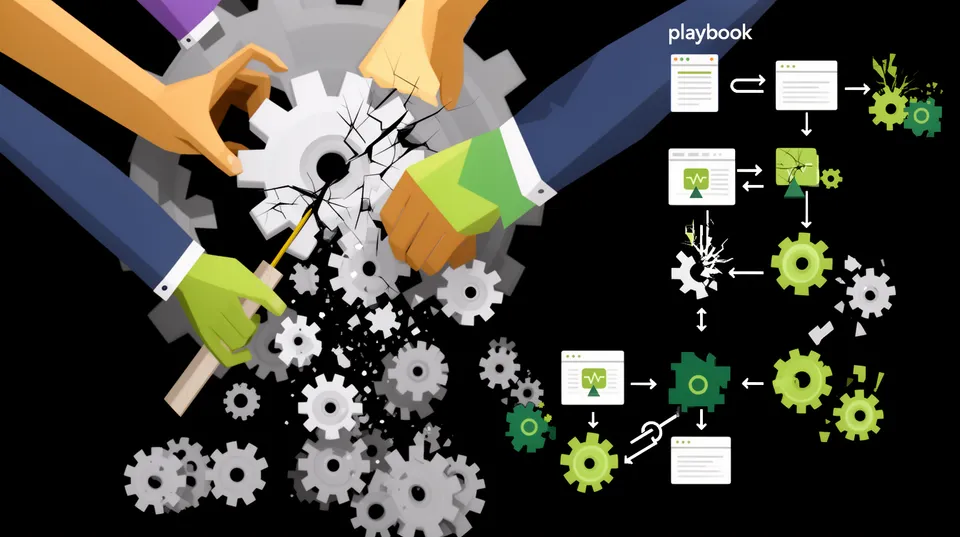

An automated security playbook just took an action your Cloud Security Posture Management (CSPM) tool recommended. The alert is green, the dashboard looks clean, but your primary application is throwing 500 errors. This isn't a hypothetical; it's the operational reality for teams who trust blind automation in complex cloud environments.
The core problem isn't the detection of a misconfiguration. Tools like Wiz, Orca, Prisma Cloud, and Defender for Cloud are exceptional at finding vulnerabilities. The failure point is the 'remediation' step, where context-free scripts execute changes with no understanding of application dependencies, operational schedules, or Infrastructure as Code (IaC) state. While roughly 45% of all data breaches occur in cloud environments, a clumsy fix can inflict the same business damage as a breach itself: downtime, data loss, and broken customer trust.
Managing playbook risk means treating every automated change as a production deployment. It requires impact analysis, state management, and built-in rollback capabilities. Without these guardrails, your security automation becomes a high-speed wrecking ball pointed directly at your infrastructure.
Deconstruct the Blast Radius of a "Simple" Fix
Let's analyze a common alert: a security group allowing inbound SSH (port 22) traffic from 0.0.0.0/0. Your CSPM flags this as critical. The knee-jerk automated playbook identifies the rule and removes it. Here's what can go wrong.
The Naive Fix and Its Unintended Consequences
A simple Python script using Boto3 or an AWS CLI command can execute the fix in milliseconds. The logic is straightforward: describe the security group, find the offending ingress rule, and call revoke_security_group_ingress.
aws ec2 revoke-security-group-ingress --group-id sg-0123456789abcdef0 --protocol tcp --port 22 --cidr 0.0.0.0/0
This action successfully closes the alert. However, the script has no context. It doesn't know this security group is attached to a fleet of bastion hosts used by a remote DevOps team with IP addresses. Now your on-call engineers can't access critical infrastructure during an outage, escalating a minor incident into a major one.
A Production-Safe Analysis Workflow
A production-safe playbook doesn't act immediately. It analyzes. Before revoking the rule, it gathers intelligence to determine the genuine risk and potential impact.
- Check Resource Tags: Does the instance have tags like
env=prod,owner=devops, orcriticality=high? Is there a tag likeaccess=emergency_bastion? These tags are the first line of defense against breaking something important. - Analyze VPC Flow Logs: Query VPC Flow Logs for the last 30-90 days. Are there any accepted connections on port 22 from non-corporate IP ranges? If so, investigate those source IPs. They might belong to a critical third-party partner or a monitoring service.
- Query AWS CloudTrail: Who created this rule and when? A CloudTrail search for
AuthorizeSecurityGroupIngressprovides attribution. Perhaps it was created last week by a senior engineer responding to an incident, and the cleanup ticket just hasn't been processed yet. - Cross-Reference with a CMDB: Integrate with your Configuration Management Database (CMDB) like ServiceNow. Does the associated EC2 instance belong to a critical, revenue-generating application? This business context is something a CSPM scan alone can't provide.
Only after this analysis can a safe decision be made. The right fix might be replacing the 0.0.0.0/0 rule with a set of specific corporate IP ranges or implementing a VPN-based access solution, not just blindly deleting the rule.
Manage State Drift Before It Corrupts Your Pipeline
One of the most disruptive aspects of out-of-band security automation is IaC state drift. When a playbook modifies a resource directly via API, the live configuration of your cloud environment no longer matches the code in your Git repository. This creates chaos for DevOps teams.
The Disaster Scenario: Secrets Rotation
Consider a playbook designed to enforce password rotation on an Amazon RDS database. Your CSPM finds a password older than 90 days. The automation connects to the AWS API and updates the master password on the RDS instance.
The problem is your database was defined in Terraform, with its password stored in AWS Secrets Manager and referenced by the Terraform configuration. The direct API call updates the RDS instance but doesn't update the secret in Secrets Manager or the Terraform state file. The next time a developer runs terraform apply, Terraform's state file sees a mismatch and either reverts the password back to the old one (re-opening the security hole) or fails with an error.
# Terraform sees the change made by the playbook as drift Terraform will perform the following actions: # aws_db_instance.default will be updated in-place ~ resource "aws_db_instance" "default" { ~ password = (sensitive value) id = "mydb-instance" tags = {} # (40 other attributes hidden) } Plan: 0 to add, 1 to change, 0 to destroy.
The Upstream Fix: Remediation as Code
A production-safe approach treats remediation as a code change, not a hotfix. The remediation platform should integrate with your source control system (e.g., GitHub, GitLab) and CI/CD pipeline.
- Generate the Fix as Code: Instead of calling the AWS API to change the password, the playbook should generate the necessary change in the IaC source code. This could mean updating a
.tfvarsfile or modifying a Kubernetes manifest. - Open a Pull Request: The system automatically opens a pull request with the proposed fix, assigning it to the code owners defined in the
CODEOWNERSfile. The PR description should include the alert details, the CVE or CIS benchmark reference, and the potential impact. - Trigger Automated Testing: The PR triggers your standard CI pipeline, which runs unit tests, integration tests, and security scans. This validates that the fix doesn't introduce regressions.
- Require Human Approval: The code owner reviews the change and, once satisfied, merges it. The CI/CD pipeline then applies the change to production in a controlled, auditable manner.
This workflow respects the DevOps process, eliminates state drift, and creates a permanent, version-controlled record of the security fix. This structured process is essential for compliance with frameworks like the FedRAMP Continuous Monitoring Playbook, which requires documented plans of action for every identified risk.
Tame IAM Remediation with Data-Driven Guardrails
Nowhere is the risk of blind automation greater than with Identity and Access Management (IAM). A single incorrect policy change can sever connections between microservices, lock out administrative users, or break data pipelines. The challenge is magnified by the fact that critical application and API vulnerabilities take a median of 74.3 days to remediate, creating immense pressure to automate fixes.
The Over-Privileged Role Catastrophe
A CSPM alert indicates an EC2 instance role has the iam:* permission. This is a classic excessive privilege finding. A naive playbook would query CloudTrail for API calls made by the role in the last 14 days and generate a new, tightly-scoped policy based only on that usage.
This approach is dangerously shortsighted. It misses permissions needed for:
- Quarterly or Annual Processes: A role may have permissions like
kms:ReEncryptorrds:CreateDBSnapshotthat are only used during periodic compliance tasks or backup cycles. - Disaster Recovery Workflows: Permissions to create resources (
ec2:RunInstances,rds:RestoreDBInstanceFromSnapshot) in a secondary region may not have been used for months but are critical for business continuity. - Incident Response Playbooks: Permissions to isolate an instance or dump memory for forensic analysis are rarely used but must be available.
Stripping these permissions based on short-term usage data is a ticking time bomb. The fix appears successful until disaster strikes and the recovery fails. For guidance on building a better approach, cloud architects often consult NIST SP 800-53 security controls, particularly the AC (Access Control) family, to design robust IAM strategies.
The Production-Safe IAM Playbook
Fixing IAM requires patience and data. A secure, operational approach involves several stages to minimize risk, a strategy that's core to solving complex issues like fixing over-permissive IAM policies.
- Long-Term Data Analysis: Use AWS IAM Access Advisor to gather service last accessed data over a minimum of 90 days, ideally longer. This provides a more complete picture of a role's legitimate usage patterns, including infrequent but critical operations.
- Generate a 'Shadow' Policy: Based on the long-term data, generate a proposed least-privilege policy. don't apply it yet.
- Simulate and Validate: Use the IAM Policy Simulator to test the shadow policy against a list of critical API calls required by the application. This helps catch potential denials before they impact production.
- Deploy as a 'Permissions Boundary': For maximum safety, apply the new, stricter policy as a permissions boundary on the existing role. This allows you to test the new constraints without removing the old permissions. If an application fails, you can simply remove the boundary to restore functionality instantly.
- Monitor and Finalize: After a monitoring period (e.g., 30 days) with no issues, you can confidently replace the original broad policy with the new, verified, least-privilege policy.
Build a Remediation Lifecycle Not Just a Script
Effective, safe remediation isn't a single action. It's a continuous lifecycle that integrates security into engineering workflows. This is the only way to manage risk at scale and begin shrinking your cloud MTTR for misconfigurations without introducing operational instability.
A mature lifecycle includes these key phases:
- Contextualize: Ingest alerts from your detection sources. Enrich them with data from your CMDB, IaC repositories, and ownership information from internal directories. An alert for an unencrypted S3 bucket is low priority if it contains public marketing assets but critical if it's tagged as containing PII.
- Analyze Impact: Before generating a fix, perform a 'dry run' simulation. The system should map the resource's dependencies. What other services connect to it? What applications rely on its IAM role? What is its business criticality?
- Propose and Validate: For low-risk, non-production changes, full automation may be acceptable. For any change in production, the system should generate a proposed fix and present it for human-in-the-loop validation via tools like Slack, Microsoft Teams, or Jira, complete with all the contextual data gathered.
- Execute and Verify: Once approved, the playbook executes the change. Immediately after, it should monitor key performance indicators (KPIs) of the associated application,such as latency from Amazon CloudWatch, error rates from Datadog, or uptime from New Relic.
- Automate Rollback: If the post-remediation verification checks detect a negative impact (e.g., a spike in 5xx errors), the playbook must automatically trigger a pre-defined rollback plan to revert the change to its last known good state. This fail-safe is non-negotiable for production automation.
Platforms like Tamnoon orchestrate this entire lifecycle. It acts as the intelligent hub that connects detection with safe, validated, and auditable remediation. It moves teams from a state of chaotic alert fatigue to one of controlled, risk-managed resolution.

Tamnoon helps security teams remediate cloud risks faster with AI-augmented managed services — combining human expertise with automation so nothing falls through the cracks.
Learn more at tamnoon.ioFAQs
Why do automated playbooks often fail in microservices architectures?
Automated playbooks fail in microservices because these architectures are a complex web of dynamic dependencies. A simple change, like altering a security group or an IAM policy for one service, can have cascading effects on dozens of others. Standard playbooks lack the deep visibility to map this dependency graph in real time. They can't account for inter-service communication patterns, shared database credentials, or transient connections, leading to broken service-to-service calls that are extremely difficult to debug.
How should remediation strategies differ for code-defined vs. manually-created cloud resources?
For resources defined in Infrastructure as Code (IaC) like Terraform or CloudFormation, the remediation should always be an 'upstream' code change submitted via a pull request. This maintains the integrity of the IaC state and provides a clear audit trail. For manually-created or 'click-ops' resources, direct API remediation might be necessary, but it must be accompanied by a process to either codify that resource into IaC or, at minimum, document the change and alert the resource owner to prevent state drift.
What is a 'dry run' mode for a remediation playbook?
A 'dry run' or 'simulation' mode allows a remediation playbook to evaluate the potential impact of a fix without making any actual changes. The playbook runs its analysis logic, identifying the target resource, its dependencies, and its current configuration. It then reports what changes it would make and flags potential conflicts, such as breaking an application dependency or violating a pre-set business rule. This allows a security operator to review and approve the action with full context before execution.
Which types of cloud security alerts are the riskiest to automate?
The riskiest alerts to automate are those involving core infrastructure components with broad dependencies. These include modifications to IAM roles and policies (especially cross-account roles), changes to network ACLs or VPC route tables, and actions on KMS key policies. Altering any of these can have a massive blast radius, potentially locking out entire applications from their data, breaking network connectivity between environments, or rendering encrypted data unreadable. These remediations should always require human-in-the-loop validation.
How can AI improve the safety of automated remediation, not just the speed?
AI's true value in safe remediation isn't just generating a script faster. It's in performing sophisticated impact analysis at scale. AI models can analyze years of CloudTrail logs, VPC flow data, and application performance metrics to map hidden dependencies that a human would miss. An AI can model the 'blast radius' of a change, predict potential downstream failures, and identify when a seemingly 'unused' permission is actually vital for a rare but critical process like disaster recovery, thereby preventing catastrophic mistakes.