

Your cloud security posture management (CSPM) tool works. It generates thousands of alerts, proving its value in detection. Yet, the time it takes to fix a critical misconfiguration,your Mean Time to Remediate (MTTR),remains stubbornly high. This isn't a detection problem; it's a remediation bottleneck, and it's where significant cloud risk lives.
The gap between a CSPM alert and a production-safe fix is filled with operational friction: identifying owners, assessing production impact, manual command-line work, and endless ticketing queues. Research shows 82% of misconfigurations are caused by human error, not malicious intent. These aren't sophisticated attacks but simple mistakes with outsized consequences. A prolonged MTTR transforms a simple oversight into a sustained exposure.
Breaking this cycle requires a shift in focus from finding more issues to fixing them faster and more safely. It’s about building a systematic, repeatable process that bridges the chasm between security teams who find problems and DevOps teams who own the infrastructure. This means deconstructing the entire remediation lifecycle, identifying the delays, and applying targeted automation and improved workflows.
Deconstruct the Anatomy of a Misconfiguration Fix
To shrink MTTR, you first have to understand where the time goes. An alert for a misconfiguration is just the starting gun. The race to remediation is a multi-stage process, and delays at each step compound the total exposure time. Let's walk through a common, tangible example: an AWS S3 bucket with public read access.
Stage 1: Detection and Triage (The First Bottleneck)
Your CSPM, like Wiz or Prisma Cloud, detects an S3 bucket with a policy allowing public access. It fires a critical alert: S3 Bucket 'prod-customer-uploads-ax7b' is publicly accessible. The security operations center (SOC) analyst sees the alert. The clock starts now.
The first question isn't "how to fix it," but "who owns it?" and "what will break if we change it?" Without clear, automated context, the process grinds to a halt. The analyst has to dig through cloud logs, check tagging strategies (if they exist and are enforced), or consult a CMDB that might be outdated. This initial investigation can take hours or even days, all while sensitive data is potentially exposed.
Stage 2: Investigation and Risk Assessment (The Fear Factor)
Once an owner is identified, the ticket is passed to the responsible DevOps or application team. Their primary directive is to maintain uptime and performance. A security request to "lock down this bucket" is perceived as a risk to the application.
The DevOps engineer must now manually verify the bucket's purpose. Is it intentionally public to serve static assets for a web app? Or is it a mistake holding sensitive user data? This fear of breaking a production service is the single largest contributor to remediation delays. A misconfigured policy is dangerous, but an incorrect fix that causes an outage is a fireable offense. Consider this overly permissive policy:
{ "Version": "2012-10-17", "Statement": [ { "Effect": "Allow", "Principal": "*", "Action": "s3:GetObject", "Resource": "arn:aws:s3:::prod-customer-uploads-ax7b/*" } ]
}
Simply deleting this statement could break a critical application feature. The engineer needs to confirm the intended state before acting, adding more time to the MTTR clock.
Stage 3: Manual Remediation and Deployment (The Toil)
After confirming the bucket should be private, the fix itself must be implemented. For teams managing infrastructure as code (IaC), this means finding the right Terraform or CloudFormation file, creating a pull request, and waiting for peer review and CI/CD pipeline execution. For others, it's a manual change in the AWS console,a process that's slow, error-prone, and leaves no audit trail.
A correct, modern fix involves applying the PublicAccessBlock configuration, which is a more than just tweaking bucket policies. The required CLI command would be:
aws s3api put-public-access-block \
--bucket prod-customer-uploads-ax7b \
--public-access-block-configuration "BlockPublicAcls=true,IgnorePublicAcls=true,BlockPublicPolicy=true,RestrictPublicBuckets=true"
Generating this command, getting it approved, and executing it safely across potentially hundreds of misconfigured buckets is a significant manual effort that doesn't scale.
Build a Production-Safe Remediation Workflow
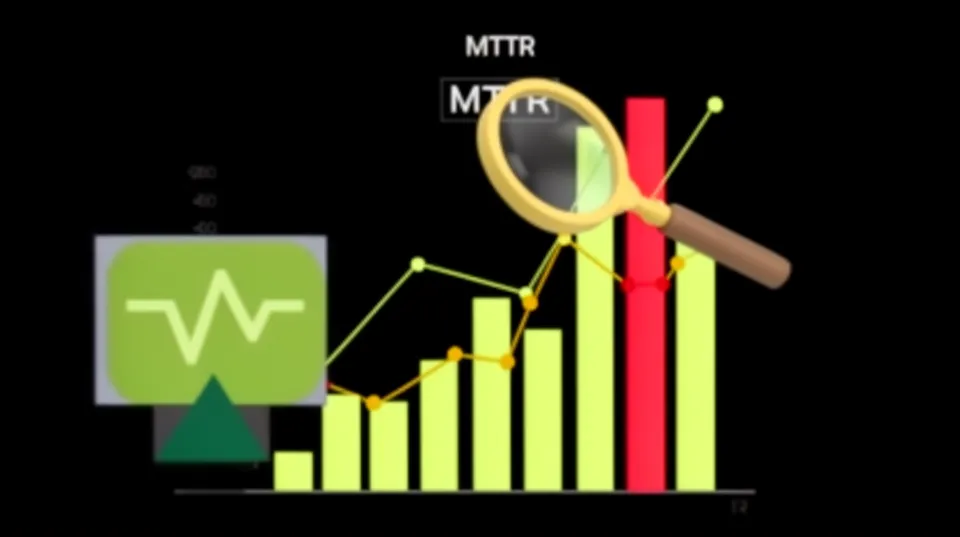
Shrinking MTTR isn't about rushing fixes; it's about making the right fix faster and safer. This requires an opinionated, structured workflow that removes manual guesswork and institutionalizes safety checks. The goal is to move from chaotic, ticket-based firefighting to a streamlined, automated process that security and DevOps teams can both trust.
Step 1: Centralize and Contextualize Every Alert
The process starts by ingesting alerts from all your detection sources (CSPM, CWPP, CNAPP) into a single remediation platform. This creates a unified backlog of security debt. More importantly, the system must automatically enrich each alert with critical business context.
This means integrating with your cloud provider's tagging data, your CMDB, and even code repositories to answer key questions instantly:
- Who is the owner? (e.g.,
team: payments,owner: @jane.doe) - What's the asset's criticality? (e.g.,
tier: 1,env: prod) - What applications depend on this resource?
Step 2: Generate Safe, Vetted Remediation as Code
Instead of just describing the problem, a modern remediation workflow should generate the solution. For a given misconfiguration alert, the system should automatically produce the exact CLI command or IaC snippet needed for the fix. This isn't just about speed; it's about consistency and accuracy. The gap between detection and remediation is best closed with code.
For example, an alert for an EC2 security group allowing unrestricted SSH access (0.0.0.0/0 on port 22) shouldn't just result in a ticket. It should generate a specific, safer Terraform configuration:
Misconfigured (The Alert):
resource "aws_security_group_rule" "allow_ssh_world" { type = "ingress" from_port = 22 to_port = 22 protocol = "tcp" cidr_blocks = ["0.0.0.0/0"] security_group_id = aws_security_group.main.id
}
Generated Fix (The Solution):
resource "aws_security_group_rule" "allow_ssh_bastion" { type = "ingress" from_port = 22 to_port = 22 protocol = "tcp" cidr_blocks = ["YOUR_VPN_OR_BASTION_IP_RANGE"] security_group_id = aws_security_group.main.id
}
Platforms like Tamnoon use battle-tested playbooks to generate these production-safe fixes, incorporating best practices such as using CIS Hardened Images or configurations. This removes the burden of research from the developer and ensures the proposed fix adheres to security standards.
Step 3: Embed Human-in-the-Loop (HITL) Approval
Full automation is tempting but often too risky for complex production environments. The fear of breaking something is real. A human-in-the-loop workflow provides the perfect balance. The system automates the detection, context gathering, and fix generation, but requires explicit approval from the resource owner before execution.
This is best implemented through chat-based workflows (e.g., Slack or Microsoft Teams). The remediation platform can post an interactive message directly to the owning team's channel:
"Hey @payments-team, we found a public S3 bucket prod-customer-uploads-ax7b you own. We've generated a fix to apply BlockPublicAccess. This won't impact private access. Please review the proposed change. [Approve] [Reject] [Remind Me Later]"
This approach brings the remediation decision directly into the developers' existing workflow, dramatically reducing the time spent in ticketing queues. It s owners to make informed decisions quickly, which is critical for environments where over 31% of cloud breaches stem from misconfigurations.
Step 4: Execute, Validate, and Close the Loop
Once approved, the system executes the remediation action via API. But the job isn't done. The final, critical step is validation. The platform must automatically confirm that the fix was applied successfully and resolved the original security issue.
This can be done by querying the cloud provider API to check the resource's new configuration or by checking with the original CSPM to see if the alert has cleared. Once validated, the corresponding ticket in Jira or ServiceNow is automatically closed, and the event is logged for audit purposes. This closed-loop process ensures accountability and provides a clear record of every action taken. It's the only way to effectively manage the risks of automated remediation in complex environments.
Measure What Matters to Drive Down MTTR
You can't improve what you don't measure. Tracking a single, monolithic MTTR metric is insufficient. To find real opportunities for improvement, you must break down the remediation lifecycle into its constituent parts and measure each one:
- Mean Time to Acknowledge (MTTA): The time from alert generation to when a human or system begins triage. High MTTA indicates a problem with alert routing, ownership assignment, or notification fatigue.
- Mean Time to Diagnose (MTTDx): The time from acknowledgment to when the root cause and a remediation plan are identified. High MTTDx points to a lack of context or expertise.
- Mean Time to Fix (MTTF): The time from diagnosis to the deployment of the fix. High MTTF often signals delays in change control, peer review, or manual implementation.
- Mean Time to Verify (MTTV): The time from fix deployment to confirmation that the vulnerability is gone. This is often overlooked but is crucial for ensuring remediation effectiveness.
By tracking these sub-metrics, you can pinpoint the exact stage where your process is failing. Are tickets sitting unassigned for days (high MTTA)? Are engineers struggling to determine the impact (high MTTDx)? Platforms that provide dashboards for these metrics give security leaders the data they need to justify process changes or investments in better tooling.
The Google Cloud Threat Horizons Report consistently highlights that threat actors rely on misconfigurations. Each minute of delay in any of these stages is another minute an attacker has to find and exploit that weakness. Tamnoon helps operationalize this entire workflow, integrating with tools like Wiz, Orca, and Prisma Cloud to ingest alerts and driving the process from contextualization through HITL approval to final validation. It transforms the remediation process from a manual, high-friction activity into a streamlined, semi-automated system.
It’s time to stop admiring the problem of alert overload and start building the machinery to solve it. Focusing on a production-safe, measurable, and collaborative remediation workflow is the most direct path to shrinking your MTTR and meaningfully reducing cloud risk. Check out how Tamnoon's approach enables safer remediation workflows.

Tamnoon helps security teams remediate cloud risks faster with AI-augmented managed services — combining human expertise with automation so nothing falls through the cracks.
Learn more at tamnoon.ioFAQs
How do I prioritize which misconfigurations to fix first when I have thousands of alerts?
Prioritization must be risk-driven, not volume-driven. Start by combining three key data points: asset criticality, attack path analysis, and exploitability. A misconfiguration on a non-critical development resource is less urgent than one on a production database holding PII. Use your CSPM's attack path analysis to see if the misconfiguration is part of a viable chain leading to a critical asset. Finally, factor in whether a known exploit exists. A platform that can automatically enrich alerts with this context allows you to filter for the 'toxic combination' of high criticality, public exposure, and a direct path to sensitive data.
What's the biggest risk of using fully automated remediation without human oversight?
The primary risk is causing a production outage. Cloud environments are complex, and a seemingly simple fix can have unforeseen downstream consequences. For example, changing a security group rule might be intended to restrict access but could inadvertently block a critical health check, causing a load balancer to terminate healthy instances. A human-in-the-loop (HITL) model mitigates this by allowing the asset owner, who has the most context about the aplication's behavior, to review and approve the change. This combines the speed of automated fix generation with the safety of human judgment.
How can asset tagging directly impact and reduce MTTR?
A consistent and enforced asset tagging strategy is fundamental to reducing MTTR. Tags that identify the owner, team, application, and data sensitivity (e.g., `owner:jane.doe`, `team:billing`, `app:checkout-api`, `data-class:pii`) are crucial. When a remediation platform ingests an alert, it can use these tags to automatically route the issue to the correct team's Slack channel or ticketing queue. This completely eliminates the manual, time-consuming first step of triage and investigation, which is often a major source of delay. Without proper tagging, every alert requires a manual investigation to find the owner before any remediation can even begin.
My DevOps team is swamped. How do I get them to prioritize security fixes?
Make it easy for them to do the right thing. Instead of just sending them an alert or a ticket describing a problem, provide a complete, actionable solution. This means delivering the exact IaC change or CLI command needed for the fix, along with a clear explanation of the risk and confirmation that the fix won't break production. Integrating this into their existing workflows, like presenting a one-click approval in Slack, removes friction. When the security team does 90% of the work (diagnosis, context gathering, solution generation), the effort required from DevOps is minimal, making them far more likely to act quickly.
Is it better to fix misconfigurations in code (IaC) or directly in the cloud console?
Fixing misconfigurations in your Infrastructure as Code (IaC) repository is always the preferred method. This prevents configuration drift and ensures the corrected state is the source of truth for future deployments. A fix applied directly in the console is temporary; the next time the IaC is applied, it will likely revert the change, reintroducing the vulnerability. An effective remediation workflow should generate the fix as a code change and, if possible, even create a pull request automatically. Manual console changes should be reserved for emergency break-glass scenarios only.