

Understanding Terraform Drift and Its Impact
Terraform drift occurs when the real-world state of your cloud infrastructure no longer matches the state defined in your Terraform configuration files and the Terraform state file. This divergence introduces instability and makes cloud environments unpredictable. A recent analysis of over 3000 Terraform files highlighted how cloud drift silently erodes infrastructure reliability [Source]. Unaddressed drift impacts stability and security, potentially opening vulnerabilities if permissions or configurations change outside IaC [Source]. When drift isn't managed, operations teams spend more time debugging issues caused by unexpected configuration differences rather than building new features.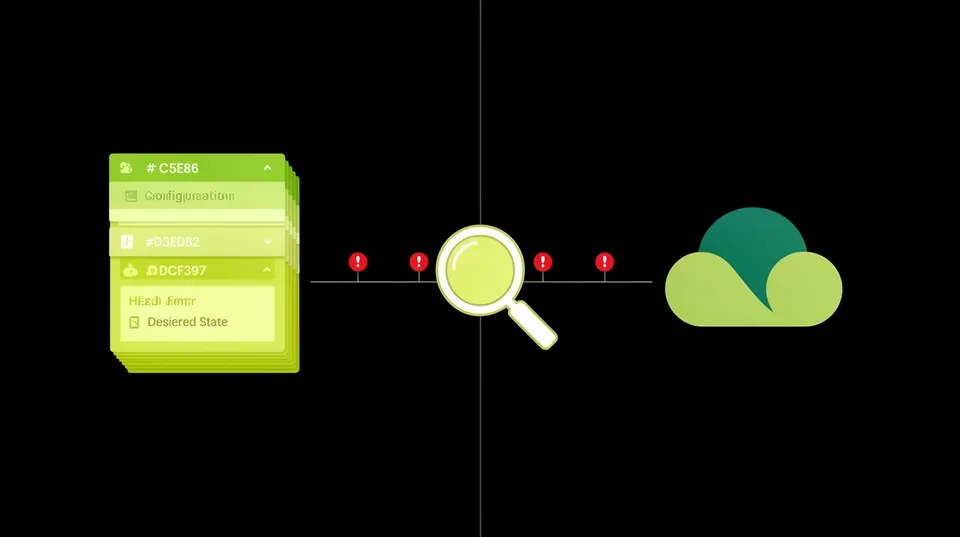
What Causes Infrastructure Drift
Drift stems from several sources. Manual console changes are a primary culprit. A developer or operator makes a quick fix directly in the AWS, Azure, or GCP console to resolve an urgent issue, but forgets to update the IaC. Scripted changes outside the IaC pipeline also cause drift. Think of automated tasks or legacy scripts that modify resources without Terraform's knowledge. Human error during emergency changes or inadequate processes for updating IaC post-manual intervention frequently contribute to this issue. Third-party integrations or services that modify resources, like security agents or monitoring tools, can also introduce drift if their changes aren't reflected in IaC. API-driven changes, such as those made by a different automation tool or a cloud provider's own managed services, can also contribute. For example, an AWS service might automatically enable a new feature on an S3 bucket that wasn't specified in your original Terraform configuration. Even Terraform's ownterraform import command can introduce drift if not handled carefully, as it brings existing resources under Terraform management without necessarily aligning their configuration perfectly with the IaC definitions. The Operational Consequences of Unmanaged Drift
Operational consequences range from minor headaches to catastrophic outages. Deployments become unreliable because aterraform apply might attempt to revert manual changes, leading to unexpected service interruptions or failures. Imagine a load balancer's listener port manually adjusted for a hotfix, only for the next terraform apply to revert it, taking down a critical service. This isn't theoretical. Drift can lead to outages and corrupt trust in tooling [Source]. Security posture degrades silently. An S3 bucket policy might be manually loosened for a temporary data share, never to be tightened in IaC. An IAM role might get additional permissions, forgotten in the Terraform definition, creating an overprivileged entity. These security misconfigurations are often invisible to IaC scans until a terraform plan reveals the discrepancy. Remediation becomes reactive and complex because the source of truth is fragmented between IaC and the cloud provider's API state. Rolling back from a problem becomes harder when you don't trust your IaC to represent the current production state. This directly increases the mean time to remediation (MTTR) for security incidents and operational issues. "Infrastructure drift, whether intentional or accidental, introduces inconsistencies that undermine the very principles of IaC, making environments unstable, insecure, and difficult to manage. Teams find themselves caught in a reactive cycle, constantly battling an ever-changing infrastructure that doesn't match their documented state."
HashiCorp Blog
Detecting Terraform Drift with Built-in Tools
Detecting Terraform drift involves comparing the desired state, as defined in your configuration files, with the actual state of resources in your cloud provider. Terraform provides native commands for this, which form the backbone of any drift detection strategy. Integrating these commands into continuous integration/continuous deployment (CI/CD) pipelines is a fundamental step toward proactive management.Using terraform plan -destroy and terraform refresh
Terraform's plan command, particularly with the -destroy flag, is the simplest way to check for drift. A standard terraform plan operation refreshes the Terraform state file against the actual cloud resources and then compares that refreshed state to your configuration files. Any differences are displayed as proposed changes. If Terraform proposes changes that you didn't explicitly request in your configuration, that's drift. For a more aggressive check, terraform plan -destroy simulates tearing down your infrastructure. If there's drift, it will highlight resources that exist in the real world but are not defined in your configuration, or show configurations that would be destroyed differently than expected. This is less about finding configuration changes and more about identifying resources that Terraform no longer manages but still exist. The terraform refresh command updates the Terraform state file with the current attributes of real-world infrastructure. It doesn't modify infrastructure directly, but it ensures your local state reflects reality. After a refresh, a subsequent terraform plan will accurately report any drift. Terraform's own documentation and community articles confirm drift detection can be performed using terraform plan and refresh [Source]. This simple command pairing provides a baseline for understanding discrepancies. Here’s a basic CI/CD pipeline snippet for a drift check (using GitHub Actions as an example):
name: Terraform Drift Detection on: schedule: - cron: '0 * * * *' # Run hourly workflow_dispatch: jobs: drift-check: runs-on: ubuntu-latest steps: - name: Checkout code uses: actions/checkout@v4 - name: Setup Terraform uses: hashicorp/setup-terraform@v3 with: terraform_version: 1.5.0 # Specify your Terraform version - name: Terraform Init run: terraform init env: AWS_ACCESS_KEY_ID: ${{ secrets.AWS_ACCESS_KEY_ID }} AWS_SECRET_ACCESS_KEY: ${{ secrets.AWS_SECRET_ACCESS_KEY }} AWS_REGION: us-east-1 - name: Terraform Plan (Drift Check) id: plan run: terraform plan -no-color env: AWS_ACCESS_KEY_ID: ${{ secrets.AWS_ACCESS_KEY_ID }} AWS_SECRET_ACCESS_KEY: ${{ secrets.AWS_SECRET_ACCESS_KEY }} AWS_REGION: us-east-1 continue-on-error: true # Allow plan to fail if changes detected - name: Check for Drift if: steps.plan.outputs.exitcode == 2 run: | echo "Drift detected! Changes are required to align infrastructure with IaC." echo "${{ steps.plan.outputs.stdout }}" exit 1 # Fail the pipeline to alert teams - name: No Drift if: steps.plan.outputs.exitcode == 0 run: echo "No drift detected. Infrastructure is aligned."
terraform plan hourly. If changes are detected (exitcode == 2), it flags the pipeline as failed, indicating drift. This provides early warning without requiring manual intervention. Terraform Cloud's Drift Detection Capabilities
For teams using Terraform Cloud, drift detection is a first-class feature that simplifies monitoring. Terraform Cloud's drift detection is now generally available, providing integrated capabilities to identify discrepancies between your state file and your actual infrastructure [Source]. It periodically scans your workspaces and reports any detected drift directly in the UI, or via webhooks. This moves from a reactive, manual check to a proactive, automated monitoring system. Configuring it typically involves enabling the feature within a Terraform Cloud workspace and setting a scan frequency. It provides a centralized view of drift across your organization's managed infrastructure.Advanced Drift Management Strategies
Beyond basic detection, advanced strategies involve integrating specialized tools, enforcing policies, and establishing robust remediation workflows. These approaches move past just identifying drift to actively preventing it and efficiently fixing it when it occurs.Integrating Dedicated Drift Detection Tools
While native Terraform commands are useful, dedicated tools offer richer insights and broader coverage. Several platforms now offer advanced drift detection, often as part of broader cloud security posture management (CSPM) or cloud asset inventory solutions. Cycode, for instance, created an integration for Terraform Cloud configuration drift detection [Source]. These tools can often compare live cloud configurations against multiple sources of truth, not just Terraform state, and provide detailed reports on the nature and severity of the drift. Consider tools like Wiz, Orca Security, or Palo Alto Prisma Cloud which collect comprehensive cloud asset inventories. While these tools excel at security posture management, they can be configured to report on deviations from desired configurations. The challenge is typically mapping these deviations back to IaC. This is where a platform like Tamnoon becomes crucial. It can ingest alerts from these CSPMs about configuration drift, analyze the context, and suggest IaC-driven remediation. It's also worth noting that the landscape of drift detection tools evolves. CloudQuery, for example, is deprecating its Terraform drift detection feature [Source], indicating that the best-of-breed solutions are constantly changing and consolidating functionalities.Enforcing Policy as Code (PaC)
Policy as Code (PaC) provides a powerful prevention layer. Tools like Open Policy Agent (OPA) or HashiCorp Sentinel allow you to define policies that prevent unapproved changes at the CI/CD pipeline level. Before aterraform apply runs, these policies can check if the proposed changes would introduce drift, create insecure configurations, or deviate from naming conventions. For example, a policy might block any change that removes encryption from an S3 bucket or grants public access to a database. This shifts drift detection left, preventing it before it ever reaches production. Example OPA policy to disallow public S3 buckets:
package terraform.aws denied[msg] { some i input.resource_changes[i].type == "aws_s3_bucket" input.resource_changes[i].change.after.acl == "public-read" msg := "S3 buckets must not have public-read ACL."
} denied[msg] { some i input.resource_changes[i].type == "aws_s3_bucket_public_access_block" input.resource_changes[i].change.after.block_public_acls == true input.resource_changes[i].change.after.ignore_public_acls == true input.resource_changes[i].change.after.restrict_public_buckets == true input.resource_changes[i].change.after.block_public_policy == true # This is a bit counter-intuitive. We want to deny if these are NOT true, # meaning a user is trying to make a bucket public. # So, let's reverse this: deny if any of these are set to false.
} denied[msg] { some i input.resource_changes[i].type == "aws_s3_bucket_public_access_block" input.resource_changes[i].change.after.block_public_acls == false msg := "S3 bucket public ACLs must be blocked."
} denied[msg] { some i input.resource_changes[i].type == "aws_s3_bucket_public_access_block" input.resource_changes[i].change.after.block_public_policy == false msg := "S3 bucket public policies must be blocked."
} terraform plan output. If the plan indicates an S3 bucket would be configured with public-read ACL or public access blocks disabled, the pipeline fails. This prevents the drift from ever reaching the cloud environment. Remediating Cloud Security Drift with Tamnoon
Effectively remediating cloud security drift requires a systematic approach that bridges detection with production-safe fixes, precisely what the Tamnoon platform is designed to provide. When drift is detected, the primary challenge is not just identifying it, but safely bringing the infrastructure back into alignment with the IaC definition without causing service interruptions. This is where traditional security tools often fall short, identifying thousands of issues but providing no clear path to resolution.Closing the Remediation Gap from Detection to Fix
Many organizations suffer from alert fatigue. CSPM tools like Wiz, Upwind, or Orca Security are excellent at detecting misconfigurations and security issues, including infrastructure drift. However, they typically provide lists of alerts. Security teams then hand these lists to DevOps or infrastructure teams, who must manually analyze the drift, determine the root cause, develop a fix, and then carefully apply it. This process is slow, error-prone, and often leads to friction between teams. It's a significant contributor to the high mean time to remediation (MTTR) that plagues cloud security operations. Tamnoon addresses this gap by transforming security alerts from any integrated CSPM into concrete, production-safe remediation actions. When a CSPM detects drift,say, an IAM policy in AWS that's been manually altered and no longer matches its Terraform definition,Tamnoon ingests that alert. The AI-Powered Remediation engine then analyzes the alert, the current cloud state, and your IaC repository to understand the exact nature of the drift. It doesn't just flag the issue. It proposes a precise fix.AI-Powered Remediation and Human-in-the-Loop Validation
The Tamnoon platform uses AI to generate specific fix-actions, often in the form of updated IaC snippets or direct API calls. For drift, this might involve generating aterraform apply command with specific targets or even a pull request that updates the IaC to reflect the desired state. This automation significantly reduces the manual effort and expertise required for remediation. The platform can identify the affected Terraform module, generate the necessary HCL changes, and even propose a plan to execute those changes. However, full automation isn't always appropriate, especially for complex or sensitive production environments. That's why Tamnoon incorporates a Human-in-the-Loop (Expert-led) validation process. Before any change is applied, the proposed remediation is presented to a cloud expert for review and approval. This hybrid approach ensures that fixes are not only accurate but also production-safe, preventing unintended side effects or downtime. Tamnoon's cloud experts, or your own team members, can validate the proposed changes, ensuring zero downtime and maintaining business continuity. This reduces risk significantly, especially when dealing with critical infrastructure components where a misstep can have immediate negative consequences. Remediation Playbooks for Common Drift Scenarios
Tamnoon leverages Remediation Playbooks, which are pre-configured, battle-tested workflows for common cloud threats and misconfigurations. This includes specific playbooks for various drift scenarios, such as:- IAM Policy Drift: Restoring an IAM policy to its IaC-defined state, removing manually added permissions.
- Security Group Rule Drift: Reverting security group rules that have been manually altered, often to block unwanted ingress/egress.
- Storage Bucket Configuration Drift: Ensuring S3, Azure Blob, or GCP Cloud Storage buckets adhere to IaC definitions, including encryption, access logging, and public access blocks.
- Network Configuration Drift: Aligning VPC/VNet settings, route tables, and NACLs with IaC, reversing any out-of-band changes.
Implementing a Proactive Drift Management Culture
Effective drift management isn't just about tools. It demands a cultural shift toward IaC-first principles and continuous vigilance. It requires buy-in from development, operations, and security teams, reinforcing the idea that IaC is the single source of truth for infrastructure. This cultural commitment helps prevent drift at its source and ensures swift, safe remediation when it does occur.Establishing IaC as the Single Source of Truth
This means every infrastructure change, no matter how small, must go through the IaC pipeline. No direct console modifications, no undocumented scripts. This takes discipline. Organizations should implement strict access controls that limit direct modification of production infrastructure. Instead, all changes should be submitted as pull requests against the IaC repository, reviewed, and applied through CI/CD. This process ensures traceability, auditability, and prevents ad-hoc changes from creating hidden drift. Regular training for all cloud engineers on IaC best practices and the dangers of drift is also essential.Automating Remediation Workflows with RemOps
Integrating drift detection with automated remediation workflows, such as those provided by Tamnoon, is key. When drift is detected, an automated process should be triggered to either alert relevant teams or, with appropriate safeguards, automatically apply the necessary IaC changes to correct the deviation. This concept aligns with RemOps (Remediation Operations), which focuses on automating the entire security remediation lifecycle, moving beyond mere detection to actionable fixes. This helps teams conquer alert fatigue by not just identifying issues but immediately moving towards resolution. For example, a minor drift in a non-critical resource might trigger an automaticterraform apply with an audit trail. A critical security drift, like an exposed S3 bucket, might trigger an immediate automated fix with a high-priority alert to the security team for review. This strategy dramatically reduces MTTR and strengthens security posture. Learn more about how to slash MTTR in cloud security operations here. Regular Auditing and Reporting
Even with robust preventative measures and automated remediation, regular auditing and reporting are indispensable. Dashboards showing drift status across environments, trends in drift incidents, and the effectiveness of remediation efforts help maintain visibility. Tools that provide comprehensive reporting on cloud security posture, like Sentinel One Singularity or AWS Security Hub, can integrate with Tamnoon to create a complete picture. Analyzing these reports helps identify common causes of drift, refine policies, and continuously improve the drift management process. This also helps CISOs and leadership understand the ongoing security health of their cloud environments. Effective drift management requires a layered approach: strong prevention through PaC, continuous detection through automated checks and specialized tools, and efficient, production-safe remediation. By adopting these strategies, organizations can ensure their cloud infrastructure remains secure, stable, and aligned with its intended state, reducing operational overhead and strengthening overall resilience.

Tamnoon helps security teams remediate cloud risks faster with AI-augmented managed services — combining human expertise with automation so nothing falls through the cracks.
Learn more at tamnoon.ioFAQs
What is Terraform drift?
Terraform drift occurs when the actual state of cloud resources no longer matches the configuration defined in your Terraform code or the Terraform state file. This discrepancy can arise from manual changes made directly in the cloud console, out-of-band scripts, or other automated processes not managed by Terraform. The result is an environment where the source of truth for infrastructure is fragmented, leading to unpredictable behavior, security vulnerabilities, and operational instability. It complicates deployments and makes incident response more challenging.
Why is Terraform drift a security risk?
Terraform drift poses significant security risks because it can introduce unauthorized or unintended configurations that bypass security controls defined in IaC. For example, a developer might temporarily loosen a firewall rule or S3 bucket policy for troubleshooting, but forget to revert it and update the IaC. This creates a security gap that Terraform is unaware of and can't manage. Such unmanaged deviations can lead to data breaches, unauthorized access, or compliance violations, making the environment more vulnerable to attacks.
How can I detect Terraform drift?
You can detect Terraform drift using several methods. The most common involves running `terraform plan` regularly, which compares your IaC configurations with the real cloud state and highlights any differences. For environments managed by Terraform Cloud, built-in drift detection periodically scans workspaces and reports discrepancies. Dedicated third-party tools, often integrated with CSPM platforms, offer more granular and continuous drift monitoring, providing richer insights and detailed reports. Integrating these checks into CI/CD pipelines ensures continuous monitoring and early detection.
What tools help manage and remediate Terraform drift?
Several tools assist with managing and remediating Terraform drift. Terraform's native `plan` and `refresh` commands are foundational for detection. Terraform Cloud offers integrated drift detection. Specialized tools like Cycode provide enhanced detection capabilities. For prevention, Policy as Code tools such as Open Policy Agent (OPA) or HashiCorp Sentinel can enforce policies to block drift-inducing changes at the CI/CD level. For automated, production-safe remediation of detected drift, platforms like Tamnoon integrate with CSPMs to convert alerts into actionable, expert-validated fixes, often by generating and applying corrected IaC or API calls.
How does Tamnoon help with Terraform drift remediation?
Tamnoon addresses Terraform drift by orchestrating the remediation process from detection to production-safe fix. It ingests drift alerts from existing CSPM tools like Wiz or Orca Security. Its AI-Powered Remediation engine then analyzes the context of the drift against your IaC, generating precise fix-actions, such as updated Terraform configurations. These proposed remediations undergo a Human-in-the-Loop (Expert-led) validation process to ensure they won't break production. Tamnoon's Production-Safe Playbooks specifically target common drift scenarios, enabling rapid, automated, and verified resolution, effectively closing the remediation gap and reducing MTTR.