


Security misconfigurations remain a leading cause of cloud breaches. Implementing policy as code with Terraform helps catch these issues before they deploy to production, reducing risk and operational overhead.
Integrating security earlier into the development lifecycle, known as DevSecOps, directly addresses the friction between security requirements and development velocity. Terraform, as a foundational Infrastructure as Code (IaC) tool, offers a powerful avenue to embed these security controls directly into the infrastructure definition process.
This approach moves beyond reactive detection to proactive prevention, turning security policies into tangible, executable rules. It ensures that every piece of infrastructure meets security baselines automatically, freeing up security and operations teams from manual audits and firefighting.
Embed Security Policies Early in Your Terraform Pipelines

Embedding security policies early in Terraform pipelines, ideally pre-deployment, is crucial for preventing misconfigurations from ever reaching production environments. This proactive stance significantly reduces the attack surface and lessens the burden of downstream remediation efforts by catching security violations at the source, where they're cheapest and easiest to fix.
Terraform is a leading IaC tool that defines, provisions, and manages infrastructure declaratively for cloud, on-prem, or hybrid environments using HCL or JSON files [SOURCE]. This capability extends to security configurations, making it an ideal candidate for policy as code. By defining security requirements directly within your Terraform code, you ensure that every infrastructure deployment adheres to your organization's security posture.
Implementing Policy as Code with Terraform Sentinel
HashiCorp Sentinel is a policy as code framework integrated with Terraform Enterprise and Terraform Cloud. It enables fine-grained, logic-based policies that govern infrastructure deployments. Sentinel policies are written in a custom language, allowing you to define rules for virtually any aspect of your Terraform configurations.
Here's a basic example of a Sentinel policy that prevents the creation of publicly accessible S3 buckets:
main = rule { all << resource_changes.aws_s3_bucket as _, s3_bucket >> { s3_bucket.change.after.acl is "private" or s3_bucket.change.after.grant is null or (s3_bucket.change.after.grant is not null and all << s3_bucket.change.after.grant as _, grant >> { grant.grantee.uri is not "http://acs.amazonaws.com/groups/global/AllUsers" and grant.grantee.uri is not "http://acs.amazonaws.com/groups/global/AuthenticatedUsers" }) }
}
This policy checks all aws_s3_bucket resources. It fails the plan if an S3 bucket is configured with an ACL that allows public read or write access. When this policy is enforced in your CI/CD pipeline, any Terraform plan attempting to provision a non-compliant S3 bucket will be blocked, preventing a potential data leak.
Integrating Policy Checks into CI/CD
The real power of policy as code comes when integrated into your CI/CD pipeline. This automates policy enforcement for every code commit and deployment. Tools like Terraform Sentinel rules enable automated compliance enforcement in CI/CD pipelines [SOURCE]. A typical workflow might look like this:
- Developer commits Terraform code: Code is pushed to a version control system like Git.
- CI pipeline triggered: A build job starts, often running
terraform plan. - Policy checks run: Before
terraform apply, a policy engine (e.g., Sentinel, Terrascan) evaluates the plan against defined security policies. - Compliance decision: If policies are violated, the pipeline fails, preventing the deployment. If compliant, the pipeline proceeds to apply.
This ensures that security is a non-negotiable part of every deployment, making it impossible to deploy non-compliant infrastructure by accident or oversight. The code for a project defining an Amazon ECS cluster and associated AWS Cloud resources can be executed via the terraform -chdir=./terraform/ecs apply command in a CI/CD pipeline [SOURCE].
Automate Compliance and Prevent Misconfigurations with Tools
Automating compliance and preventing misconfigurations in Terraform requires dedicated tools that scan IaC templates against predefined security policies before deployment. These tools ensure adherence to security standards, reduce human error, and accelerate the feedback loop for developers, leading to more secure cloud infrastructure.
Terrascan for Pre-Deployment Scanning
Terrascan is an open-source static analysis tool specifically designed for policy as code enforcement for Terraform configurations [SOURCE]. It ships with over 500 policies aligned to CIS benchmarks and other security best practices. Terrascan scans your IaC templates for misconfigurations before infrastructure deploys.
Here's how to integrate Terrascan into your workflow:
- Installation: Install Terrascan locally or in your CI/CD environment. For example, using Homebrew:
brew install terrascan - Scanning a directory: Navigate to your Terraform root module and run:
terrascan scan -t terraform - Integrating with CI/CD: Add a step in your CI pipeline to execute Terrascan. If Terrascan finds violations, it exits with a non-zero status code, failing the pipeline.
Example CI/CD snippet (GitHub Actions):
name: Terrascan Scan
on: [pull_request]
jobs: terrascan: runs-on: ubuntu-latest steps: - name: Checkout code uses: actions/checkout@v3 - name: Install Terrascan run: | curl -L "https://github.com/accurics/terrascan/releases/download/v1.17.0/terrascan_1.17.0_Linux_x86_64.tar.gz" -o terrascan.tar.gz tar -xf terrascan.tar.gz terrascan sudo mv terrascan /usr/local/bin/ - name: Run Terrascan scan run: terrascan scan -t terraform -i "*.tf" -o json > terrascan_results.json continue-on-error: true # Allows the pipeline to continue even if errors are found, for reporting - name: Upload Terrascan results uses: actions/upload-artifact@v3 with: name: terrascan-results path: terrascan_results.json
This action will scan all Terraform files in your repository on every pull request, reporting any detected security policy violations. Tools like Code Risk Analyzer scan Terraform provider files for compliance issues, such as password strength and IAM requirements [SOURCE].
Policy Enforcement for Specific Cloud Resources
Terraform is often used to define and configure cloud-based infrastructure. This includes automating the implementation of security best practices such as creating a KMS key with automatic key rotation and least-privilege policy, ensuring cryptographic signing, encryption at rest, network isolation, and comprehensive monitoring [SOURCE].
Consider the example of Azure AI resources. Terraform and Terragrunt are used for provisioning Azure AI resources, including Azure OpenAI Service, and configuring appropriate Role Assignments (RBAC) for security [SOURCE]. Policies can ensure that Azure AI resources are deployed with specific RBAC roles, encryption enabled, and private endpoints configured for network isolation. These resource-specific policies prevent common misconfigurations that can expose sensitive AI models or data.
Manage Production Impact and Remediation for Policy Violations
Managing the production impact of policy violations means having clear rollback strategies and automated remediation paths that don't disrupt running services. When policy as code catches an issue, the fix must be swift and safe, integrating into existing operational workflows.
When a policy violation is detected, especially in a pre-production environment, the impact is primarily a blocked deployment. While this prevents a security issue, it can also slow down development velocity if the remediation process isn't clear. For violations detected post-deployment (e.g., through drift detection, although policy as code aims to minimize this), the operational consequences can be severe, potentially requiring emergency changes.
"Organizations struggle to remediate security findings efficiently because existing tools generate alerts without providing actionable, production-safe fixes. This leads to alert fatigue and increased mean time to remediation."
Tamnoon
Remediation Playbooks for Known Violations
For common policy violations, having pre-defined remediation playbooks significantly reduces the Mean Time To Remediation (MTTR). These playbooks outline the exact steps to correct a non-compliant resource. For example, if an S3 bucket is found to be publicly accessible:
- Automated detection: A CSPM like Wiz or Orca Security flags the public S3 bucket.
- Trigger remediation: An automated system, like Tamnoon, receives the alert.
- Apply playbook: Tamnoon executes a production-safe playbook to modify the S3 bucket's ACL or bucket policy to restrict public access. This might involve generating a new Terraform plan to update the
aws_s3_bucket_acloraws_s3_bucket_policyresource with compliant settings. - Validation: Post-remediation, the CSPM re-scans to confirm the issue is resolved.
Tamnoon specializes in turning these security alerts into actual fixes without breaking production environments. It combines AI-Powered Remediation with Human-in-the-Loop oversight, ensuring complex remediations are validated by cloud experts. These Remediation Playbooks are battle-tested workflows for common cloud threats, designed for production safety.
For more details on reducing MTTR, explore /blog/slash-mttr-in-cloud-security-operations-with-proactive-remops-strategies.
Implementing Rollback Strategies
Even with robust policy as code, issues can arise. A well-defined rollback strategy is essential. Since Terraform maintains state, reverting to a previous, compliant state is often straightforward: use Git to revert the problematic Terraform code and re-apply. However, in production, direct state manipulation or forced rollbacks can carry risks.
Consider the blast radius: A misconfiguration in a core network component could take down an entire application. Policy as code aims to prevent this, but if a faulty policy itself or an unforeseen interaction causes an outage, quick action is required. Tamnoon's CDR Copilot assists by analyzing the blast radius and suggesting remediation actions that minimize disruption, even for complex, interconnected issues.
For example, if a Terraform change introduces a security group rule that inadvertently blocks critical application traffic, a rollback might involve:
git revert
terraform plan
terraform apply
This process should be automated and pre-approved for specific scenarios to reduce response time during an incident. This proactive approach helps reduce the mean time to remediation, improving business continuity. Discover how to safely fix S3 bucket policies without breaking production by reviewing /blog/safely-fix-s3-bucket-policies-without-breaking-production.
Integrate Policy Enforcement with Your Cloud Security Ecosystem
Integrating Terraform policy enforcement with your broader cloud security ecosystem provides a unified view of security posture and streamlines remediation across all stages of the infrastructure lifecycle. This collaboration between IaC, CSPMs, and remediation platforms ensures that policies are not only enforced but also that any deviations are quickly identified and fixed.
Many organizations use a suite of tools for cloud security. Policy as code with Terraform doesn't replace these tools. It augments them. By enforcing security from the outset, it reduces the number of issues these detection tools need to find.
CSPM and IaC Scanning
Cloud Security Posture Management (CSPM) tools like Wiz, Orca Security, and Prisma Cloud continuously monitor your deployed cloud resources for misconfigurations, compliance violations, and security risks. When combined with IaC scanning tools, you create a powerful defense-in-depth strategy:
- IaC scanning (pre-deployment): Terrascan or Sentinel catch misconfigurations in your Terraform code before deployment.
- CSPM (post-deployment): Continues to monitor the live environment, detecting drift, runtime misconfigurations, or new vulnerabilities that weren't covered by IaC policies.
This ensures that even if a misconfiguration somehow bypasses IaC checks or occurs due to manual changes (drift), the CSPM will detect it. Tamnoon's platform integrates with these leading CSPM tools to ingest alerts and orchestrate their remediation. This includes integration with tools like Wiz, Orca Security, and Palo Alto Cortex Cloud, providing a unified remediation workflow.
Remediation Orchestration with Tamnoon
Tamnoon acts as the crucial bridge between detecting security issues and resolving them safely. It's an ecosystem integration platform that works with your existing security stack. When a CSPM identifies a misconfiguration or policy violation (e.g., an S3 bucket with public access, an IAM role with excessive permissions), Tamnoon's AI-Powered Remediation engine analyzes the alert and context.
It then identifies the most appropriate Production-Safe Playbook from its library, often involving generating the correct Terraform code to revert or modify the resource to a compliant state. For complex issues, a human-in-the-loop validation step ensures that the proposed remediation won't disrupt production. This approach minimizes developer friction and ensures that security issues are fixed, not just detected.
This integrated approach transforms security from a bottleneck into an enabler, allowing teams to deploy faster with confidence. It addresses the common pain point of alert fatigue by ensuring that every detected issue has a clear, actionable remediation path. For further insights into addressing alert fatigue, consider /blog/taming-security-alerts-for-cloud-security-operations.
Measuring Success: MTTR and Compliance Rates
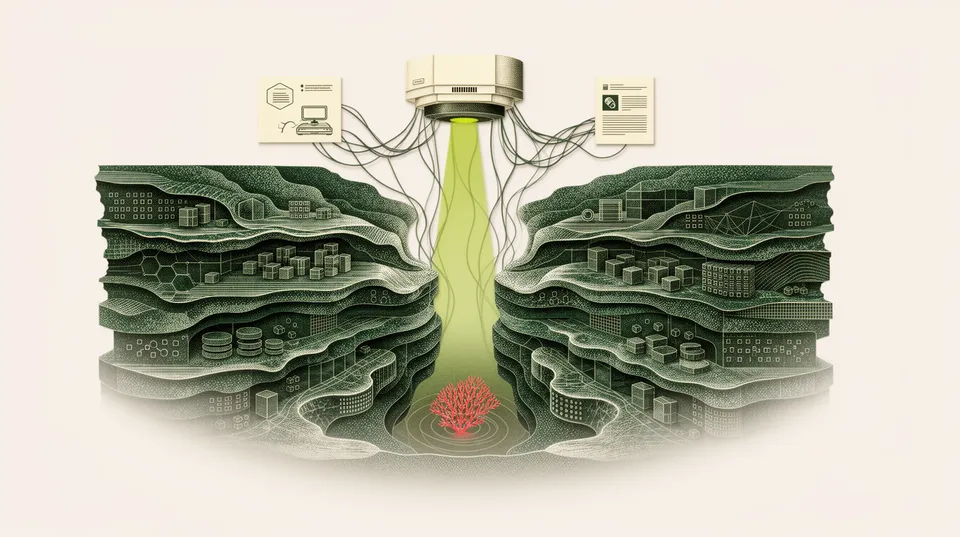
The success of a robust Terraform policy as code implementation, coupled with effective remediation, is measurable. Key metrics include:
- Reduced MTTR: The time it takes from detecting a security issue to its resolution decreases significantly due to automated policy enforcement and remediation playbooks.
- Increased Compliance Rates: Fewer non-compliant resources reaching production, leading to higher adherence to internal policies and external regulations.
- Fewer Security Incidents: Proactive prevention of misconfigurations means fewer incidents originating from IaC.
- Improved Developer Productivity: Developers receive immediate feedback on security violations, allowing them to fix issues early in the development cycle without waiting for security team audits.
By focusing on these metrics, organizations can demonstrate the tangible business value of their DevSecOps efforts. Automating cloud vulnerability remediation for operational stability is a continuous process that leverages such metrics for ongoing improvement. Reviewing /blog/automating-cloud-vulnerability-remediation-for-operational-stability will provide more context.
Implementing robust Terraform policy as code, backed by intelligent remediation orchestration like Tamnoon, shifts security left and accelerates your DevSecOps journey. It moves organizations from merely identifying risks to actively and safely fixing them, ensuring that security keeps pace with innovation.

Tamnoon helps security teams remediate cloud risks faster with AI-augmented managed services — combining human expertise with automation so nothing falls through the cracks.
Learn more at tamnoon.ioFAQs
What is Terraform policy as code?
Terraform policy as code involves defining security and compliance rules directly within your Infrastructure as Code (IaC) using Terraform. Instead of manual audits or post-deployment checks, these policies are written as executable code (e.g., HashiCorp Sentinel, Open Policy Agent's Rego) that automatically validate Terraform configurations before they're deployed. This ensures that all infrastructure provisions adhere to predefined security baselines and organizational standards from the start, preventing misconfigurations and streamlining the path to compliance. It's a proactive measure to embed security earlier in the development lifecycle.
How does Terraform policy as code prevent misconfigurations?
Terraform policy as code prevents misconfigurations by automatically evaluating proposed infrastructure changes against predefined security rules. When a developer attempts to deploy a Terraform configuration, the policy engine (like Terrascan or Sentinel) analyzes the plan. If the plan violates any established policy, the deployment is blocked, and the developer receives immediate feedback. This stops non-compliant resources, such as publicly exposed S3 buckets or overly permissive IAM roles, from ever reaching production environments, drastically reducing the potential for security vulnerabilities.
What tools can I use for Terraform policy enforcement?
Several effective tools are available for Terraform policy enforcement. HashiCorp Sentinel is a native solution for Terraform Enterprise and Cloud, offering fine-grained policy control. Terrascan is an open-source static analysis tool with over 500 built-in policies aligned to CIS benchmarks, ideal for pre-deployment scanning in CI/CD pipelines. Open Policy Agent (OPA) with its Rego policy language provides a flexible, general-purpose policy engine that can be adapted for Terraform. These tools integrate into CI/CD pipelines to automate policy checks before infrastructure is provisioned, ensuring security adherence.
How do policy violations get remediated in a DevSecOps workflow?
In a DevSecOps workflow, policy violations detected by Terraform policy as code tools are typically remediated by the development team directly, often before deployment. When a policy check fails in the CI/CD pipeline, the developer receives an error indicating the specific policy violation. They then adjust their Terraform code to comply with the policy and re-submit the change. For issues that might slip through or for post-deployment drift, platforms like Tamnoon can automate the remediation process by ingesting alerts from CSPMs, identifying the root cause, and applying production-safe remediation playbooks, often by generating and applying corrected Terraform configurations.
What's the role of Tamnoon in Terraform policy as code and remediation?
Tamnoon plays a critical role in bridging the gap between detection and remediation for cloud security issues, including those related to Terraform. While Terraform policy as code tools prevent misconfigurations pre-deployment, issues can still arise from drift, manual changes, or undetected vulnerabilities. Tamnoon integrates with existing CSPMs and security tools to ingest alerts, analyze them using AI-Powered Remediation, and orchestrate the application of Production-Safe Playbooks. This means when a misconfiguration or policy violation is detected (even if Terraform policy as code missed it or it happened post-deployment), Tamnoon can automate the fix, often by generating and applying the necessary Terraform code changes, ensuring that remediation is swift, safe, and doesn't disrupt production services.