


Security teams drown in alerts. This isn't news, but the scale of the problem is escalating. Organizations now receive over 500,000 alerts, with 95-98% being non-critical or false positives, according to the OX 2025 Application Security Benchmark reports. This overwhelming volume means critical alerts often get lost. Forrester reported that SOC teams received 11,000 alerts daily in 2020, and 55% of cloud security professionals admitted to missing critical alerts that same year. This isn't sustainable.
The core issue isn't detection. It's the lack of efficient remediation. Cloud-native applications are expected to drive a significant portion of the DevSecOps market by 2025, indicating a massive shift towards ephemeral environments that generate even more security data. This explosion of alerts without a corresponding increase in remediation capability translates directly into significant operational risk and burnout for security engineers.
Improving this requires a fundamental shift in how teams approach security operations, moving beyond mere detection to intelligent, production-safe remediation. It's about ing DevSecOps to fix problems at scale, not just find them. This article will break down how smarter security solutions help achieve that.
Understanding the Root Causes of Alert Fatigue in Cloud Environments
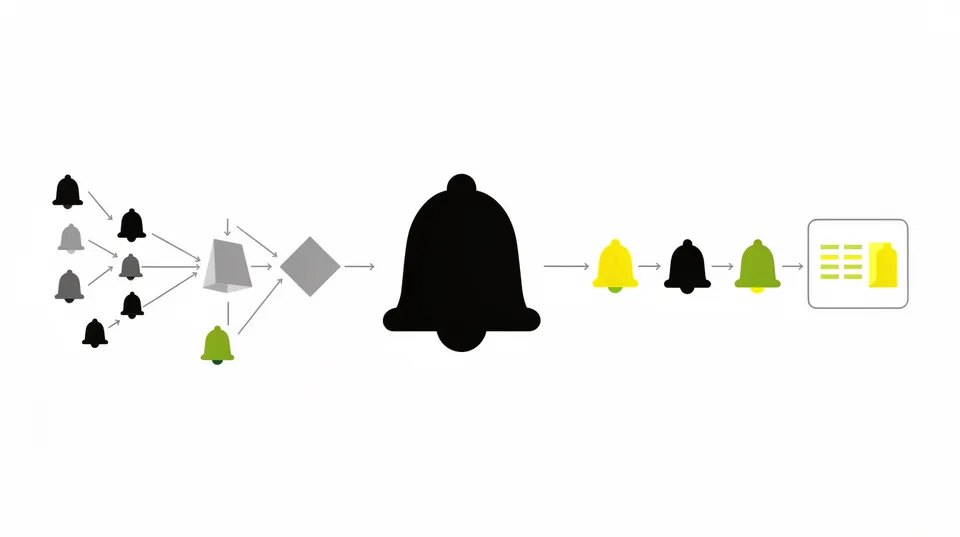
Alert fatigue isn't just about volume. It's about context, actionability, and the psychological burden on security professionals. IDC states that 40% of security teams consider false positives and alert fatigue their biggest challenge. Trend Micro found that 70% of SOC teams are emotionally overwhelmed by the volume of security alerts. This emotional and operational burden leads to burnout and missed critical events.
The Rise of Cloud-Native Complexity
Modern cloud environments are inherently . Microservices, serverless functions, Infrastructure as Code (IaC), and continuous deployment pipelines mean resources are spun up, configured, and torn down constantly. This nature generates a continuous stream of security events. A single misconfiguration in an IaC template can propagate across hundreds of instances, generating an alert for each. Tools like Wiz, Orca Security, Palo Alto Cortex Cloud, and Cyera excel at detecting these issues, but they don't inherently fix them.
Tool Sprawl and Disconnected Systems
Organizations often deploy multiple security tools: CNAPPs for cloud posture, DSPMs for data security, CIEM for identity, and so on. Each tool has its own console, its own alert format, and its own definition of criticality. Integrating these disparate systems into a cohesive incident response workflow is complex. AWS Security Hub and Azure Defender for Cloud attempt to aggregate, but the sheer volume and varied context often persist, making unified action difficult.
Lack of Context and Prioritization
Many alerts lack the necessary context to determine their true impact. An S3 bucket publicly exposed is critical, but only if it contains sensitive data. If it's a static website hosting public images, the alert's criticality diminishes. Without this context, every alert appears equally urgent, leading to security teams chasing down non-issues while actual threats fester. Graylog, for instance, targets alert fatigue with explainable AI to provide better context and prioritization.
Delayed Remediation Cycle
The gap between detection and remediation is often substantial. Security teams find issues, but the actual fix falls to DevOps or engineering teams. This hand-off creates friction, delays, and often means security issues are deprioritized in favor of product features. This operational separation is a major contributor to alert fatigue because unresolved alerts keep coming back, perpetuating the cycle. Only 36% of teams involve security during the planning stage of the software development lifecycle, while 57% wait, according to a survey, highlighting this disconnect. This suggests remediation isn't baked into the process early enough.
Establishing a Unified Security Posture Platform
The first step in taming alert fatigue is consolidating alert sources and establishing a clear, unified view of security posture. This doesn't mean replacing existing tools but integrating them into a central platform that can ingest, normalize, and contextualize alerts.
Aggregating Alerts with Cloud-Native Solutions
Use cloud provider-native services or CNAPPs to aggregate alerts. For AWS, Security Hub acts as a central hub, ingesting findings from GuardDuty, Macie, Inspector, and partner solutions. Azure Defender for Cloud (formerly Azure Security Center) does the same for Azure. These services are invaluable first steps.
# Example AWS Security Hub aggregation setup using AWS CLI
# Ensure you have the necessary permissions # Enable Security Hub in a region (if not already enabled)
aws securityhub enable-security-hub --region us-east-1 # Enable default standards (like CIS AWS Foundations Benchmark)
aws securityhub enable-standards --standards-arn arn:aws:securityhub:::standards/cis-aws-foundations-benchmark/v/1.2.0 --region us-east-1 # Invite member accounts (if this is a master account)
# Replace MEMBER_ACCOUNT_ID with actual account IDs
aws securityhub invite-members --account-ids "123456789012" "210987654321" --region us-east-1 # Accept invitation in member accounts
# (Run this in each member account)
# aws securityhub accept-administrator-invitation --administrator-id MASTER_ACCOUNT_ID --invitation-id INVITATION_ID --region us-east-1 # Enable specific product integrations (e.g., GuardDuty, Macie)
# This is often done automatically when the product is enabled, but can be verified
aws securityhub enable-import-findings-for-product --product-arn arn:aws:securityhub:us-east-1::product/aws/guardduty --region us-east-1
CNAPP Integration for Contextualization
CNAPPs like Wiz, Orca Security, and Prisma Cloud go beyond simple aggregation. They provide a graph-based view of your cloud estate, mapping relationships between assets, identities, and data. This context is critical for understanding the blast radius and true criticality of an alert. For example, a publicly exposed S3 bucket might be low priority if it contains no sensitive data and has no associated IAM roles, but extremely high priority if it holds customer data, is linked to a critical application, and has overly permissive IAM policies. These tools are excellent at mapping these intricate relationships.
Automating Alert Triage and Prioritization
Once alerts are centralized and contextualized, the next step is to intelligently filter and prioritize them. This moves away from manual review of every alert to focusing human attention on what truly matters.
Defining Clear Prioritization Rules
Develop a robust prioritization framework. This framework should consider:
- Asset Criticality: Is the affected resource part of a production system, a development environment, or a critical business service?
- Data Sensitivity: Does the alert impact sensitive data (PII, PCI, PHI)?
- Exploitability: How easily can this vulnerability be exploited? What's the CVSS score or exploit maturity?
- Identity Context: Does the involved identity have high privileges or access to critical resources?
- Network Exposure: Is the resource accessible from the public internet?
Integrate this framework into an orchestration platform. Tools like Swimlane AI automation platform offer low-code playbooks and dashboards to build such logic. Tamnoon also uses an AI-powered remediation engine to generate specific fix-actions, moving beyond simple detection.
AI and Machine Learning for Anomaly Detection
AI isn't a silver bullet, but it's a powerful tool for reducing noise. ML models can learn baselines of normal behavior in your cloud environment. Deviations from these baselines, even subtle ones, can indicate anomalous or malicious activity. This reduces the number of trivial alerts and elevates genuinely suspicious events. AI systems help security analysts correlate and triage security logs, a traditionally labor-intensive task. This enhances the effectiveness of SOC teams.
# Pseudocode for a basic alert rule in a SIEM/SOAR system
define rule high_privilege_iam_anomaly: if alert.source == "AWS CloudTrail" and alert.event_name == "AttachUserPolicy" and alert.risk_score > 80: # Check if the policy attached grants administrative access if "AdministratorAccess" in alert.policy_name or "PowerUserAccess" in alert.policy_name or alert.num_privileges > 100: and alert.identity.type == "IAMUser" and alert.user_agent != "aws-cli/2.0.5": # Filter out known administrative actions and alert.event_time.hour not between (9, 17): # Alert outside business hours then categorize_as_critical("High Privilege IAM Policy Attachment Anomaly") and notify_on_call_team("IMMEDIATE") and trigger_remediation_playbook("REVIEW_IAM_POLICY") else: pass
Suppression and Deduplication
Many security tools generate duplicate alerts for the same underlying issue. Implement logic to deduplicate alerts. For transient issues or known benign activities, implement temporary suppression rules. This requires careful consideration to avoid suppressing legitimate threats. For instance, if an EC2 instance briefly loses connection, triggering a 'host down' alert, but then immediately recovers, you might suppress follow-on alerts for a short period unless other critical symptoms appear.
Automating Remediation for Common Issues
The real in combating alert fatigue is automating the fix, not just the finding. This is where Security Orchestration, Automation, and Response (SOAR) platforms and AI-powered remediation engines become indispensable. Products like Sentinel One Singularity and Upwind can help correlate and automate. Our platform, Tamnoon, focuses on the "last mile" problem of remediation by providing AI-powered, human-validated playbooks that fix issues without risking production.
Developing Production-Safe Remediation Playbooks
Not all remediations can be fully automated without human oversight, especially in complex production environments. Remediation playbooks are pre-configured, battle-tested workflows for common cloud threats like IAM misconfigurations or S3 exposure. These playbooks aren't just scripts. They include validation steps, rollback plans, and human-in-the-loop checkpoints.
Example: S3 Bucket Public Access Remediation Playbook
An S3 bucket found to be publicly accessible is a common, high-severity alert. Here's how a production-safe playbook would work:
- Detection: Cloud security tool (e.g., Wiz, Orca) detects a public S3 bucket or overly permissive bucket policy.
- Contextualization: AI analyzes the bucket's contents (via API calls, without accessing data), associated applications, and access patterns to determine actual risk. Is it anonymous public access or authenticated access? Is it a high-traffic production bucket or a staging bucket?
- Action Proposal: AI proposes a fix: apply bucket policy to block public access, enable S3 Object Ownership for ACLs, or enable MFA delete if not already configured. Tamnoon's playbook for S3 MFA delete protection is an example.
- Human-in-the-Loop Validation: A security engineer or cloud expert reviews the proposed fix in a safe environment (e.g., staging or a dry run against production policy).
- Pre-remediation Check: Run a sanity check. Does any application legitimately rely on public access (e.g., public website content)? This avoids breaking production.
- Remediation Execution: If approved and checks pass, the playbook executes, applying the least-privileged policy changes. This could involve an AWS CLI command or IaC update.
- Post-remediation Verification: Verify the fix via automated scans and ensure no unintended side effects (e.g., application downtime).
- Audit Trail: Log all actions for compliance and reporting.
# AWS CLI example for an S3 public access block remediation step
# This assumes the bucket is named 'my-sensitive-data-bucket' # Block all public access for the bucket
# This overwrites existing public access block configuration, if any.
aws s3control put-public-access-block \ --account-id 123456789012 \ --public-access-block-configuration "BlockPublicAcls=true,IgnorePublicAcls=true,BlockPublicPolicy=true,RestrictPublicBuckets=true" \ --bucket my-sensitive-data-bucket # Optional: Update specific bucket policy if needed (less recommended for general public access block)
# aws s3api put-bucket-policy --bucket my-sensitive-data-bucket --policy file://./restricted-policy.json # restricted-policy.json (example to ensure private access)
# {
# "Version": "2012-10-17",
# "Statement": [
# {
# "Sid": "DenyPublicAccess",
# "Effect": "Deny",
# "Principal": "*",
# "Action": "s3:*",
# "Resource": [
# "arn:aws:s3:::my-sensitive-data-bucket",
# "arn:aws:s3:::my-sensitive-data-bucket/*"
# ],
# "Condition": {
# "Bool": {
# "aws:SecureTransport": "false"
# }
# }
# },
# {
# "Sid": "AllowCloudFrontAccess",
# "Effect": "Allow",
# "Principal": {
# "AWS": "arn:aws:iam::cloudfront:user/CloudFront Canonical User ID"
# },
# "Action": "s3:GetObject",
# "Resource": "arn:aws:s3:::my-sensitive-data-bucket/*"
# }
# ]
# }
Integrating with CI/CD Pipelines
Secure CI/CD automation drives 28% of the DevSecOps market by 2025. Embedding security checks and remediation directly into the CI/CD pipeline prevents misconfigurations from reaching production. This means shifting left and fixing issues before they become alerts. Tools like HashiCorp Terraform and AWS CloudFormation allow for security policies to be encoded in IaC, which can then be validated by security scanners during pipeline execution. Failures should break the build, forcing remediation pre-deployment. This is critical for preventing production breakage.
AI and Human-in-the-Loop for Complex Remediation
While basic remediations can be fully automated, complex issues require a hybrid approach that combines AI's speed with human expertise. This is where Tamnoon excels, providing AI-driven remediation skills with human oversight to ensure zero downtime.
Agentic AI for Remediation Proposals
Agentic AI goes beyond simple rule-based automation. It can analyze complex alerts, correlate them with context from various tools, understand the potential production impact, and propose specific, production-safe remediation steps. It can even generate the necessary code or IaC snippets for the fix. For instance, rather than just flagging an over-privileged IAM role, an AI agent could suggest the least-privilege policy required, factoring in the role's actual usage patterns gathered from CloudTrail logs.
Expert-Led Human Validation
Even the most advanced AI needs human oversight, especially for mission-critical systems. Tamnoon's Human-in-the-Loop model ensures that cloud experts review and validate complex remediations. This step is crucial for:
- Avoiding Production Downtime: A human can catch nuances that AI might miss, preventing unintended side effects.
- Handling Edge Cases: Complex interdependencies and unique architectural choices often require human intuition.
- Knowledge Transfer: Human experts train the AI over time, improving its decision-making capabilities.
- Compliance and Audit: Human approval adds an essential layer of accountability.
This hybrid approach accelerates remediation without compromising reliability. It helps shrink the mean time to remediation (MTTR) significantly, a critical metric for any security program. Reducing MTTR for misconfigurations directly impacts business continuity. Improving MTTR is key to fighting alert fatigue.
Operationalizing Remediation Playbooks
Developing playbooks is just the start. Operationalizing them means integrating them into daily DevSecOps workflows.
Runbook Automation and SOAR Integration
Integrate remediation playbooks with your existing SOAR platforms or IT Service Management (ITSM) tools. When an alert triggers a playbook, it should automatically create a ticket, assign it to the right team, and track its progress from detection to resolution. This ensures accountability and visibility. Systems like ServiceNow, Jira, and PagerDuty can integrate with these platforms to streamline communication.
Feedback Loops and Continuous Improvement
Every remediation is a learning opportunity. Analyze successful and failed remediations to refine playbooks, improve AI models, and adjust prioritization. This continuous feedback loop is essential for adapting to changing threats and reducing future alert volumes. Regular reviews of security incidents and their resolution paths help identify recurring issues that can then be addressed proactively through policy updates or architectural changes. The DevSecOps market in 2026 is valued between USD 8.58 billion and USD 10.88 billion, signifying the growing investment in these practices.
Measuring Success and Demonstrating Value
Quantify the impact of these initiatives. Track metrics like:
- Mean Time to Remediation (MTTR): How quickly are critical issues resolved?
- Number of False Positives: How many alerts are generated that don't require action?
- Alert Volume Reduction: What's the percentage decrease in actionable alerts?
- Security Incident Reduction: Are fewer incidents reaching critical stages?
- Engineer Satisfaction: Are security and DevOps teams less overwhelmed?
These metrics demonstrate to leadership the value of investing in smarter security solutions and reducing alert fatigue. Proactive measures also include establishing an impervious cloud security configuration baseline to prevent issues from arising.
The Operational Impact of Unaddressed Alert Fatigue
Ignoring alert fatigue isn't just an inconvenience. It has concrete, negative operational consequences that extend beyond the security team. When security becomes a bottleneck, it impacts the entire business.
Increased Mean Time to Resolution
When engineers are sifting through thousands of irrelevant alerts, the time it takes to identify and fix genuine threats skyrockets. This extended exposure window increases the likelihood and impact of a breach. A 2025 survey showed that 56% of security professionals were overwhelmed by breach-causing alerts, indicating a direct correlation between fatigue and missed critical events.
Production Downtime and Business Disruption
Security issues that go unaddressed often lead to production incidents. A misconfigured firewall, an over-privileged service account, or a data leak can lead to service outages, compliance failures, or direct financial losses. Rollback strategies for cloud incidents become more complex when the root cause isn't quickly identified. Teams then scramble to implement emergency fixes, often under immense pressure, leading to more errors. Our platform emphasizes swift action with cloud incident remediation playbooks precisely to avoid this.
DevOps Friction and Slowed Innovation
When security perpetually flags issues without providing clear, actionable remediation paths, it creates friction with DevOps teams. Developers become hesitant to push new features if every deployment results in a flood of security tickets. This slows down innovation and undermines the agility benefits of cloud development. The goal is to integrate security as a frictionless enabler, not a gatekeeper, and to avoid operational vulnerabilities in the DevSecOps pipeline.
Compliance Failures and Reputational Damage
Missed alerts can lead to non-compliance with regulations like GDPR, HIPAA, or SOC 2. Regulatory fines and public disclosures of security incidents erode customer trust and damage brand reputation. These costs often far outweigh the investment in proactive security and automated remediation. Organizations must work towards automated exposure management to mitigate such risks.
Talent Retention and Burnout
Security is a high-stress field. Constant alert bombardment and the pressure to triage an unmanageable queue lead to burnout and high turnover among security professionals. This exacerbates skill gaps and makes it harder to maintain a strong security posture. Retaining skilled cloud security engineers requires providing them with tools that amplify their effectiveness, not just their workload. Smart solutions like Tamnoon help re-focus valuable human resources on strategic initiatives rather than manual alert chasing.
The solution isn't to get rid of alerts but to make them intelligent and actionable. CNAPPs and other detection tools are critical for visibility. The next step is intelligent orchestration for remediation. By focusing on unifying alerts, prioritizing effectively, and automating production-safe fixes, DevSecOps teams can effectively tame alert fatigue and materially improve their security posture. Tamnoon helps achieve this by closing the gap between detection and effective, production-safe remediation, allowing teams to move with speed and confidence.
Reduce your MTTR by automating remediation with Tamnoon.

Tamnoon helps security teams remediate cloud risks faster with AI-augmented managed services — combining human expertise with automation so nothing falls through the cracks.
Learn more at tamnoon.ioFAQs
What is alert fatigue in DevSecOps?
Alert fatigue in DevSecOps refers to the desensitization of security and operations teams to security alerts due to an excessive volume of notifications. Many of these alerts are often false positives or low-priority issues, leading to critical warnings being overlooked. This phenomenon contributes to delays in remediation, increased risk exposure, and burnout among security personnel, making it harder to distinguish genuine threats from background noise.
How do cloud-native environments contribute to alert fatigue?
Cloud-native environments, with their dynamic and ephemeral nature (microservices, serverless, IaC, continuous deployment), generate a significantly higher volume of security events. Each change or misconfiguration can trigger multiple alerts across various tools. The rapid pace of change and the complexity of interconnected services make it challenging to contextualize and prioritize these alerts, leading to an overwhelming influx of data for security teams to process.
What role do CNAPPs play in managing alert volume?
Cloud-Native Application Protection Platforms (CNAPPs) like Wiz, Orca Security, or Palo Alto Cortex Cloud are crucial for detecting and aggregating security findings across complex cloud estates. They provide a unified view and context by mapping relationships between assets and identities, which helps in understanding the true severity of an alert. While CNAPPs are excellent at detection and contextualization, they often generate a large number of alerts that still require further action for remediation.
How does AI-powered remediation help mitigate alert fatigue?
AI-powered remediation platforms leverage machine learning and agentic AI to automatically triage, prioritize, and even propose specific fixes for security alerts. This reduces the manual burden on security teams by automating responses to common alerts. AI can analyze context, predict impact, and generate production-safe remediation playbooks, ensuring that human experts focus only on the most complex or critical issues, thereby shrinking the Mean Time to Remediation (MTTR) and reducing alert strain.
Why is 'Human-in-the-Loop' crucial for automated remediation?
Even with advanced AI, human oversight, or 'Human-in-the-Loop' validation, remains critical for complex or high-risk remediations. Cloud experts review AI-proposed fixes to prevent unintended production downtime, address unique architectural edge cases, and ensure compliance. This hybrid approach combines the speed and scale of AI with the nuanced decision-making and accountability of human intelligence, ensuring that automated remediations are both efficient and safe for production environments.