
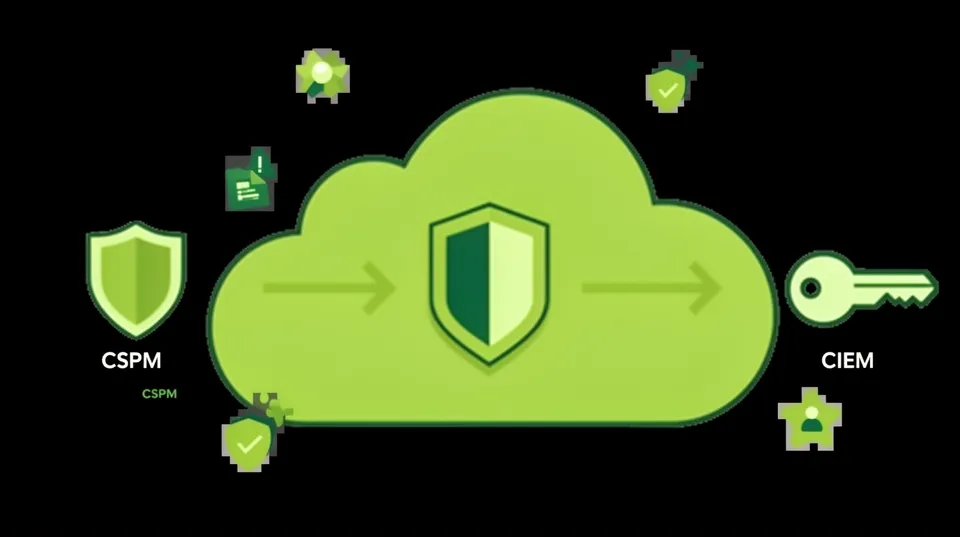

CSPM and CIEM alerts don't fix themselves. Security teams are equipped with powerful detection tools like Wiz, Prisma Cloud, and Orca that generate thousands of findings, painting a detailed picture of every misconfiguration and overprivileged identity. Yet, environments remain vulnerable. Roughly 45% of all data breaches now happen in the cloud, not because detection is failing, but because the path from alert to a production-safe fix is long, manual, and full of friction.
The core challenge isn't finding problems. It's the operational nightmare of triaging, contextualizing, routing, and safely executing a fix without disrupting business. An alert is a starting point, not a solution. The real work involves deep technical investigation, cross-team collaboration, and a healthy dose of fear about breaking a critical application. This chasm between detection and resolution is where risk festers.
Instead of debating the merits of one scanner over another, the focus must shift to the operational mechanics of remediation. It's about building a systematic process that transforms raw alerts from both CSPM and CIEM tools into verified, auditable, and production-safe security improvements. The goal is to fix things, not just find them.
Operationalize CSPM Findings Without Breaking Production
A Cloud Security Posture Management (CSPM) tool is the foundation of cloud visibility. It scans for structural weaknesses: public S3 buckets, exposed RDS instances, or security groups with wide-open ingress rules. But acting on these alerts requires more than just hitting a "remediate" button, which often doesn't exist or is too dangerous to use.
From "Public S3 Bucket" Alert to a Safe Fix
Imagine a critical alert: S3 Bucket 'customer-uploads-prod' is publicly accessible. The rookie mistake is to immediately block all public access. This action could instantly break a web application that relies on that bucket to serve public assets like images or stylesheets, causing a customer-facing outage.
A proper remediation workflow is a careful, multi-step investigation:
- Validate with Data: Before touching anything, investigate the bucket's actual usage. Use AWS CloudTrail to query
GetObjectevents. Are the requests coming from anonymous principals? Is there a consistent pattern of public access that maps to a known application feature? Check S3 access logs for the same information. - Identify Ownership: A resource without an owner is a liability. Check for tags like
owner,team, orapplication-id. If tags are missing, trace the bucket's creation back through CloudTrail to find the identity that created it. Without an owner, any remediation attempt is a blind shot in the dark. For more on this, see how to start closing cloud security ownership gaps. - Generate a Specific, Codified Fix: Once you've confirmed the public access is an unintended misconfiguration, generate the fix as code. Don't make changes in the AWS console. A Terraform change ensures the fix is version-controlled, peer-reviewed, and repeatable.
Here’s the Terraform code that should be applied through a CI/CD pipeline, not manually:
resource "aws_s3_bucket_public_access_block" "prod_uploads_block" { bucket = aws_s3_bucket.customer_uploads_prod.id block_public_acls = true ignore_public_acls = true block_public_policy = true restrict_public_buckets = true
}
This process transforms a generic alert into an intelligent, validated action. It prioritizes operational stability while still moving deliberately toward a more secure state.
Remediate Identity Risk When Your CIEM Screams Danger
Cloud Infrastructure Entitlement Management (CIEM) tools tackle the other half of the problem: identity and permissions. A CIEM might report that an EC2 instance role, prod-data-processor, has the AdministratorAccess policy attached. This is a five-alarm fire from a security perspective, as a compromise of that instance grants the attacker keys to the entire kingdom. The CIEM will recommend applying "least privilege." That’s not a fix; it’s an engineering project with a high risk of failure.
From AdministratorAccess to a Least-Privilege Role
Simply detaching the AdministratorAccess policy will almost certainly break the application running on the EC2 instance. The blast radius is unknown. A production-safe remediation requires surgically replacing the oversized permissions with a policy that grants only what is necessary.
Here’s the safe way to approach it:
- Analyze Usage History: Use the CIEM's data or AWS IAM Access Advisor to determine which services and actions the
prod-data-processorrole has actually used over the last 90 days. You may find it only ever callss3:GetObject,s3:PutObject, andsqs:ReceiveMessage. - Generate a Scoped-Down Policy: Use the usage data to auto-generate a new IAM policy. Don't write it from scratch if you don't have to. The policy should specify the exact actions and the specific ARNs of the resources it needs to access.
- Test Non-Destructively with a Permissions Boundary: This is the most critical step. Instead of immediately swapping the policies, attach a new, restrictive permissions boundary to the role. This boundary defines the *maximum* permissions the role can have, regardless of what its identity-based policy allows. The application continues running with
AdministratorAccess, but the boundary prevents it from doing anything outside the newly defined scope. If the application breaks, you simply detach the boundary to restore functionality instantly. No risky rollback needed. - Execute the Swap via Code: Once you've run with the boundary for a sufficient period (e.g., a week) and confirmed no functionality is broken, it's safe to perform the final remediation. Use the AWS CLI or an IaC tool to detach
AdministratorAccessand attach the new, purpose-built least-privilege policy.
# 1. Detach the dangerous policy
aws iam detach-role-policy --role-name prod-data-processor --policy-arn arn:aws:iam::aws:policy/AdministratorAccess # 2. Attach the new, safe policy
aws iam attach-role-policy --role-name prod-data-processor --policy-arn arn:aws:iam::123456789012:policy/ProdDataProcessorLeastPrivilegePolicy
This methodical approach turns a high-stakes identity remediation into a manageable, low-risk procedure. For a deeper dive, review this remediation blueprint for over-permissive IAM.
The Brutal Truth of the Remediation Gap
The careful, multi-step processes described above are effective but don't scale manually. A typical enterprise might have hundreds of CSPM alerts and dozens of overprivileged roles flagged every week. The sheer volume creates a massive remediation gap, where known vulnerabilities languish for months because the process to fix them is so burdensome.
This gap is driven by three core factors:
- Manual Toil and Ticketing Friction: Security analysts spend their days investigating alerts, finding owners, and creating Jira tickets. These tickets land in engineering backlogs, where they compete with revenue-generating feature work. The result is a staggering Mean Time to Remediate (MTTR). In fact, Tamnoon's research shows critical alerts can wait 90 days longer to be fixed than high-priority ones, often due to their complexity and perceived risk.
- Lack of Context and Ownership: An alert from a tool like Wiz is context-poor. It tells you *what* is broken, but not *who* owns it, *what* it does, or *why* it was configured that way. Security teams don't have this business context, and DevOps teams are reluctant to touch resources they don't understand.
- The "Don't Break Prod" Mandate: The number one rule in operations is to maintain availability. The fear of causing an outage often leads to rational inaction. Engineers will choose to accept a known security risk over the unknown risk of a poorly understood remediation breaking a critical system.
Bridge the Gap with a Remediation Engine
The solution isn't to work harder or hire more analysts to chase tickets. The solution is to automate the tedious, repetitive, and risky parts of the remediation workflow. This is the role of a remediation automation platform. It's not another scanner; it's the connective tissue between your detection tools (CSPM/CIEM) and your execution environment (IaC pipelines, cloud APIs).
A smart remediation engine operationalizes alerts by:
- Ingesting and Enriching: It consumes alerts from all your security sources and enriches them with context. It automatically pulls ownership tags, queries usage logs from CloudTrail, and checks CMDB data to understand the business purpose of the affected resource.
- Generating Safe Solutions: Based on this rich context, it doesn't just recommend a fix; it generates one. It produces the exact Terraform HCL, CloudFormation template, or AWS CLI commands needed to resolve the issue according to best practices, including safety checks like the permissions boundary method.
- Facilitating Human-in-the-Loop Approval: For any change affecting a production system, automation must be supervised. The engine routes the proposed fix, along with its impact analysis and rollback plan, directly to the resource owner via Slack, Microsoft Teams, or Jira. The owner can review the change and approve or deny it with a single click. This an essential part of any remediation workflow.
- Executing and Verifying: Upon approval, the platform executes the change through a secure, audited process. It then re-scans the resource to verify that the vulnerability is closed and no new problems were introduced, closing the loop.
Build Your Remediation Strategy Today
The debate over CSPM vs. CIEM is a false choice. You need both. CSPM provides the broad view of your security posture required by frameworks like the CIS Benchmarks. CIEM provides the deep, identity-focused view needed to stop modern attack paths. But neither is sufficient without a strategy to act on their findings. A mature cloud security program requires a layered approach.
A Phased Implementation
- Start with Posture Management (CSPM): If you're just starting, deploy a CSPM to get a comprehensive inventory of your assets and identify the most glaring misconfigurations. Focus on fundamentals like public exposures, unencrypted data, and logging gaps.
- Layer on Identity Intelligence (CIEM): Once you have a handle on basic hygiene, use a CIEM to map out your identity attack surface. Prioritize remediating overprivileged roles and identities that have access to the critical misconfigurations your CSPM found.
- Automate the Remediation Lifecycle: Implement a remediation automation platform to connect your detection tools to your development teams. Automate the investigation, solution generation, and owner approval processes. This is the only way to scale remediation and significantly reduce your mean time to remediation (MTTR).
A proactive security strategy treats security configurations and remediation playbooks as code, a principle echoed in federal guidelines like CISA's STIGs. This ensures changes are auditable, testable, and reliable.
Stop admiring the problems your scanners find. The right tool for remediation isn't another dashboard; it's a system that helps you safely and efficiently fix what's broken. Start by mapping your current process from alert to fix and identify the bottlenecks; that's where to focus your automation efforts first.

Tamnoon helps security teams remediate cloud risks faster with AI-augmented managed services — combining human expertise with automation so nothing falls through the cracks.
Learn more at tamnoon.ioFAQs
What's the first step in remediating a CSPM alert for a public resource?
The first step is always impact analysis, not immediate blocking. Before taking any action, you must determine if the public access is intentional and necessary. Use tools like AWS CloudTrail to analyze access patterns, looking for legitimate traffic from anonymous users that corresponds to an application feature. Simultaneously, identify the resource owner through tags or creation logs. Only after you've validated that the exposure is a true misconfiguration should you proceed with generating and applying a codified fix through an IaC pipeline.
How can you safely remediate an overprivileged IAM role found by a CIEM?
Safely remediating a powerful IAM role requires a phased, non-disruptive approach. First, analyze its usage history to generate a least-privilege policy. The critical next step is to apply this new policy as a Permissions Boundary on the existing role. This lets you test the restrictive controls without removing the original permissions. If applications function correctly, you've validated the new policy. Only then should you programmatically detach the overprivileged policy and attach the new, verified one.
Why do CSPM and CIEM alerts often go unfixed for months?
This delay, known as the 'remediation gap,' stems from operational friction. Security teams armed with scanners lack the business context and permissions to apply fixes themselves. They create tickets for DevOps, who must then prioritize this security debt against feature delivery. This manual handoff, combined with a rational fear of causing production outages and difficulty in identifying resource owners, creates a massive backlog that leaves vulnerabilities exposed for extended periods.
When should a team invest in a CSPM versus a CIEM?
A team should start with a CSPM to establish a comprehensive baseline of their cloud security posture. It's the best tool for initial visibility, helping to address broad misconfigurations and meet compliance standards like the CIS Benchmarks. Invest in a CIEM once you have this foundational hygiene under control. CIEM is for maturing your program by tackling the more complex, nuanced problem of identity-based attack paths and enforcing the principle of least privilege at scale.
How does a remediation platform prevent production outages?
A remediation platform prevents outages by automating the safety checks a skilled human engineer would perform. Before generating a fix, it analyzes usage data to understand a resource's operational role. It then proposes a fix with a clear impact analysis and rollback plan. Crucially, it routes this proposal to the correct owner for human-in-the-loop approval via tools like Slack or Teams. This ensures changes are vetted by those with the most context, preventing automated actions from disrupting critical services.