


Your CSPM's alert dashboard isn't a to-do list; it's a debt ledger. Each entry represents a window of exposure that grows longer with every passing hour. The harsh reality is that detection tools, while essential, have flooded security and DevOps teams with alerts, often paralyzing the very remediation processes they're meant to trigger.
Mean Time to Remediate (MTTR) for cloud misconfigurations isn't just another KPI to track. It's a direct, measurable indicator of your organization's risk profile. With 23% of cloud security incidents stemming from misconfigurations, treating MTTR as an engineering problem, not just a security metric, is the only path forward. The goal isn't just to find issues faster; it's to fix them safely and systematically without breaking production.
This requires moving beyond the alert queue and building an operational workflow that connects detection to a validated, often automated, fix. It means understanding the blast radius of a change, embedding safety checks, and giving teams the confidence to act decisively. Shrinking your MTTR is about building a remediation engine, not just a better alarm system.
Diagnose Your Current Remediation Bottlenecks
Before you can shrink your MTTR, you have to know what's inflating it. The clock starts the second a misconfiguration goes live, but the remediation lifecycle is where the minutes and hours are won or lost. It's a chain of events: detect, acknowledge, triage, fix, and verify. A delay in any one link extends the entire chain.
Map Your Alert-to-Fix Timeline
Start by tracing the journey of a critical alert. When Wiz, Orca, or Prisma Cloud flags a publicly accessible S3 bucket, what happens next? Document every step and the time it takes:
- Ingestion to Ticket: How long does it take for the CSPM alert to become a Jira or ServiceNow ticket? Is this process manual or automated?
- Triage and Assignment: Who gets the ticket? A central SecOps team? A DevOps engineer? How do they determine ownership and priority? This is often the first major bottleneck.
- Investigation: The assigned engineer needs to validate the finding, understand the resource's purpose, and determine the business impact of a fix. Does modifying this bucket's policy break a critical application's data feed? This requires context that the CSPM alert alone doesn't provide.
- Execution and Approval: Once a fix is designed, who approves it? Is there a formal Change Advisory Board (CAB) process? For a simple fix, this can add days to the MTTR.
- Validation: After the fix is applied, how do you confirm it worked and didn't introduce a new problem? Does the engineer manually check, or does the system automatically trigger a re-scan from the CSPM?
This exercise will reveal that the actual 'fix' is a fraction of the total time. The majority is spent on manual handoffs, context gathering, and navigating internal processes. While 82% of misconfigurations are chalked up to human error, the real failure is often a broken remediation process that makes it hard for humans to do the right thing quickly.
Stop Misconfigurations Before They Deploy
The fastest MTTR is zero. Preventing a misconfiguration from ever hitting a production environment is the most effective strategy. This means shifting security checks into the CI/CD pipeline and setting non-negotiable guardrails at the cloud provider level.
Enforce Guardrails with Infrastructure as Code Scanning
Your Terraform and CloudFormation templates are the architectural blueprints for your cloud. Securing them is non-negotiable. Using open-source tools like Checkov or TFsec, you can scan IaC for common misconfigurations before a terraform apply is ever run.
Consider this insecure Terraform configuration for an S3 bucket:
resource "aws_s3_bucket" "sensitive_data" { bucket = "my-company-financials-q3"
} resource "aws_s3_bucket_acl" "sensitive_data_acl" { bucket = aws_s3_bucket.sensitive_data.id acl = "public-read"
}
Integrating a tool like Checkov into your pre-commit hooks or CI pipeline would immediately flag this. A simple GitHub Action can block the pull request entirely, providing instant feedback to the developer.
- name: Run Checkov
id: checkov uses: bridgecrewio/checkov-action@master with: directory: ./terraform framework: terraform soft_fail: false
This soft_fail: false setting makes the check a hard gate. The misconfiguration is caught and fixed in minutes within the developer's workflow, not days later as a critical production alert.
Implement Cloud-Native Preventive Controls
While IaC scanning is great, what about changes made through the console or scripts? For this, you need preventive guardrails at the organization level. AWS Service Control Policies (SCPs), Azure Policy, and Google Cloud Organization Policies act as the ultimate backstop.
An SCP can deny certain actions across all accounts in your AWS Organization, regardless of an individual IAM user's permissions. This policy, for example, makes it impossible to create a publicly readable S3 bucket:
{ "Version": "2012-10-17", "Statement": [ { "Sid": "DenyPublicReadACL", "Effect": "Deny", "Action": [ "s3:PutBucketAcl", "s3:PutObjectAcl" ], "Resource": "arn:aws:s3:::*", "Condition": { "StringEquals": { "s3:x-amz-acl": [ "public-read", "public-read-write", "authenticated-read" ] } } } ]
}
By implementing these types of broad, preventive controls based on frameworks like NIST SP 800-53, you eliminate entire classes of misconfigurations. This proactively reduces the volume of alerts your teams have to handle, allowing them to focus on more complex threats.
Operationalize Remediation for What Slips Through
Prevention isn't a silver bullet. Break-glass scenarios, legacy infrastructure, and new service features ensure that misconfigurations will still find their way into your environment. When they do, your response must be swift, safe, and systematic.
From Alert Noise to Actionable Signals
The first challenge is cutting through the noise. A typical enterprise CSPM can generate thousands of alerts per day, creating a classic case of alert fatigue. A raw alert about an open security group is just noise; an alert enriched with context is a signal.
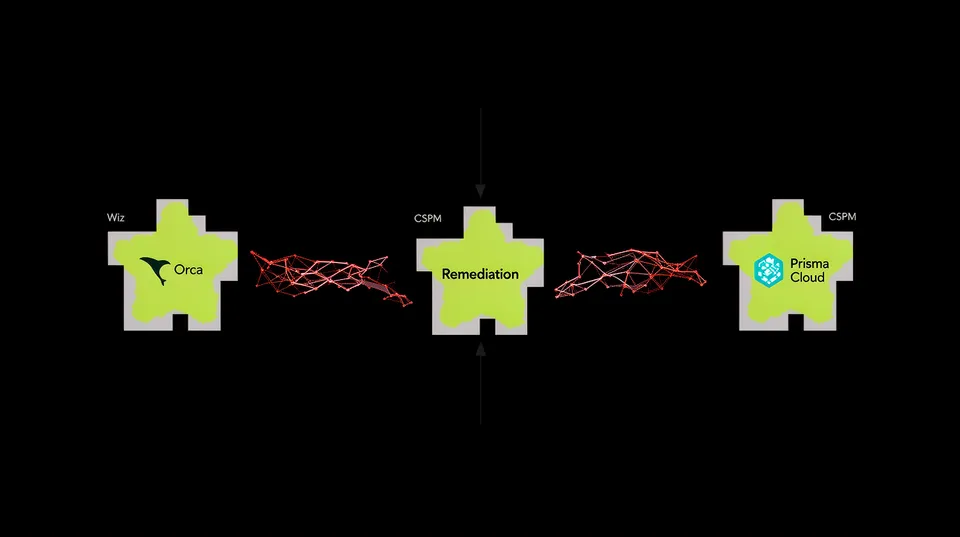
A remediation platform like Tamnoon sits between your detection tools and your teams. It ingests alerts and immediately begins an enrichment process:
- Ownership: Who owns this resource? It checks tags (e.g.,
owner,team,project) to identify the right person or team. - Business Context: What application does this EC2 instance support? Is it part of a production or development environment? Is it business-critical?
- Blast Radius: What other resources are connected? What would be the impact of shutting it down or changing its network rules?
This automated triage turns a vague alert into an actionable task with clear ownership and priority, solving the triage and assignment bottleneck that plagues so many teams.
Build Production-Safe, Automated Fixes
With a clear signal, the next step is the fix itself. Manually fixing issues at scale is a losing battle. It's slow, inconsistent, and prone to error. The key is to automate the generation of a production-safe fix.
Let's take a common, high-risk finding: an overly permissive IAM role. A CSPM flags a role with "Effect": "Allow", "Action": "*", "Resource": "*". The manual fix requires an engineer to sift through weeks of CloudTrail logs to determine what permissions are actually being used,a process that can take hours or even days. This is a perfect candidate for automated remediation. A connected system can programmatically analyze usage data and propose a least-privilege policy.
Overly Permissive Policy (Bad):
{ "Version": "2012-10-17", "Statement": [ { "Effect": "Allow", "Action": "*", "Resource": "*" } ]
}
Generated Least-Privilege Policy (Good):
{ "Version": "2012-10-17", "Statement": [ { "Sid": "S3BucketAccess", "Effect": "Allow", "Action": [ "s3:GetObject", "s3:PutObject" ], "Resource": "arn:aws:s3:::my-app-data-bucket/*" }, { "Sid": "DynamoDBAccess", "Effect": "Allow", "Action": [ "dynamodb:Query", "dynamodb:GetItem" ], "Resource": "arn:aws:dynamodb:us-east-1:123456789012:table/my-app-table" } ]
}
This approach, explored further in playbooks for fixing over-permissive IAM, transforms a multi-hour investigation into a sub-minute automated action. The generated fix is precise, data-driven, and ready for review.
Implement a Human-in-the-Loop Safety Net
The biggest fear preventing widespread adoption of automated remediation is the risk of breaking production. A fully autonomous system that misinterprets context and shuts down a critical service is a nightmare scenario. This is why a human-in-the-loop (HIL) model is not just a feature but a foundational requirement for production-safe automation.
Define Tiers for Remediation Approvals
Not all fixes carry the same risk. A practical approach is to tier remediation actions based on their potential impact. This gives you the speed of automation for low-risk changes while maintaining human oversight where it matters most.
- Tier 1 (Fully Automated): These are high-confidence, low-impact fixes. Examples include removing unused security groups in a sandbox account, enabling logging on a new S3 bucket, or adding mandatory tags to untagged resources. These actions can be executed automatically upon detection.
- Tier 2 (Human-in-the-Loop Approval): This is the sweet spot for most production changes. The remediation platform detects the issue, analyzes the context, and generates a precise fix. It then presents the proposed change to the resource owner via a tool like Slack or Microsoft Teams with simple 'Approve' or 'Reject' buttons. This balances speed with safety.
- Tier 3 (Advisory Mode): For highly sensitive or complex changes, like modifying root network ACLs or altering a core identity provider configuration, full automation might be too risky. In these cases, the platform generates a detailed, step-by-step remediation plan and assigns it to the responsible engineer. The system provides the 'how,' but the human executes the 'what.'
This tiered model helps organizations build trust in their automation. It’s a pragmatic way to avoid situations where automated remediation breaks production by applying the right level of oversight to every change.
Validate Fixes and Close the Loop
The job isn't done until the fix is verified. A robust remediation workflow must include a final validation step. After a fix is applied (whether automatically or manually), the remediation platform should trigger a targeted rescan of the affected resource using the original detection tool's API.
This confirmation does two things. First, it verifies that the misconfiguration is actually gone, closing the loop on the original alert. Second, it creates a bulletproof audit trail, showing the initial detection, the fix that was applied, who approved it, and final validation. This is invaluable for compliance reporting and for demonstrating a mature security posture where breaches now cost an average of 4.44 million dollars.
By engineering a systematic remediation process from prevention to validation, you can transform your cloud security from a reactive, alert-driven function to a proactive, engineering-focused discipline. Start by mapping your workflows to find where time is lost, then strategically apply automation with human oversight to reclaim it.

Tamnoon helps security teams remediate cloud risks faster with AI-augmented managed services — combining human expertise with automation so nothing falls through the cracks.
Learn more at tamnoon.ioFAQs
Why do CSPM tools often fail to reduce my organization's actual risk from misconfigurations?
CSPM tools are excellent at detection, but they often fail to reduce risk because detection is only the first step. They generate a high volume of alerts without the necessary business context, ownership information, or a safe path to remediation. This leads to alert fatigue, where security and DevOps teams become overwhelmed and desensitized. Without an integrated remediation engine to triage, prioritize, and orchestrate fixes, alerts simply pile up in a backlog, leaving the underlying misconfigurations—and the risk—unaddressed for weeks or months.
What are the hidden costs of a high MTTR for misconfigurations beyond the direct security risk?
A high MTTR has significant hidden costs. It creates immense toil for developers and SREs, who are pulled away from feature development to investigate and fix security issues. This developer distraction slows down innovation. It also leads to security team burnout, as they are stuck in a constant cycle of chasing alerts without seeing meaningful risk reduction. Furthermore, persistent misconfigurations can result in failed compliance audits, which carry their own financial and reputational penalties, and can erode trust between security and engineering teams.
How can I trust an automated fix won't break my production environment?
Trust is built through safety mechanisms. A reliable automated remediation system never applies fixes blindly. It relies on production-safe blueprints that are pre-vetted for specific misconfigurations. It performs contextual analysis to understand a resource's role and dependencies before proposing a change. Most importantly, it uses a human-in-the-loop model for any change in a sensitive environment, requiring an explicit approval from the resource owner. This combination of precision, context, and human oversight ensures that automation accelerates fixes without introducing unacceptable operational risk.
What's the difference between a simple script and a production-safe remediation playbook?
A simple script is a brittle, one-off tool that performs a single action, like changing an S3 bucket's ACL. A production-safe remediation playbook, like those used by Tamnoon, is a comprehensive workflow. It includes pre-flight checks to assess context and potential impact, dependency analysis to avoid unintended consequences, defined rollback procedures in case something goes wrong, and post-fix validation to confirm the issue is resolved. Playbooks are designed to be resilient, consistent, and auditable, making them far safer and more scalable for enterprise environments than simple, ad-hoc scripts.
How does a remediation platform fit into my existing CI/CD and GitOps workflows?
A modern remediation platform integrates directly into developer-centric workflows. For fixes that should be managed via code, the platform doesn't just apply a hotfix via API. Instead, it can automatically generate a pull or merge request in your Git repository with the corrected IaC (e.g., Terraform or CloudFormation). The developer can then review, approve, and merge the change through their standard GitOps process. This 'remediate-as-code' approach ensures that the source of truth in Git always reflects the secure state of production, preventing configuration drift and reinforcing DevSecOps best practices.